Sitecore vs WordPress: Which CMS Is Right for Your Business in 2026?
In This Article
- Sitecore vs WordPress at a Glance
- What Is the Real Difference Between Sitecore and WordPress?
- What Is Sitecore?
- What Is WordPress?
- Why a CMS vs DXP Comparison Is Not Like-for-Like
- What Has Changed for Sitecore and WordPress Recently?
- 1. XM Cloud Is Now SitecoreAI
- 2. Sitecore XP 10.5 and the New Support Rules
- 3. WordPress 7.0 Brings AI Into Core
- Sitecore vs WordPress: Side-by-Side Comparison Table
- How Much Does Sitecore Cost Compared to WordPress?
- 1. Licensing and Hosting Costs
- 2. Implementation and Build Costs
- 3. Developer Rates and Talent Availability
- 4. Integration, Maintenance and Upgrade Costs
- 5. Five-Year Total Cost of Ownership: Sitecore vs WordPress
- Sitecore vs WordPress: How They Compare on 10 Buying Criteria
- 1. Architecture and Headless Flexibility
- 2. Content Editing and Authoring Experience
- 3. Personalization and Marketing Capability
- 4. Multi-Site, Multilingual and Content Governance
- 5. Scalability and Performance
- 6. Security, Patching and Compliance
- 7. Integrations and Commerce
- 8. SEO, AEO and AI Search Visibility
- 9. AI Capabilities for Content Teams
- 10. Support, Ecosystem and Talent Pool
- What Are the Pros and Cons of Sitecore and WordPress?
- Sitecore Pros and Cons
- WordPress Pros and Cons
- Should You Choose Sitecore or WordPress?
- When Sitecore Is the Right Choice
- When WordPress Is the Right Choice
- Best-Fit Platform by Business Scenario
- Questions to Ask Before You Decide
- Already Running Sitecore? Should You Stay, Modernize or Switch?
- 1. When Staying on Sitecore Makes Sense
- 2. When Modernizing to SitecoreAI or XP 10.5 Pays Off
- 3. When Moving to WordPress Is Worth Evaluating
- 4. The Hybrid Option: Running Sitecore and WordPress Together
- What Does Migrating Between Sitecore and WordPress Involve?
- 1. Moving From Sitecore to WordPress
- 2. Moving From WordPress to Sitecore
- 3. How to Protect SEO, Content and Integrations During the Move
- How Murmu Software Infotech Helps You Choose and Deliver the Right Platform
- Conclusion: Choose the Platform Your Organization Will Actually Use
- Frequently Asked Questions
- 1. Is Sitecore better than WordPress for enterprise websites?
- 2. How much more does Sitecore cost than WordPress?
- 3. Is SitecoreAI the same as Sitecore XM Cloud?
- 4. Is Sitecore being discontinued?
- 5. Can WordPress match Sitecore's personalization?
- 6. Is WordPress secure enough for regulated industries?
- 7. How long does a Sitecore to WordPress migration take?
- 8. Can Sitecore and WordPress run together?
Sitecore vs WordPress comes down to business needs, not just features. Sitecore is a strong fit for enterprises that need personalization, multi-site governance, complex integrations, and centralized control, while WordPress suits teams focused on publishing speed, flexibility, SEO, and lower total cost. This guide compares pricing, features, security, AI, scalability, migration, and long-term ownership to help you decide whether to stay with Sitecore, modernize, switch to WordPress, or use both.
Sitecore vs WordPress? For many businesses, choosing between the two is not as simple as picking the platform with more features.
Sitecore is built for complex enterprise needs, while WordPress is known for its flexibility, simplicity, and lower cost. Both can power successful websites, but they solve different problems.
So which one is better for your business? The answer depends on what you actually need, how your team works, and where you want to be in the next few years.
In this guide, you will learn:
- What separates Sitecore from WordPress today
- The differences that matter for enterprise teams
- Licensing, implementation, and total ownership costs
- How WordPress vs Sitecore compares across key buying criteria
- Which platform fits different business use cases
- When to stay on Sitecore, modernize, or migrate
- What to consider when moving between platforms
By the end of this guide, you will know which CMS fits your budget, team, content operations, and long-term roadmap.
Sitecore vs WordPress at a Glance
The right CMS depends less on the feature list and more on how your business operates. Sitecore fits organizations that need personalization, governance, and complex integrations. WordPress is stronger for teams that prioritize publishing speed, flexibility, and cost control.
| Your situation | Stronger fit | Why it wins |
|---|---|---|
| Many brands, regions, and languages under strict governance | Sitecore | Native multi-site management and content inheritance |
| Personalization tied to customer data drives revenue | Sitecore | Built-in personalization, customer data, and testing |
| Editors publish daily without developers | WordPress | Block editor is quick for new editors to learn |
| Tight budget or lean in-house team | WordPress | No license fee and a large talent pool |
| One market, one brand, and CRM owns the customer | WordPress | DXP features may add cost without enough value |
| Microsoft or .NET stack with complex integrations | Sitecore | .NET foundation and enterprise connectors |
| Existing Sitecore estate used mainly as a basic CMS | Evaluate both | You may be paying DXP-level costs for basic CMS needs |
What Is the Real Difference Between Sitecore and WordPress?
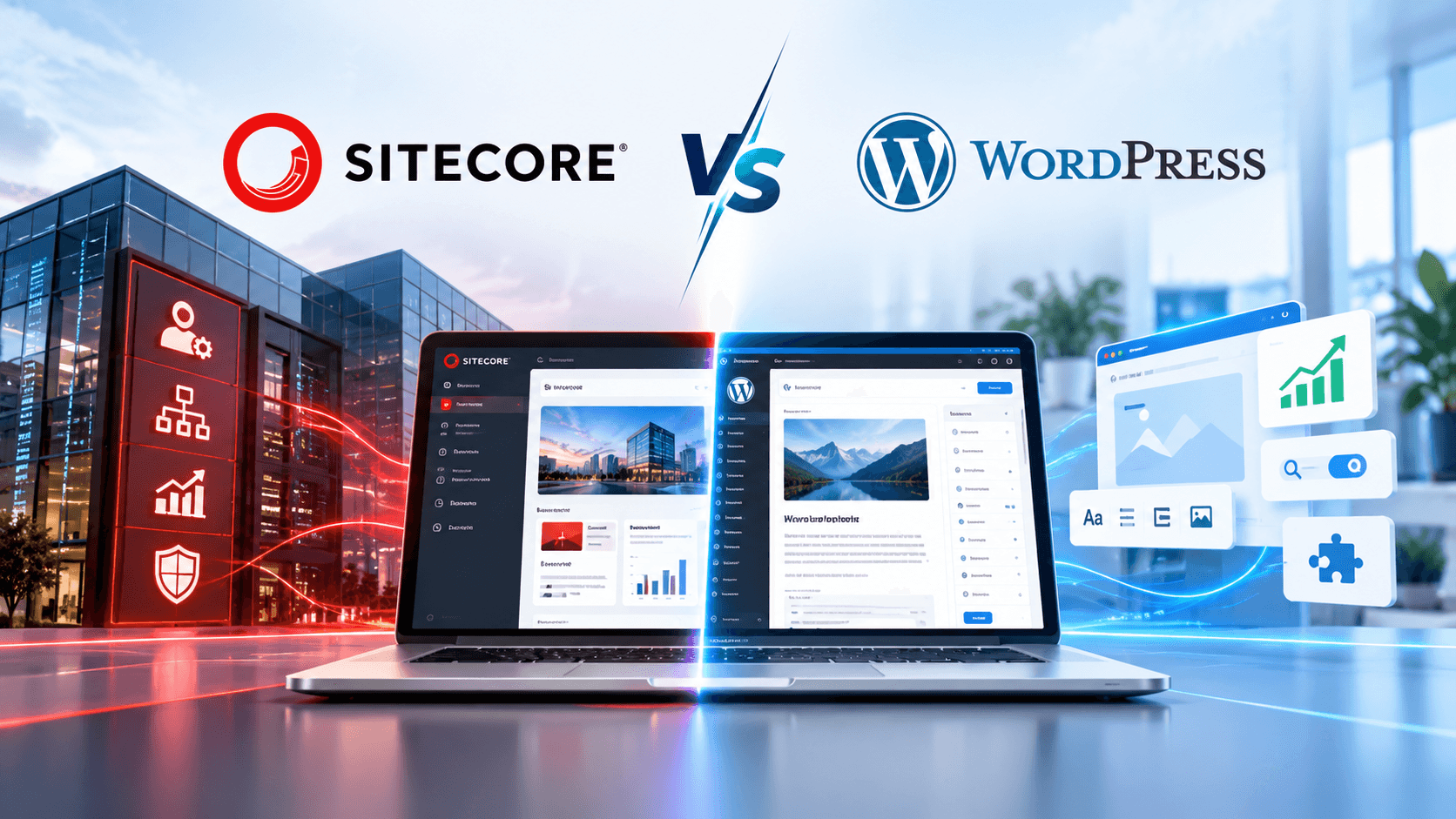
The real difference comes down to scope. Sitecore is a digital experience platform (DXP) that combines content, customer data, and personalization. WordPress is an open-source CMS that you extend with plugins, integrations, and custom code.
What Is Sitecore?
Sitecore is a proprietary, .NET-based platform built for large organizations with complex digital estates. It now comes in two main forms: SitecoreAI, the SaaS headless product that replaced XM Cloud, and the self-managed Sitecore XP and XM platforms.
Both support structured content, multi-site management, workflows, and personalization. Implementation usually takes months with a specialist partner because templates, integrations, and personalization rules require careful architecture.
What Is WordPress?
WordPress is free, open-source software built on PHP and MySQL, and W3Techs data shows it powers more websites than any other CMS. Editors use the block editor, while developers extend the platform with themes, plugins, and custom code.
Enterprise WordPress is more structured than a typical small-business site. It can run on managed hosts such as WordPress VIP, with governed custom code, locked editorial patterns, and CI/CD checks. This makes a WordPress VIP vs Sitecore comparison more relevant for enterprise buyers.
Why a CMS vs DXP Comparison Is Not Like-for-Like
A CMS manages and publishes content, while a DXP coordinates content, customer data, testing, and delivery across channels. You can assemble many DXP features on WordPress, but your team then owns the work of connecting and maintaining them.
What Has Changed for Sitecore and WordPress Recently?
Both platforms changed significantly in 2026. Sitecore renamed its cloud product, released a new on-premises version, and changed support terms, while WordPress added new AI foundations to its core.
1. XM Cloud Is Now SitecoreAI
Sitecore unveiled SitecoreAI as the evolution of XM Cloud. Existing XM Cloud customers moved across automatically, with no migration required.
The official SitecoreAI FAQ confirms that it keeps the XM Cloud foundation while adding entry-level CDP and Personalize, Search, and Content Hub. It also introduces Agentic Studio with ready-made AI agents.
2. Sitecore XP 10.5 and the New Support Rules
Sitecore released XP 10.5 as its newest on-premises version, restarting the support clock. Under the Sitecore product support lifecycle, mainstream support ends about three years after release, extended support after six, and sustaining support after eight.
The bigger change is in extended support, which no longer includes security updates or production incident help by default. This can increase costs for teams on XP 10.0 to 10.3, while versions 10.0 and 10.1 leave extended support entirely in December 2026.
Our Sitecore XM Cloud vs Sitecore XP comparison explains how these two Sitecore paths differ in architecture, hosting, and upgrade effort.
3. WordPress 7.0 Brings AI Into Core
WordPress 7.0 added an AI Client, an expanded Abilities API, and a Connectors hub for linking the AI providers an organization chooses. Core does not include its own AI model, so organizations decide which provider works with their content.
The release also postponed real-time collaborative editing, so WordPress still lacks live co-editing on a single page. However, its new AI foundation gives enterprise teams a provider-neutral way to add AI capabilities without relying on a separate plugin for every tool.
Also Read: What Is Sitecore XM Cloud? Enterprise Benefits, Cost and Migration Strategy
Sitecore vs WordPress: Side-by-Side Comparison Table
This table gives enterprise buyers a quick Sitecore CMS vs WordPress comparison across the factors that matter most. Use it as a quick reference, then read the cost and buying-criteria sections for the details behind each difference.
| Criteria | Sitecore (SitecoreAI, XP, XM) | Enterprise WordPress |
|---|---|---|
| Platform type | Proprietary DXP | Open-source CMS |
| Tech stack | .NET, with Next.js frontends for SitecoreAI | PHP and MySQL, with any frontend for headless builds |
| Hosting model | SaaS for SitecoreAI self-hosted or managed cloud for XP and XM | Any host, including managed hosts such as WordPress VIP |
| Licensing and pricing | Quote-based annual license or subscription | No license fee, but hosting and engineering add costs |
| Total cost of ownership | Higher due to licensing, specialists, and upgrades | Lower, mainly driven by hosting, development, and maintenance |
| Architecture | SitecoreAI is headless only; XP and XM support traditional or headless builds | Traditional, headless, or hybrid |
| Personalization | Native rules, customer data, and testing | Plugins or third-party platforms |
| Multi-site and multilingual | Native management with content inheritance | Built-in multisite and translation plugins |
| Authoring experience | Powerful, but has a steeper learning curve | Block editor is quick to learn |
| Integrations | Enterprise connectors and APIs | Large plugin ecosystem and open APIs |
| Security model | One vendor patches the platform | Core is rarely the weak point, but plugins need governance |
| AI capabilities | Bundled agents in SitecoreAI | AI Client with a provider you choose |
| Talent availability | Smaller, specialist, and more costly | Large global talent pool |
| Best fit | Complex, multi-brand, personalization-led enterprises | Content-led organizations focused on speed and cost |
How Much Does Sitecore Cost Compared to WordPress?
In most budgets, Sitecore costs more because you pay for licensing, specialist implementation, and upgrades. WordPress has no license fee, so hosting, engineering, and maintenance make up most of the cost.
The figures below are indicative ranges from published agency estimates and vendor pricing pages, not quotes. Use them as a planning baseline, since your actual contract and build requirements will vary.
1. Licensing and Hosting Costs
Sitecore uses custom pricing for licenses and SaaS subscriptions. Shadow Digital's Sitecore vs WordPress cost analysis places licensing near $40,000 annually for smaller deployments, rising to $200,000 to $500,000 for large enterprise contracts.
WordPress has no license fee. Enterprise hosting on WordPress VIP starts from $25,000 annually, while simpler managed hosting costs much less. SitecoreAI includes CMS hosting, but its frontend still needs separate hosting.
2. Implementation and Build Costs
A Sitecore implementation often reaches six figures because it covers architecture, components, integrations, content migration, and author training. Large multi-site and personalization programs can take several months with a specialist partner.
Enterprise WordPress builds usually cost less because of the larger talent pool and wider range of ready-made features. Most builds fall in the tens of thousands, while complex multisite programs can reach six figures.
3. Developer Rates and Talent Availability
Sitecore specialists are harder to find, which increases labor costs. Glassdoor salary data puts median US total pay for a Sitecore developer at around $141,000, with certified architects costing more.
WordPress developers are available across more skill levels and markets, usually at lower rates. A larger agency pool also gives businesses more choice when hiring or outsourcing development.
4. Integration, Maintenance and Upgrade Costs
Sitecore maintenance can cost several times more than WordPress because fixes and upgrades often require specialist expertise. Moving from XP to SitecoreAI is a migration rather than a standard upgrade, so it needs its own project budget.
Our guide to Sitecore support and maintenance services shows what ongoing care should cover on the Sitecore side.
WordPress core updates are free, but plugins and core releases still need compatibility testing. Most organizations manage this through an engineering retainer, which is typically less expensive than the Sitecore equivalent.
5. Five-Year Total Cost of Ownership: Sitecore vs WordPress
Sitecore total cost of ownership over five years is usually several times higher than a comparable WordPress estate. Licensing is a major factor, while specialist talent, implementation, upgrades, and maintenance add to the gap.
| Cost line | Sitecore | Enterprise WordPress |
|---|---|---|
| Platform license, annual | Quote-based; about $40,000 for smaller deployments to $500,000 for large contracts | $0 |
| Hosting | CMS hosting included in SitecoreAI, plus separate frontend hosting; self-hosted XP needs its own infrastructure | WordPress VIP from $25,000 annually; standard managed hosting is much lower |
| Initial implementation | Six figures for most enterprise builds | Tens of thousands for most enterprise builds |
| Talent | Median US Sitecore developer pay around $141,000 | Larger talent pool with lower typical salaries |
| Ongoing maintenance | Several times the WordPress equivalent | Scoped engineering retainer |
| Upgrades | Major releases need budget; XP to SitecoreAI is a migration | Core updates are free; plugin compatibility testing still required |
| Five-year picture | Several times higher overall | Hosting plus engineering, usually a fraction of Sitecore |
For a line-by-line view of Sitecore licensing, SitecoreAI subscriptions, and implementation pricing, read our guide on how much Sitecore costs.
Also Read: Sitecore Enterprise CMS: Features, Benefits and ROI Explained
Sitecore vs WordPress: How They Compare on 10 Buying Criteria
Sitecore wins on native personalization, governance, and enterprise integration depth. WordPress wins on editorial speed, cost, flexibility, and talent, and the 10 criteria below show where each advantage appears in daily operations.
1. Architecture and Headless Flexibility
SitecoreAI runs headless only. Content flows to Sitecore's Experience Edge delivery layer, and your own Next.js frontend renders it, so you maintain a second codebase and hosting bill. XP and XM support traditional or headless builds, but switching later usually means a re-platform.
WordPress leaves you more room to change your mind. One installation can render pages itself, feed a decoupled frontend through its REST API, or mix both approaches. You can also move between these models without migrating your content.
Verdict: WordPress offers more architectural freedom, while Sitecore offers a more opinionated enterprise headless model. Our Sitecore headless architecture guide explains how the Sitecore approach works.
2. Content Editing and Authoring Experience
Here, WordPress starts ahead. Its block editor feels familiar to anyone who uses document tools, so your editors can publish a governed page after a short training session. Locked patterns and roles stop them from breaking layouts.
Sitecore hands your marketers more power per page, including personalization rules and language versions. Yet adding a content type, changing a workflow, or editing a template usually needs a developer, and editor onboarding takes noticeably longer.
Verdict: WordPress wins on editorial speed, and Sitecore wins when governed complexity matters more than speed.
3. Personalization and Marketing Capability
Personalization remains Sitecore's strongest argument. XP includes a rules engine for region, referrer, campaign, and returning visitors, and SitecoreAI bundles entry-level CDP, Personalize, and Search. Together, they let you test and tailor experiences from one customer profile.
WordPress treats personalization as something you assemble. Lightweight rules run through plugins or at the CDN, while serious segmentation connects to a third-party platform. That route adds integration work, but it also separates your personalization vendor from your CMS renewal.
Verdict: Personalization is where the Sitecore vs WordPress gap looks widest, and Sitecore wins if your team maintains the rules you pay for.
4. Multi-Site, Multilingual and Content Governance
Sitecore was built for estates with dozens of sites. It manages brands, regions, and languages from one instance, shares content through inheritance, and applies approval workflows and granular permissions out of the box.
With WordPress, multisite comes built in, and plugins such as WPML or MultilingualPress handle translation. Governance, approval chains, and shared components get designed during implementation, which works well when your partner builds a common core for every brand.
Verdict: Sitecore leads on native multi-market governance, and enterprise WordPress can close the gap through deliberate architecture.
5. Scalability and Performance
WordPress scales through hosting, caching, and clean code. Managed platforms such as WordPress VIP run some of the busiest publishing sites online. Plugin-heavy builds on low-cost hosting, however, slow down when your traffic spikes.
If your estate spans several regions with heavy integration traffic, Sitecore's enterprise infrastructure, CDN delivery, and high-availability design fit well. Poor component design, however, can still drag your page speed down.
Verdict: Neither platform wins on raw scale, because build quality decides real-world performance on both.
6. Security, Patching and Compliance
On WordPress, core is rarely the weak point. The Patchstack State of WordPress Security report found that 91% of new vulnerabilities sat in plugins, with only six reported in core. Strong teams govern plugins through vulnerability checks, CI/CD gates, and custom code.
Sitecore places patching with one accountable vendor, which auditors often prefer. However, older XP versions now pay extra for security updates, and a self-hosted XP estate carries its own compliance posture rather than Sitecore's cloud certifications.
Verdict: Security rarely decides Sitecore vs WordPress on its own, because your patching process matters more than the platform name.
7. Integrations and Commerce
Sitecore approaches integration as a core design goal, with enterprise connectors, APIs, and a .NET foundation that suits Microsoft-heavy estates. Commerce capabilities come through separately licensed products, so confirm what your contract covers before you plan an online store.
WordPress connects to CRM, ERP, and marketing tools through thousands of plugins and open APIs. WooCommerce adds commerce directly, while larger retailers often connect a dedicated commerce platform. Plugin quality varies widely, so every integration needs vetting and a named owner.
Verdict: Sitecore suits complex enterprise stacks, while WordPress suits teams that want faster and lower-cost connections.
8. SEO, AEO and AI Search Visibility
WordPress makes technical SEO accessible through mature plugins such as Yoast SEO and Rank Math, which handle metadata, sitemaps, and schema. Editors control most on-page SEO themselves, without raising a ticket.
Sitecore supports strong SEO as well, though sitemaps, redirects, and metadata models usually need configuration or custom modules. Its advantage lies in structured, reusable content, which helps AI answer engines read and cite your pages consistently.
Verdict: WordPress makes daily SEO easier, but AI search visibility on either platform depends on structured content and schema discipline.
9. AI Capabilities for Content Teams
SitecoreAI ships with an Agentic Studio and ready-made agents for planning, creating, and personalizing content. These agents draw on platform data and improve on Sitecore's release schedule, so adoption moves quickly while control stays with the vendor.
WordPress 7.0 takes the opposite route with its provider-neutral AI Client and Abilities API. You choose the model provider and keep your architecture if you switch later, although your team must design the AI workflows itself.
Verdict: Sitecore delivers faster built-in AI, whereas WordPress gives you more control over providers and data.
10. Support, Ecosystem and Talent Pool
WordPress support comes from hosts, agencies, and a huge open-source community rather than one vendor. Enterprise hosts add service-level agreements, and you can replace a partner quickly because so many teams know the platform.
Sitecore customers get vendor support with documented processes, plus a network of specialist partners. That structure brings clear accountability, yet it also deepens your dependence on a small and costly pool of certified experts.
Verdict: Sitecore offers one accountable vendor, while WordPress offers far more choice and lower dependency risk.
Now that you have seen each criterion, let's take a look at the pros and cons behind the Sitecore vs WordPress trade-off.
What Are the Pros and Cons of Sitecore and WordPress?
The strengths of each platform reflect its core purpose. Sitecore focuses on depth, governance, personalization, and enterprise control, while WordPress focuses on flexibility, publishing speed, cost, and ecosystem choice.
Sitecore Pros and Cons
Pros
- Native personalization: Rules, customer data, and testing work together.
- Multi-site governance: Manage brands, regions, and languages from one platform.
- Enterprise integration: .NET and enterprise connectors suit complex Microsoft-based estates.
- Accountable vendor: One provider handles patches, support, and the product roadmap.
- Bundled AI: SitecoreAI includes agents, CDP, Personalize, and Search.
Cons
- High cost: Licensing, specialists, and upgrades increase total ownership costs.
- Steep learning curve: Editors need training, while structural changes often need developers.
- Scarce talent: Certified specialists are harder to find and cost more.
- Long implementations: Complex projects can take months with a specialist partner.
- High exit cost: Platform-specific architecture can make future migration expensive.
WordPress Pros and Cons
Pros
- No license fee: Budget goes toward hosting, development, and content.
- Editor-friendly publishing: The block editor reduces developer dependency.
- Flexible architecture: Supports traditional, headless, and hybrid delivery.
- Huge talent pool: Developers and agencies are available across skill levels and budgets.
- Open ecosystem: Plugins, themes, and APIs cover a wide range of requirements.
Cons
- Plugin risk: Poorly governed plugins can create security and performance issues.
- Assembled personalization: Advanced capabilities often require third-party tools and integrations.
- Governance by design: Multi-site governance and approval workflows require implementation.
- No live co-editing: Real-time collaborative editing is still missing from the core.
- Variable build quality: Results depend heavily on development standards and partners.
Also Read: Enterprise CMS and Headless CMS AI Readiness Assessment
Should You Choose Sitecore or WordPress?
The right CMS depends on how your business will operate over the next three years, not on which platform has the longer feature list. Use the scenarios below to see whether Sitecore or WordPress better fits your team, budget, content needs, and growth plans.
When Sitecore Is the Right Choice
- Multi-brand estates: You manage multiple brands, regions, or languages that need centralized governance.
- Revenue from personalization: Personalized experiences already drive measurable revenue and have dedicated owners.
- Regulated industries: You need documented patching, governance, and one accountable vendor.
- Complex integrations: Your website connects deeply with CRM, ERP, commerce, and customer data platforms.
- Microsoft alignment: Your technology stack is already built around .NET and Azure.
- Full-suite usage: You will actively use CDP, Personalize, Search, and Content Hub rather than paying for unused capabilities.
- Stable Sitecore team: You have the internal or partner expertise needed to maintain and evolve the platform.
When WordPress Is the Right Choice
- Content-led growth: Publishing speed and SEO contribute more to growth than advanced personalization.
- Lean budgets: You want to invest more in content and engineering than CMS licensing.
- Independent editors: Marketing teams need to publish and update pages without developers.
- Single-market focus: You mainly operate one brand, market, and language.
- CRM-owned customer: Your CRM already manages customer data, so the website does not need a full DXP layer.
- Architectural freedom: You want the option to use traditional, headless, or hybrid delivery.
- Faster launches: You need to launch or relaunch in weeks rather than months.
Best-Fit Platform by Business Scenario
Use these scenarios as a practical WordPress vs Sitecore comparison based on how your organization actually operates.
| Business scenario | Best fit | Deciding factor |
|---|---|---|
| Global enterprise with many regions and brands | Sitecore | Native governance at scale |
| Regulated enterprise with complex approvals | Sitecore | Accountable vendor and structured workflows |
| Enterprise in one market, publishing-led | Enterprise WordPress | Editorial speed and lower total cost |
| Mid-size B2B marketing and lead generation site | WordPress | Cost-effective and editor-friendly |
| Media and high-volume publisher | Enterprise WordPress | Proven publishing scale |
| Retailer with deep personalization programs | Sitecore | Unified customer profile and testing |
| Existing Sitecore estate used as a basic CMS | Evaluate both | License value versus actual feature usage |
Questions to Ask Before You Decide
- Personalization plan: Which personalization rules will you launch in the first six months, and who will manage them?
- Market footprint: How many sites, brands, and languages will you manage within three years?
- Editorial workload: How many editors publish each week, and how often do they depend on developers?
- Integration map: Which CRM, ERP, commerce, and data systems must connect from day one?
- Team capacity: Can you hire and retain specialist developers, or would a larger talent pool be more practical?
- Compliance needs: Which certifications and security requirements will your auditors check?
- Five-year budget: What total cost of ownership can you support, including upgrades and future migration?
- Exit plan: How difficult would it be to leave the platform if your strategy changes?
Now that you know which platform fits a new build, let's take a look at the harder choice existing Sitecore owners face today.
Already Running Sitecore? Should You Stay, Modernize or Switch?
For existing owners, the decision is simple: stay, modernize, or switch. Stay when Sitecore delivers measurable value, modernize when your version is aging, and evaluate WordPress when you are paying DXP-level costs for basic CMS needs.
1. When Staying on Sitecore Makes Sense
Stay when Sitecore personalization, multi-brand governance, and enterprise integrations deliver measurable value, and your team is stable. If you are on a supported version, optimizing the platform and renegotiating license scope may make more sense than migrating.
2. When Modernizing to SitecoreAI or XP 10.5 Pays Off
Modernize when Sitecore still fits your strategy but legacy MVC, aging versions, or support costs slow delivery. SitecoreAI or XP 10.5 can provide a stronger path forward, while Sitecore XM Cloud migration services can support the transition.
3. When Moving to WordPress Is Worth Evaluating
Consider a Sitecore to WordPress migration when you mainly use Sitecore as a basic CMS, editors depend heavily on developers, or specialist hiring remains difficult. If an XP-to-SitecoreAI rebuild is already required, compare its cost with an enterprise WordPress alternative before deciding.
4. The Hybrid Option: Running Sitecore and WordPress Together
You can also use both platforms. Keep Sitecore for personalized, integration-heavy flagship sites, while WordPress handles blogs, campaign microsites, or regional sites where lower cost and publishing speed matter.
Not sure which path fits your estate? The Sitecore Rescue Mission from Murmu Software Infotech audits your setup, costs, and feature usage so you can decide on your next renewal.
What Does Migrating Between Sitecore and WordPress Involve?
A CMS migration between Sitecore and WordPress involves content mapping, template rebuilding, integrations, and SEO protection. Moving to Sitecore usually requires more upfront content modeling, while moving to WordPress can be simpler for content-led sites.
1. Moving From Sitecore to WordPress
A Sitecore to WordPress migration maps Sitecore items to WordPress post types, taxonomies, and custom fields. Templates are rebuilt with blocks, integrations are reconnected, and personalization is replaced with suitable tools. Complex projects can take three to six months, while simpler sites move faster and can remove Sitecore licensing costs at renewal.
2. Moving From WordPress to Sitecore
WordPress to Sitecore migration is usually driven by stronger governance, personalization, or enterprise requirements. Teams must define the Sitecore content model, templates, and hierarchy first, then plan a longer implementation with a specialist partner around the capabilities they will actually use.
3. How to Protect SEO, Content and Integrations During the Move
Start with SEO: map old URLs, create 301 redirects, and migrate metadata field by field. Crawl staging to find broken links and redirect chains, test integrations and forms, run both platforms until data is stable, and train editors before launch.
Our guide on how to choose the best Sitecore development company covers what to look for in a migration partner.
How Murmu Software Infotech Helps You Choose and Deliver the Right Platform
Choosing the right CMS can affect your costs, delivery speed, and digital growth for years. Murmu Software Infotech helps enterprises and agencies evaluate Sitecore, WordPress, and other CMS platforms, then build, modernize, migrate, and support the solution that fits their goals.
- Full Sitecore lifecycle: Build, migration, integrations, and support across Sitecore XP, XM, SXA, XM Cloud, SitecoreAI, and Next.js headless builds.
- Proven modernization: Supported a healthcare enterprise website and member portal migration from Sitecore XP to XM Cloud headless, with AI Search and a Next.js rendering host.
- Platform-neutral advice: Expertise across WordPress and other CMS platforms helps you choose based on actual business needs.
- Flexible engagement: Hire dedicated developers hourly or monthly, or use white-label delivery for agency projects.
- Long-term support: Keep your platform secure, fast, and up to date with structured support and maintenance.
Ready to make the right CMS decision? Connect with our Sitecore experts to assess your requirements, compare your options, and choose a platform with confidence.
Conclusion: Choose the Platform Your Organization Will Actually Use
Sitecore makes sense when personalization, multi-site governance, and enterprise integrations create measurable value. WordPress is often the better fit when publishing speed, flexibility, and cost control matter more.
The right WordPress vs Sitecore decision starts with how your team actually works, what capabilities you will use, and what you can support over the next five years, not just the feature list.
We hope this guide helped you understand the differences in cost, capabilities, migration, and long-term ownership. The right platform should solve your business needs without adding unnecessary complexity.
Frequently Asked Questions
1. Is Sitecore better than WordPress for enterprise websites?
Sitecore suits enterprises needing personalization, multi-site governance, and deep integrations. Enterprise WordPress fits teams prioritizing editorial speed, flexibility, and lower total cost.
2. How much more does Sitecore cost than WordPress?
Sitecore licensing is quote-based, with published estimates ranging from about $40,000 to $500,000 annually. WordPress has no license fee, making its five-year ownership cost typically much lower.
3. Is SitecoreAI the same as Sitecore XM Cloud?
SitecoreAI is the evolution of XM Cloud. Existing XM Cloud customers moved automatically, with the platform retaining its headless foundation and adding CDP, Personalize, Search, Content Hub, and AI agents.
4. Is Sitecore being discontinued?
No. Sitecore continues investing in SitecoreAI and its on-premises products. XP 10.5 also resets mainstream support, while older versions face tighter extended-support terms.
5. Can WordPress match Sitecore's personalization?
Not natively. WordPress can support personalization through plugins, CDN rules, or third-party platforms, but advanced segmentation and testing require additional tools.
6. Is WordPress secure enough for regulated industries?
Yes, with strong governance. Managed hosting, controlled plugins, regular patching, and CI/CD security checks are essential for regulated environments.
7. How long does a Sitecore to WordPress migration take?
A complex migration can take three to six months. Content volume, integrations, templates, redirects, and editor training determine the actual timeline.
8. Can Sitecore and WordPress run together?
Yes. Enterprises can use Sitecore for personalized flagship sites and WordPress for blogs, microsites, or regional websites, with clear content ownership and shared standards.
Frequently Asked Questions
Is Sitecore better than WordPress for enterprise websites?
Sitecore is usually the stronger fit for enterprises that require advanced personalization, multi-site governance, complex integrations and centralized control. Enterprise WordPress is often better for organizations prioritizing editorial speed, architectural flexibility and lower total ownership cost.
What is the main difference between Sitecore and WordPress?
Sitecore is a proprietary digital experience platform designed around enterprise content, personalization, customer data and governance. WordPress is an open-source CMS that can be extended through plugins, APIs, integrations and custom development.
Is Sitecore more expensive than WordPress?
Generally yes. Sitecore typically carries licensing or subscription costs plus specialist implementation, maintenance and upgrade expenses. WordPress has no core license fee, although enterprise hosting, engineering, security and maintenance still create ongoing costs.
Is SitecoreAI the same as XM Cloud?
SitecoreAI is the evolution of XM Cloud. The article notes that existing XM Cloud customers moved automatically while retaining the headless foundation and gaining capabilities such as CDP, Personalize, Search, Content Hub and AI agents.
Which CMS is better for SEO, Sitecore or WordPress?
WordPress generally makes everyday technical and on-page SEO easier through mature plugins and editor controls. Sitecore can also deliver strong SEO, especially with well-structured reusable content, but metadata, redirects, sitemaps and schema often require more implementation work.
Which CMS offers better personalization?
Sitecore has the stronger native personalization proposition because customer data, testing and personalization capabilities are integrated into its broader digital experience platform. WordPress usually requires plugins, CDN rules or third-party personalization platforms.
Is WordPress secure enough for enterprise websites?
Yes, when implemented with strong governance. Managed hosting, controlled plugin selection, vulnerability monitoring, patching, CI/CD checks and disciplined custom development are important for enterprise WordPress security.
When should a business migrate from Sitecore to WordPress?
Migration is worth evaluating when Sitecore is being used mainly as a basic CMS, advanced DXP features provide limited measurable value, editors depend heavily on developers or specialist support and licensing costs are difficult to justify.
Can Sitecore and WordPress be used together?
Yes. An enterprise can keep Sitecore for personalization-heavy flagship experiences while using WordPress for blogs, campaign sites or regional websites where publishing speed and lower operating cost matter more.
How long does a Sitecore to WordPress migration take?
The article estimates that complex migrations can take roughly three to six months, depending on content volume, templates, integrations, redirects, personalization replacement, testing and editor training.