Sanity CMS Migration Services
In This Article
- Move to an AI-Ready Headless Platform Without Losing SEO
- Why Businesses Migrate to Sanity CMS
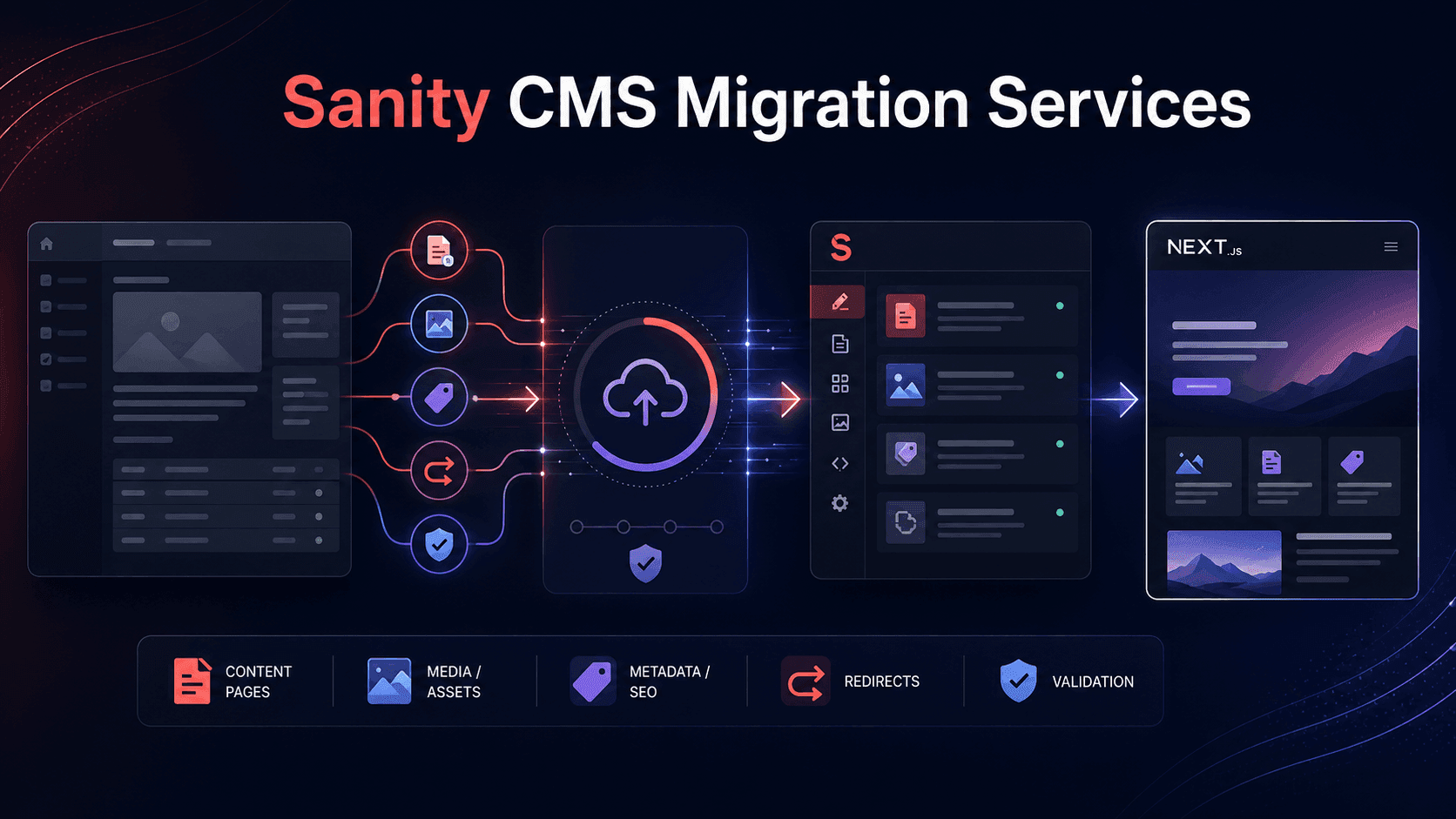
- What Sanity CMS Migration Services Include
- 1. Existing CMS and Content Audit
- 2. Sanity Schema and Content Architecture
- 3. Data Mapping and Transformation
- 4. Scripted Migration and Staging Validation
- Protecting SEO During a Sanity Migration
- Rebuilding the Frontend With Next.js
- Migrating to an AI-Ready Content Platform
- Our Own Sanity CMS Migration Experience
- How to Choose a Sanity Migration Partner
- Build a Better Content Foundation
Move to an AI-Ready Headless Platform Without Losing SEO
Migrating to Sanity CMS is not simply a content-transfer project. It is an opportunity to redesign how your organization structures, manages, publishes and reuses content across websites, applications, search engines and AI-powered experiences.
Professional Sanity CMS migration services typically include content auditing, schema architecture, scripted data transformation, media migration, SEO preservation, frontend integration, staged validation, team training and post-launch support. A well-planned migration should improve the content model instead of reproducing the limitations of the old CMS.
Why Businesses Migrate to Sanity CMS
Organizations commonly consider Sanity when an existing WordPress, Drupal, Contentful, Sitecore, Adobe Experience Manager or custom CMS has become difficult to scale, expensive to maintain or too restrictive for modern editorial workflows.
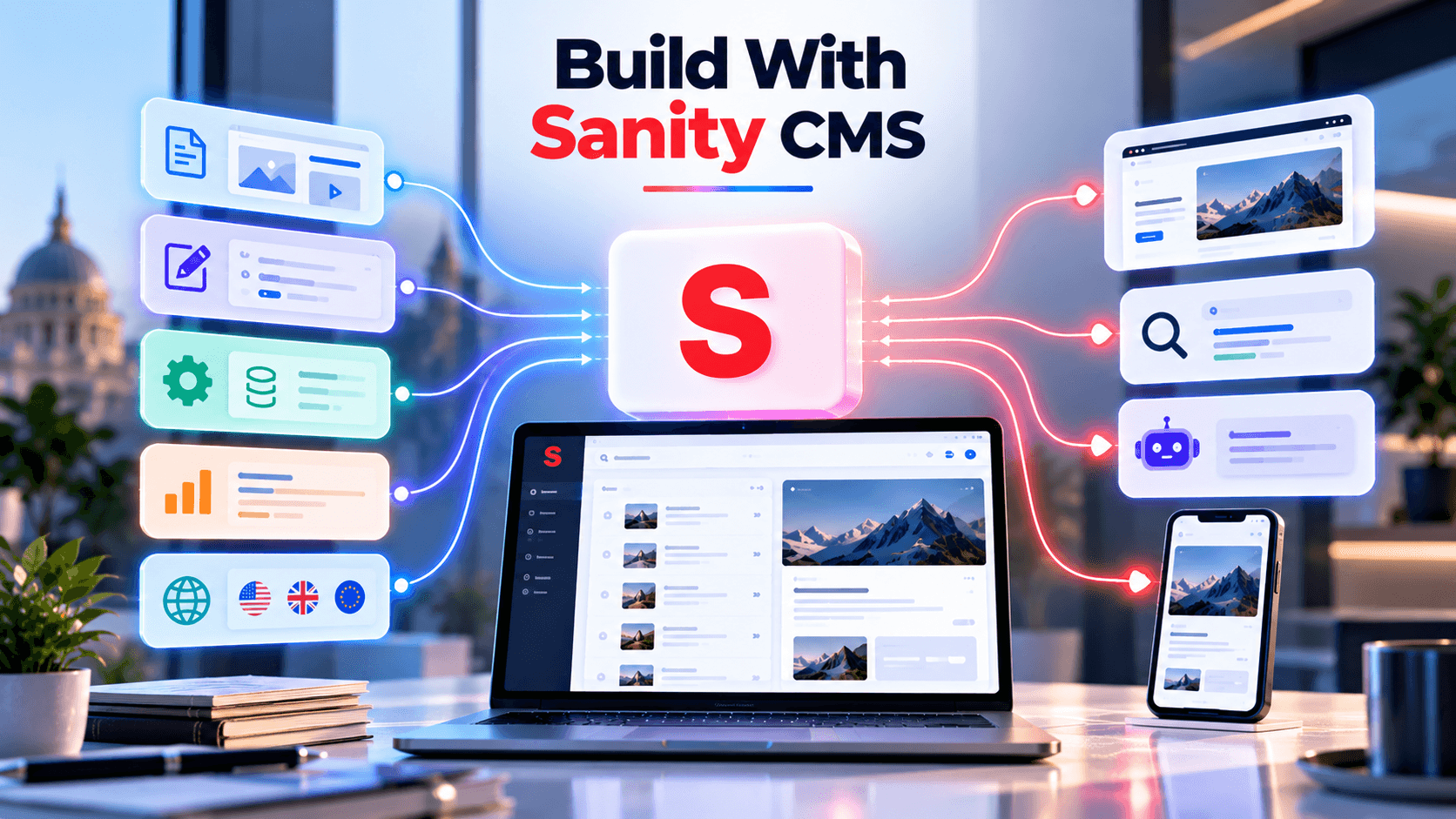
Sanity separates structured content from the frontend presentation layer. This allows the same content to power a Next.js website, mobile application, ecommerce storefront, customer portal, chatbot or another digital channel through APIs.
The migration can deliver:
- More flexible structured-content models
- Faster page creation and publishing
- Reduced developer dependency for routine updates
- Custom editorial workflows inside Sanity Studio
- Multilingual and multi-region publishing
- Reusable content across channels
- Easier integration with CRM, ecommerce and marketing systems
- A stronger foundation for AI content operations
Competitor migration specialists consistently emphasize that successful projects require more than importing documents. References, assets, Portable Text, validation rules, editorial workflows, URLs and frontend dependencies must all be mapped and verified.
What Sanity CMS Migration Services Include
1. Existing CMS and Content Audit
The migration should begin with a complete inventory of:
- Pages, posts and custom content types
- Categories, tags and taxonomies
- Authors and user relationships
- Images, videos, documents and downloadable files
- Metadata, canonical URLs and structured data
- Internal links
- Forms and integrations
- Multilingual content
- Existing URL structure and redirects
This audit helps identify content that should be migrated, consolidated, rewritten, archived or removed.
A migration is the right time to eliminate outdated drafts, duplicate pages, unnecessary fields and platform-specific content that no longer supports the business.
2. Sanity Schema and Content Architecture
Migrating every old CMS field into an identical Sanity field structure is usually a mistake.
The new architecture should model reusable business entities such as:
- Services
- Products
- Industries
- Locations
- Case studies
- FAQs
- Authors
- Testimonials
- Calls to action
- SEO, AEO and GEO fields
Sanity distinguishes between changing schemas and migrating the existing content that depends on those schemas. Its official tooling supports document validation, schema validation, dataset import/export and code-defined content migrations that can be stored in the project repository and rerun when required.
3. Data Mapping and Transformation
The source content must be mapped to the new Sanity document types, objects, arrays and references.
For example, a WordPress migration may require:
- Mapping posts and custom post types to Sanity documents
- Converting ACF fields into structured schema fields
- Transforming HTML into Portable Text
- Replacing WordPress shortcodes
- Rebuilding categories, tags and author references
- Uploading media into Sanity’s asset system
- Updating embedded links and asset references
Contentful, Drupal and custom CMS migrations require similar mapping, but their source models, rich-text formats and reference structures differ. Scripted transformations are more reliable and auditable than manually copying large volumes of content.
Protect Your SEO While Migrating to Sanity CMS
4. Scripted Migration and Staging Validation
Migration scripts should be version-controlled, repeatable and tested against a non-production dataset before final cutover.
A safe process usually includes:
- Exporting and backing up the source content
- Preparing the target Sanity schemas
- Running transformations against sample content
- Importing into a staging dataset
- Validating documents and references
- Comparing source and target content
- Testing the frontend and editorial workflow
- Running the final production migration
- Monitoring the platform after launch
Sanity’s CLI provides tools for validating documents and schemas, creating code-based migrations, and importing or exporting datasets for testing. Specialist migration providers also recommend staged execution so the existing live site remains available until the target platform has been verified.
Protecting SEO During a Sanity Migration
SEO preservation must be treated as a core migration workstream, not a final pre-launch task.
A proper SEO migration plan should include:
- Complete URL inventory
- Old-to-new URL mapping
- Page-level 301 redirects
- Titles and meta-description migration
- Canonical URL validation
- Structured-data preservation
- Internal-link updates
- Image alt text
- Sitemap and robots.txt updates
- Analytics and Search Console baselines
- Post-launch crawl and index monitoring
Migration reviews consistently warn that poorly handled URLs, redirects, metadata and content parity can damage established search visibility. The bulk of migration effort often lies in mapping, SEO preservation and quality assurance rather than simply moving content records.
Where possible, valuable URLs should remain unchanged. When URLs must change, each old page should redirect to its most relevant replacement rather than sending all discontinued URLs to the homepage.
Rebuilding the Frontend With Next.js
Many Sanity migrations include frontend modernization using Next.js.
The frontend phase may include:
- Reusable React components
- Dynamic routes
- GROQ data retrieval
- Metadata generation
- Draft previews
- Visual Editing
- Caching and revalidation
- Image optimization
- Redirect handling
- Analytics integration
- Vercel or cloud deployment
Sanity specialists commonly use staging validation, GROQ queries and Next.js delivery to create fast content experiences while allowing content teams to publish without waiting for a complete frontend rebuild.
Businesses planning the full frontend transformation can explore our Sanity Next.js development services.
Modernize Your Content Platform Without Disrupting Business Operations
Migrating to an AI-Ready Content Platform
A modern Sanity migration should also consider how structured content will be used by AI systems.
An AI-ready implementation may include:
- Sanity AI Content Agent workflows
- AI-assisted page and blog creation
- Content summaries and enrichment
- English, Hindi and multilingual translation
- Field-level translation controls
- Structured FAQs and direct answers
- SEO, AEO and GEO fields
- AI chatbot knowledge retrieval
- Sanity MCP Server integration
This changes the migration from a basic CMS replacement into a broader content-operations transformation.
Murmu Software Infotech provides AI-native Headless CMS and content automation with Sanity CMS, combining structured content, Next.js delivery, multilingual workflows, AI Content Agent and MCP-powered knowledge systems.
Our Own Sanity CMS Migration Experience
Murmu Software Infotech migrated its official website from a developer-managed Next.js and .NET API architecture to Sanity CMS and Next.js.
Before migration, routine content changes could take two to four hours and frequently required developer involvement. The new platform introduced structured content models, GROQ-powered delivery, live publishing, AI-assisted workflows and MCP-based chatbot knowledge retrieval. Routine updates can now be completed in seconds or minutes by authorized content team members.
Read the full Sanity CMS and Next.js migration case study.
How to Choose a Sanity Migration Partner
Before selecting a provider, ask whether the team can demonstrate:
- Sanity schema and GROQ expertise
- Experience with your existing CMS
- Scripted and repeatable migration methods
- SEO-safe URL and redirect planning
- Asset and reference validation
- Staging and rollback procedures
- Next.js frontend capabilities
- Multilingual migration experience
- Editor training and documentation
- Post-launch monitoring and support
Migration-industry reviews recommend choosing specialists who understand both the source and target platforms, protect SEO deliberately, and account for editorial workflows rather than treating the project as a simple lift-and-shift.
Build a Better Content Foundation
The purpose of Sanity CMS migration services is not merely to move content from one platform to another.
It is to create a cleaner content architecture, improve editorial productivity, protect existing search value and build a platform ready for new websites, applications, languages and AI-powered experiences.
Planning to migrate from WordPress, Drupal, Contentful, Sitecore or a custom CMS? Murmu Software Infotech can audit your current platform, create the migration roadmap and deliver a scalable Sanity CMS and Next.js implementation.
Frequently Asked Questions
What are Sanity CMS migration services?
Sanity CMS migration services move content, media, metadata and relationships from an existing CMS into a structured Sanity architecture. The work may include auditing, schema design, transformation scripts, asset migration, redirects, validation, Next.js integration, training and post-launch support.
Which platforms can be migrated to Sanity CMS?
Websites can be migrated from WordPress, Drupal, Contentful, Strapi, Sitecore, Adobe Experience Manager, custom databases, hardcoded APIs and other legacy content systems. The migration approach depends on the source platform, content structure and available export methods.
Can WordPress be migrated to Sanity CMS?
Yes. WordPress posts, pages, custom post types, taxonomies, authors, media and metadata can be transformed into Sanity documents. HTML, Gutenberg blocks, shortcodes and custom fields may need to be converted into structured fields or Portable Text.
Will a Sanity CMS migration affect SEO?
A poorly planned migration can affect rankings, but SEO risk can be reduced through URL mapping, page-level redirects, metadata preservation, canonical validation, internal-link updates, sitemap changes and post-launch crawling and monitoring.
Can existing URLs remain unchanged?
Yes, valuable URLs should usually remain unchanged where the new architecture permits it. When URLs must change, each previous URL should redirect to its closest relevant replacement through a permanent redirect.
What content should be migrated?
Content should be audited before migration. Valuable, accurate and current pages should be transferred, while duplicate, outdated, thin or unused content may be consolidated, rewritten, archived or removed.
How is migrated content validated?
Migrated content can be tested in a staging dataset using schema validation, document validation, reference checks, asset verification and frontend comparison. Sanity provides CLI tooling for validating schemas and documents and running code-defined migrations.
Can the new Sanity platform use Next.js?
Yes. Sanity can serve structured content to a Next.js website using APIs and GROQ queries. The implementation can include App Router, Draft Mode, Visual Editing, content previews, caching and revalidation.
Can multilingual content be migrated?
Yes. English, Hindi and other language versions can be mapped to document-level or field-level localization models. Translation relationships, language-specific URLs, metadata and publishing status should be preserved and validated.
How much time and cost does a Sanity migration require?
Cost and duration depend on the number of documents, content types, assets, languages, relationships, integrations and frontend changes. A focused migration may take several weeks, while a multilingual or enterprise migration may require phased delivery.