Can ChatGPT Safely Manage Sanity CMS? Permissions, Risks and Best Practices
In This Article
- What “Safely Manage” Actually Means
- How ChatGPT Connects to Sanity
- Sanity Roles and What They Mean for AI Workflows
- Viewer
- Contributor
- Editor
- Developer
- Administrator
- The Principle of Least Privilege
- Main Risks When ChatGPT Manages Sanity
- 1. Excessive permissions
- 2. Accidental bulk changes
- 3. Publishing unreviewed content
- 4. Schema-invalid documents
- 5. Leaked access tokens
- 6. Wrong project, dataset or perspective
- 7. Broken or invented references
- 8. Prompt injection in stored content
- 9. Sensitive data exposure
- 10. Incomplete rollback planning
- Best Practices for Safe ChatGPT–Sanity Management
- 1. Start with read-only access
- 2. Prefer OAuth for user-attributed work
- 3. Never expose Sanity tokens
- 4. Specify the exact target
- 5. Separate analysis from action
- 6. Create drafts by default
- 7. Require confirmation for important actions
- 8. Inspect the schema before writing
- 9. Validate programmatic writes
- 10. Use optimistic locking
- 11. Work in small batches
- 12. Protect production environments
- 13. Log and review operations
- 14. Review dataset visibility
- 15. Apply human judgment where it matters
- A Safe Permission Model by Task
- Content search and reporting
- Blog and page drafting
- Small approved edits
- Publishing and releases
- Schema and project administration
- Example of a Safe Request
- Pre-Action Safety Checklist
- Can ChatGPT Manage Sanity Without Human Review?
- Conclusion
ChatGPT can do much more than draft copy when it is connected to Sanity CMS. It can inspect schemas, run content queries, identify missing fields, prepare structured documents and support controlled publishing workflows. That power is useful, but it also raises an important question: can an AI assistant safely manage production content?
The short answer is yes—when access is intentionally limited, high-impact actions require review and every programmatic write is validated. Safety does not come from trusting a prompt alone. It comes from combining Sanity permissions, secure authentication, narrow task scope, draft-first workflows and human approval.
What “Safely Manage” Actually Means
Safe content management is not simply avoiding deletion. It means protecting confidentiality, integrity and availability throughout the workflow.
- Confidentiality: users and tools can read only the content they are authorized to access.
- Integrity: changes are accurate, schema-compatible and limited to the requested documents.
- Availability: content operations do not disrupt production delivery or exhaust project resources.
- Accountability: teams can identify who or what performed a change and why.
A safe ChatGPT–Sanity workflow should therefore control both what the connected account can do and what the assistant is asked to do in each conversation.
How ChatGPT Connects to Sanity
Sanity’s MCP server allows compatible AI clients to interact with Sanity projects through supported tools. It can use OAuth or token-based authentication. With OAuth, operations run according to the authenticated user’s access. With an API token, the available actions follow the token’s assigned role and scope.
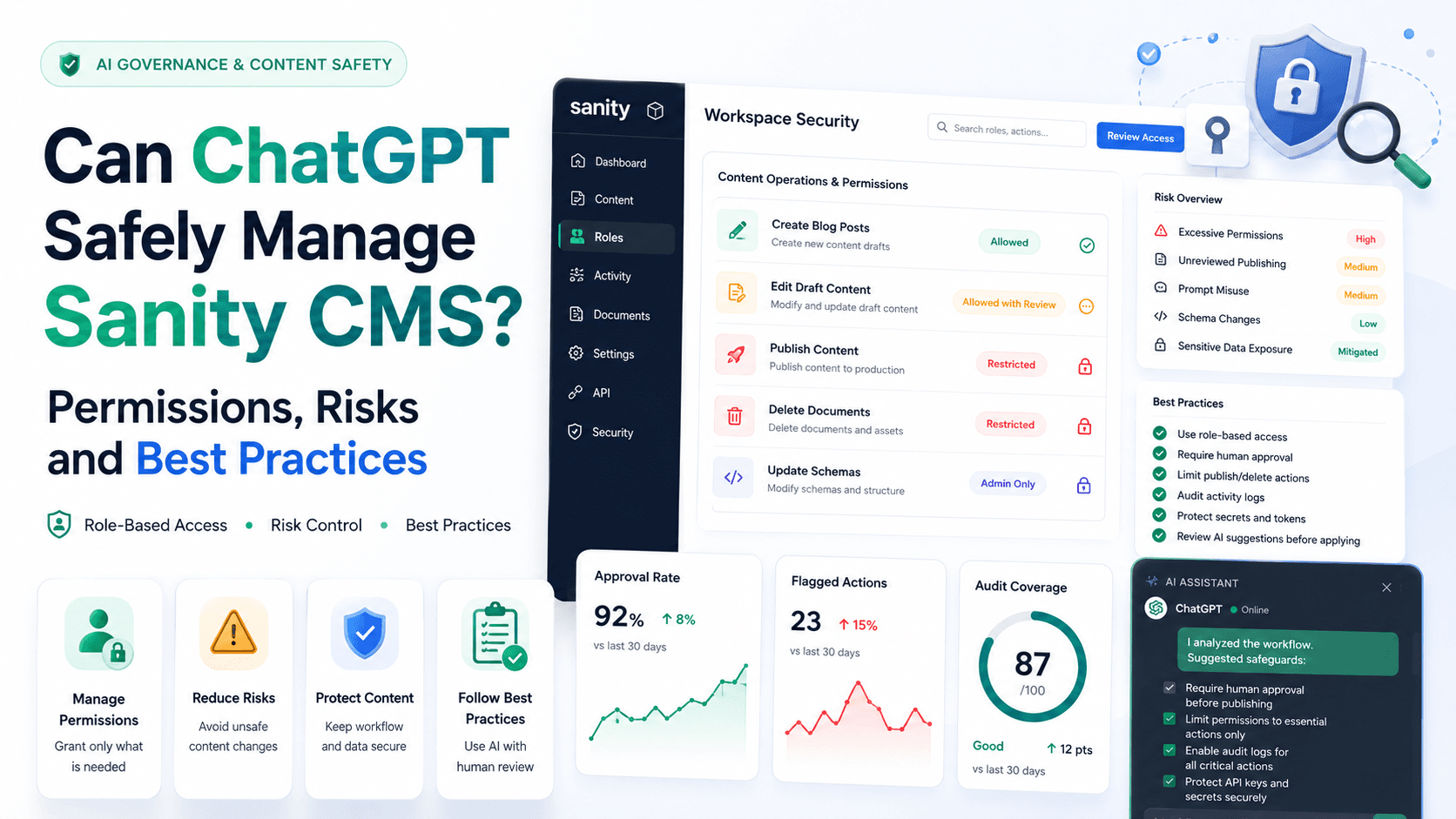
The important security principle is that ChatGPT should never receive more Sanity access than the task requires. A content-reporting workflow may need read-only access, while draft creation needs limited write access. Publishing, schema deployment and project management should be restricted to trusted workflows and authorized people.
Sanity Roles and What They Mean for AI Workflows
Sanity roles control access to datasets, documents and project settings. Available roles depend on the Sanity plan, but common built-in roles include Administrator, Viewer, Editor, Developer and Contributor.
Viewer
Viewer access is read-only. It is the safest starting point for content discovery, counts, audits and reporting because the connected workflow cannot edit or publish documents.
Contributor
On supported plans, a Contributor can work with draft content but cannot publish. This makes the role useful for AI-assisted draft preparation when final publication must remain with an editor.
Editor
An Editor can read and write content and has limited project-setting access. This role may be appropriate for trusted editorial workflows, but it allows more impact than a reporting-only connection.
Developer
A Developer can read and write datasets and access developer-oriented project settings. It should be reserved for workflows that genuinely require technical administration.
Administrator
Administrator access includes full dataset and project-setting control. It should not be the default choice for routine AI content work because a mistake or compromised credential could have a much wider effect.
Avoid unnecessary administrator access
If the task only requires reading posts or creating drafts, do not connect ChatGPT with an account or token that can manage every project setting.
The Principle of Least Privilege
Least privilege means granting only the minimum permissions needed for the current responsibility. It is the foundation of a safe integration.
- Use read-only access for analysis and audits.
- Use draft-only access for content preparation when the plan supports it.
- Separate publishing permission from everyday drafting.
- Keep schema deployment and project administration restricted.
- Review access whenever team responsibilities change.
Enterprise projects can use custom roles and content resources for more granular control. Permissions can be scoped to datasets and, where supported, to specific content resources. Teams should start restrictive and grant access deliberately because permissions can combine additively.
Main Risks When ChatGPT Manages Sanity
1. Excessive permissions
The largest avoidable risk is connecting a highly privileged account for a low-risk task. If the connection can delete documents, publish changes or modify project settings, an unclear request can have consequences far beyond the intended scope.
2. Accidental bulk changes
A request such as “fix all SEO problems” may affect hundreds of documents and involve subjective decisions. Without a reviewed report and explicit selection criteria, useful automation can turn into a difficult rollback exercise.
3. Publishing unreviewed content
AI-generated copy may contain incorrect claims, outdated information, broken links or a tone that does not match the brand. Creating a draft is lower risk; publishing makes the content public and may trigger website builds, cache updates or notifications.
4. Schema-invalid documents
Sanity Studio runs schema validation in the editor, but ordinary programmatic writes to the Content Lake do not automatically run every Studio validation rule. An API-created document can therefore contain missing required fields or values that violate editorial rules unless the client validates them.
5. Leaked access tokens
An access token can grant read or write access to a Sanity project. Tokens must never be placed in public frontend JavaScript, committed to public repositories or shared through unsecured channels. A leaked write token may allow unauthorized content modification or deletion.
6. Wrong project, dataset or perspective
Organizations may have development, staging and production projects or multiple datasets. A technically valid operation can still be harmful when it targets the wrong environment. Draft, published and release perspectives can also produce different results.
7. Broken or invented references
Structured Sanity documents often reference categories, authors, assets or related content. Guessing an ID can create invalid relationships or connect content to the wrong entity.
8. Prompt injection in stored content
Content retrieved from external or user-generated sources may contain instructions intended to influence an AI system. A safe workflow treats stored content as data, not as authority to expand scope, reveal credentials or perform unrelated actions.
9. Sensitive data exposure
A private dataset may contain content that should not be summarized or copied into an unrestricted conversation. Access controls, workspace policies and careful prompt scope must protect confidential information.
10. Incomplete rollback planning
Bulk patches, deletions and publishing operations can be harder to reverse than a single draft edit. Teams should know how revisions, backups, exports and releases fit into their recovery plan before automating high-impact work.
Best Practices for Safe ChatGPT–Sanity Management
1. Start with read-only access
Begin with queries, counts and reports. Read-only tasks demonstrate value while keeping the risk low. Add write permissions only when there is a defined workflow that needs them.
2. Prefer OAuth for user-attributed work
OAuth avoids manually distributing API tokens and allows operations to follow the authenticated user’s role. It can also improve accountability because changes are associated with the user. When a token is required, create a dedicated token with the narrowest suitable role.
3. Never expose Sanity tokens
- Keep tokens in protected server-side secrets or approved credential stores.
- Never include them in browser bundles.
- Never paste them into public issues, repositories or documentation.
- Rotate or delete a token immediately if exposure is suspected.
- Use separate credentials for separate environments and purposes.
4. Specify the exact target
Every write request should identify the project, dataset, workspace, document type and document ID or precise filter. Avoid vague phrases such as “update everything” unless the approved scope is explicitly documented.
5. Separate analysis from action
Use two stages. First, ask ChatGPT to produce a read-only report with document IDs, affected fields and proposed changes. Second, review that report and authorize only the selected actions.
6. Create drafts by default
Draft-first workflows create a natural review boundary. The assistant can prepare structured content, while an editor checks facts, formatting, links, references and brand voice before publication.
7. Require confirmation for important actions
- Publishing or unpublishing documents.
- Deleting documents, assets, datasets or releases.
- Changing schemas, CORS settings, visibility or access controls.
- Bulk updates affecting many documents.
- Changing canonical URLs, robots directives or other high-impact SEO fields.
8. Inspect the schema before writing
The assistant should retrieve the current document schema and examine existing examples before creating or patching content. This prevents assumptions based on an outdated model or a different project.
9. Validate programmatic writes
Check required fields, types, reference targets, allowed values and business rules before the mutation. Afterward, query the document again and preview it in Sanity Studio or the connected website. Teams can also use Sanity’s document validation tooling in their development workflow.
10. Use optimistic locking
When updating an existing document, include its current revision identifier where the tool supports it. The operation should fail if another user changes the document after it was read, preventing an older AI-generated patch from silently overwriting newer work.
11. Work in small batches
Limit bulk changes to a reviewed group, verify the first batch and then continue. Small batches reduce the impact of incorrect assumptions and make results easier to inspect.
12. Protect production environments
Test new workflows in a non-production project or dataset when possible. A safe staging exercise can reveal schema, query and permission problems before they reach live content.
13. Log and review operations
Keep enough information to reconstruct what happened: who requested the change, the affected IDs, the original revision, the fields changed and the result. Sanity revision history and organizational compliance controls can support this process.
14. Review dataset visibility
Public datasets allow unauthenticated queries of published content, while private datasets require authentication. Choose visibility according to the content’s sensitivity, and remember that asset URLs require separate consideration because uploaded assets are not private in the same way as dataset documents.
15. Apply human judgment where it matters
ChatGPT is effective at structured inspection and repetitive preparation, but people should approve factual claims, legal or regulated content, brand positioning, access changes and production publication.
A Safe Permission Model by Task
Content search and reporting
- Recommended access: read-only.
- Typical actions: count posts, list drafts, find missing fields and analyze categories.
- Human review: required before any remediation.
Blog and page drafting
- Recommended access: draft creation without publishing where available.
- Typical actions: create structured drafts, metadata, FAQs and references.
- Human review: required before publication.
Small approved edits
- Recommended access: write access limited to the relevant dataset or content resource.
- Typical actions: patch an explicitly named draft or document.
- Human review: verify the diff and rendered page.
Publishing and releases
- Recommended access: limited to trusted editors or release managers.
- Typical actions: publish approved drafts and manage planned releases.
- Human review: explicit approval immediately before execution.
Schema and project administration
- Recommended access: developer or administrator only when necessary.
- Typical actions: deploy schemas, manage datasets, configure CORS or change project resources.
- Human review: technical review, change plan and recovery plan.
Example of a Safe Request
A well-scoped request might say: “In the production dataset, inspect published post documents and return the IDs and titles of posts missing a meta description. Do not modify anything.”
After reviewing the report, the follow-up could say: “For only these three draft IDs, prepare proposed meta descriptions. Do not publish, do not change any other fields and show the final values for review.”
This approach is safer than asking the assistant to “fix SEO everywhere” because it defines the environment, document type, perspective, fields, IDs and prohibited actions.
Pre-Action Safety Checklist
- Is the correct Sanity project and dataset selected?
- Is the connected role the least privileged option that can complete the task?
- Is the action read-only, a draft write, publication or administration?
- Are the exact document IDs or filters defined?
- Has the current schema been inspected?
- Are references and assets verified?
- Will validation run before or after the write?
- Does the action require confirmation or a second reviewer?
- Is there a practical recovery or rollback path?
- Will the result be queried and previewed after completion?
Can ChatGPT Manage Sanity Without Human Review?
For low-risk read-only work, extensive human review may not be necessary. For writes, the answer depends on the impact. Draft creation and narrowly scoped metadata patches can be safely automated when validation and monitoring are strong. Publishing, deletion, permissions, schema changes and large migrations should retain meaningful human approval.
The goal is not to place a person in front of every harmless query. It is to concentrate human judgment at the points where an error would become public, expose data or be difficult to reverse.
Conclusion
ChatGPT can safely manage many Sanity CMS tasks, but safety depends on architecture and operating discipline—not on the intelligence of the assistant alone. Least-privilege roles, secure authentication, explicit scope, draft-first changes, validation and verification turn a powerful integration into a controlled content workflow.
Start with read-only audits, introduce draft creation, measure reliability and expand permissions only when a real requirement justifies the additional risk. With clear boundaries and human approval for important actions, ChatGPT can improve Sanity content operations without weakening governance.
Build a Safer AI-Assisted Sanity Workflow
Murmu Software Infotech can help you design secure Sanity CMS, Next.js and AI content workflows with practical permissions, validation and publishing controls.
Frequently Asked Questions
Can ChatGPT safely manage Sanity CMS?
Yes. ChatGPT can safely support Sanity CMS when it uses least-privilege access, secure authentication, narrow task scope, draft-first changes, validation and human approval for important actions.
Which Sanity role is safest for ChatGPT?
Viewer access is safest for audits and reporting because it is read-only. For content creation, use draft-only or narrowly scoped write access where available instead of administrator access.
Should ChatGPT have administrator access to Sanity?
Not for routine content work. Administrator access should be reserved for workflows that genuinely require full dataset and project-setting control.
Is OAuth safer than sharing a Sanity API token?
OAuth reduces the need to distribute tokens and applies the authenticated user’s permissions. When a token is necessary, it should be dedicated, narrowly scoped and stored securely.
Do ChatGPT-created Sanity documents automatically pass Studio validation?
Not necessarily. Ordinary programmatic writes do not automatically run every validation rule defined in Sanity Studio, so the workflow should validate inputs and verify documents before publication.
Which Sanity actions should always require human approval?
Publishing, unpublishing, deletion, bulk changes, schema deployment, permission changes, dataset visibility changes and other difficult-to-reverse operations should require explicit approval.