Sanity CMS
How to Audit Sanity CMS Content Using ChatGPT: A Practical SEO Checklist
AAyush Kumar8 Min Read
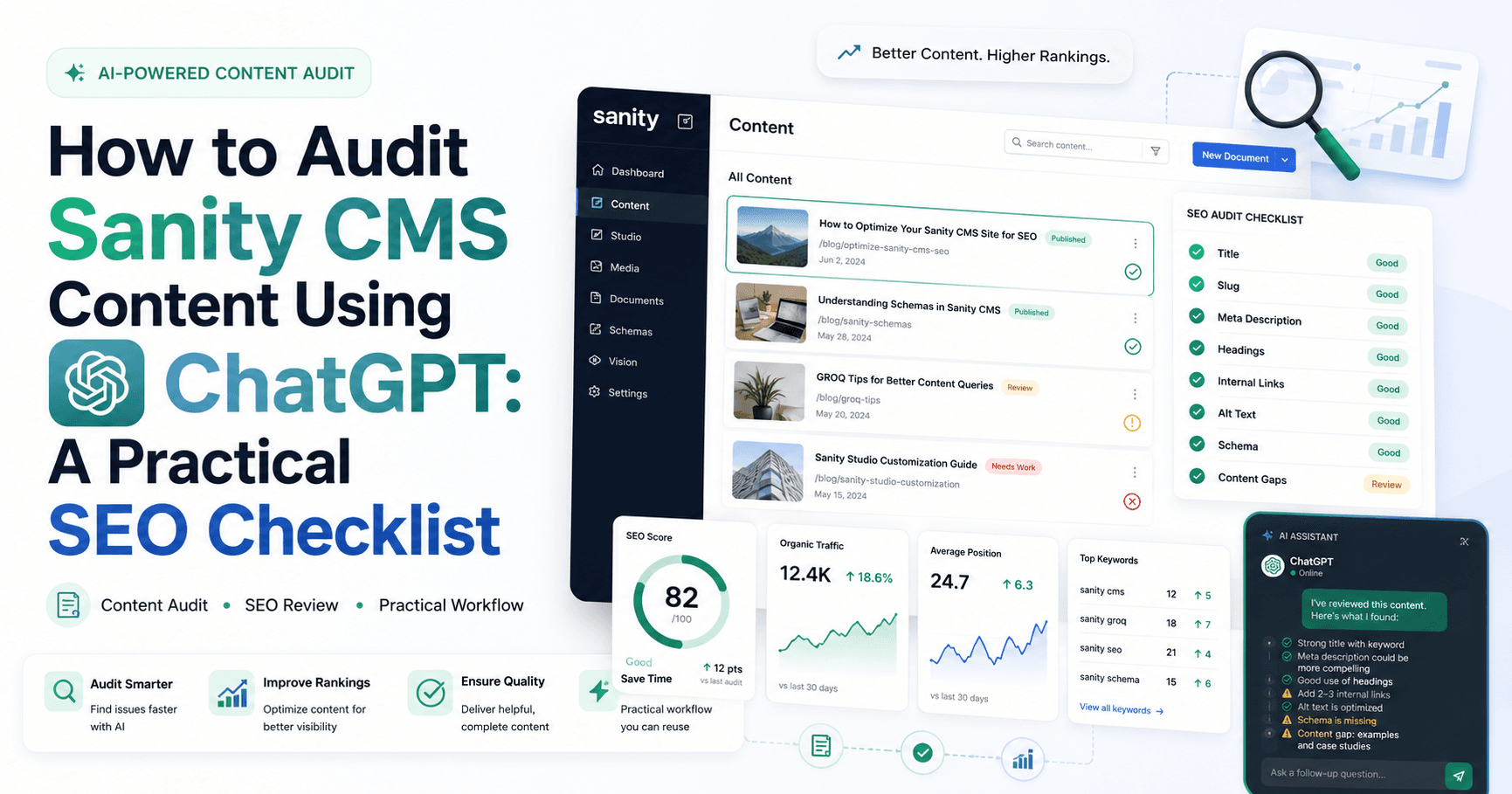
A growing Sanity CMS project can contain hundreds of posts, pages, categories and assets. Over time, some documents may lose images, use duplicate slugs, contain incomplete metadata or fall behind current editorial standards. A structured content audit helps teams find these problems before they affect search visibility or the reader experience.
We use ChatGPT with the connected Sanity plugin to inspect schemas, query documents and turn audit results into an actionable checklist. This approach combines Sanity’s structured content with a conversational workflow, allowing content teams to ask clear questions without manually opening every document.
A Sanity CMS content audit is a systematic review of documents, references, metadata, assets and publishing status. Its purpose is to identify missing, inconsistent, outdated or duplicate information and then prioritize safe improvements.
A useful audit covers three levels:
ChatGPT can translate an editorial question into a focused Sanity query, explain the results and organize findings by priority. For example, instead of manually checking every blog post, a content manager can ask for all published posts missing a meta description or main image.
The safest workflow is read-first. ChatGPT should inspect and report before any update is requested. Once the team reviews the findings, individual fixes can be prepared as drafts or applied to an explicitly approved group of documents.
Define exactly what should be inspected. A clear scope prevents an audit from becoming an uncontrolled bulk-editing exercise.
Start with a report
Ask ChatGPT to return document IDs, titles, slugs and missing fields first. Review that list before requesting any content changes.
Begin by asking ChatGPT to inspect the current schema for the document type. This reveals the fields that actually exist in your project and prevents a generic checklist from overlooking custom fields.
Suggested prompt: “Inspect the post schema and list every field, its type, whether it is optional, and the SEO or editorial purpose it serves. Do not change anything.”
Every indexable post needs a clear title and a unique, stable slug. Missing or duplicate slugs can create routing problems, while vague titles make it harder for readers and search engines to understand the page.
Suggested prompt: “Find all posts with a missing title or slug and identify duplicate slug values. Return a report only.”
Meta titles and descriptions should describe the page accurately and encourage qualified clicks. They should not be copied blindly across multiple documents.
Suggested prompt: “List published posts missing meta titles or meta descriptions. Also flag duplicate metadata and include the document title and slug.”
A post can look incomplete when its main image is missing, and shared links may appear weak when Open Graph or Twitter images are not available. Your schema may provide fallbacks, but important pages should still be reviewed.
Suggested prompt: “Find posts without a main image, Open Graph image or Twitter image. Explain which fallback will be used where the schema defines one.”
Taxonomy affects navigation, internal discovery and reporting. Broken references, inconsistent tags and incorrect categories make the content library harder to manage.
Suggested prompt: “Audit post categories, subcategories and tags. Find missing references, invalid parent-child combinations and inconsistent tag variations.”
Author information supports transparency, while publication and review dates help users understand freshness. Inconsistent author spelling can also fragment author archives.
Suggested prompt: “Group posts by author name and flag missing authors, spelling variations, missing publication dates and articles that have not been reviewed recently.”
Structured Portable Text makes it possible to inspect headings, paragraphs, lists, images and custom blocks. ChatGPT can identify unusually short bodies, missing introductions or conclusions and weak heading structure, but a human editor should judge final readability.
Suggested prompt: “Report posts with empty or unusually short body content, no level-two headings, excessively long paragraphs or broken embedded references.”
Canonical overrides and robots directives can directly influence indexation. These fields require careful review because an incorrect value may hide content from search engines or point authority to the wrong URL.
Suggested prompt: “List posts where indexing or link following is disabled and posts with a canonical override. Do not modify them.”
Social metadata controls how articles appear when shared. Even when fallbacks exist, titles and descriptions should remain accurate, concise and consistent with the page.
Suggested prompt: “Find posts with incomplete Open Graph or Twitter metadata and show the effective fallback values.”
FAQ and direct-answer fields can make content more useful for readers, traditional search and AI answer systems. However, they should answer real questions with factual, standalone responses rather than repeat promotional language.
Suggested prompt: “Find posts without FAQs or direct answers, then identify answers that are empty, duplicated or inconsistent with the article body.”
If the schema includes an AI summary, AI search snippet, key facts and target questions, audit them separately from traditional metadata. These fields should be concise, factual and aligned with the published content.
Suggested prompt: “Audit AI summaries, search snippets, key facts and AI questions for completeness and consistency. Report gaps without editing documents.”
Similar articles may compete with one another or confuse readers. ChatGPT can compare titles, slugs, summaries and body text to surface likely overlap, but editors should decide whether to update, merge, redirect or retain each page.
Suggested prompt: “Find potentially duplicate or overlapping posts based on titles and topics. Group likely matches and explain the overlap without making changes.”
Not every issue carries the same risk. Organize audit findings into practical priority levels:
Ask ChatGPT to return a table containing the document ID, title, slug, issue, priority and suggested next step. Keep the output as a report until the responsible editor approves changes.
ChatGPT can make Sanity CMS audits faster by combining schema inspection, targeted queries and clear reporting. The greatest value comes from finding patterns across many documents while keeping the actual remediation controlled and reviewable.
A reliable process is simple: inspect the schema, define the scope, run read-only checks, prioritize findings, fix approved items in small batches and verify the result. This gives content teams the efficiency of AI-assisted analysis without surrendering editorial or publishing control.
Need help auditing, organizing or optimizing a Sanity and Next.js content platform? Murmu Software Infotech can help you build a safer, scalable content workflow.
Yes. With a connected Sanity plugin and appropriate permissions, ChatGPT can inspect schemas and query documents to identify missing, inconsistent or duplicate content fields.
No. A read-only audit can return findings without modifying content. Changes occur only when an authorized write action is explicitly requested and allowed.
Typical fields include titles, slugs, meta titles, meta descriptions, canonical URLs, robots settings, main images, Open Graph metadata, Twitter metadata, categories, authors and publication dates.
Yes. A targeted query can group duplicate slug values, titles or descriptions and return the affected document IDs for editorial review.
Publishing should remain an explicit, reviewed action. A safer workflow is to audit first, prepare approved changes as drafts, preview them and publish only after human approval.
The appropriate schedule depends on publishing volume. High-volume sites may run focused checks monthly, while a comprehensive audit can be performed quarterly or after major schema, migration or SEO changes.