WooCommerce Optimization Guide 2026: Boost Speed, SEO & Conversions to Rank #1 on Google
In This Article
- Problem: Your WooCommerce Store Is Losing Revenue Every Second
- Why It Matters: Speed, SEO & Conversions Are Directly Linked
- Solution: Modern WooCommerce Optimization Strategy for 2026
- Core WooCommerce Optimization Strategies
- 1. WooCommerce Speed Optimization Guide (Foundation)
- 2. Improve WooCommerce Core Web Vitals
- 3. Advanced Caching Strategy (Critical)
- 4. CDN & Global Delivery Optimization
- 5. WooCommerce SEO Optimization Tips
- 6. Reduce WooCommerce Cart Abandonment
- 7. WooCommerce Checkout Optimization
- 8. WooCommerce Conversion Rate Optimization (CRO)
- Comparison: Traditional vs Optimized WooCommerce
- Why Choose an Expert Partner
- Final Insight
Problem: Your WooCommerce Store Is Losing Revenue Every Second
In 2026, eCommerce success is no longer just about products—it’s about performance, speed, and user experience.
Yet many businesses running on WooCommerce face critical challenges:
- Slow page load times (3–6 seconds)
- Poor Core Web Vitals scores
- High cart abandonment rates
- Weak SEO rankings despite heavy investment
For CXOs and digital leaders, this translates into:
- Lost revenue opportunities
- Higher acquisition costs
- Lower conversion rates
- Reduced customer trust
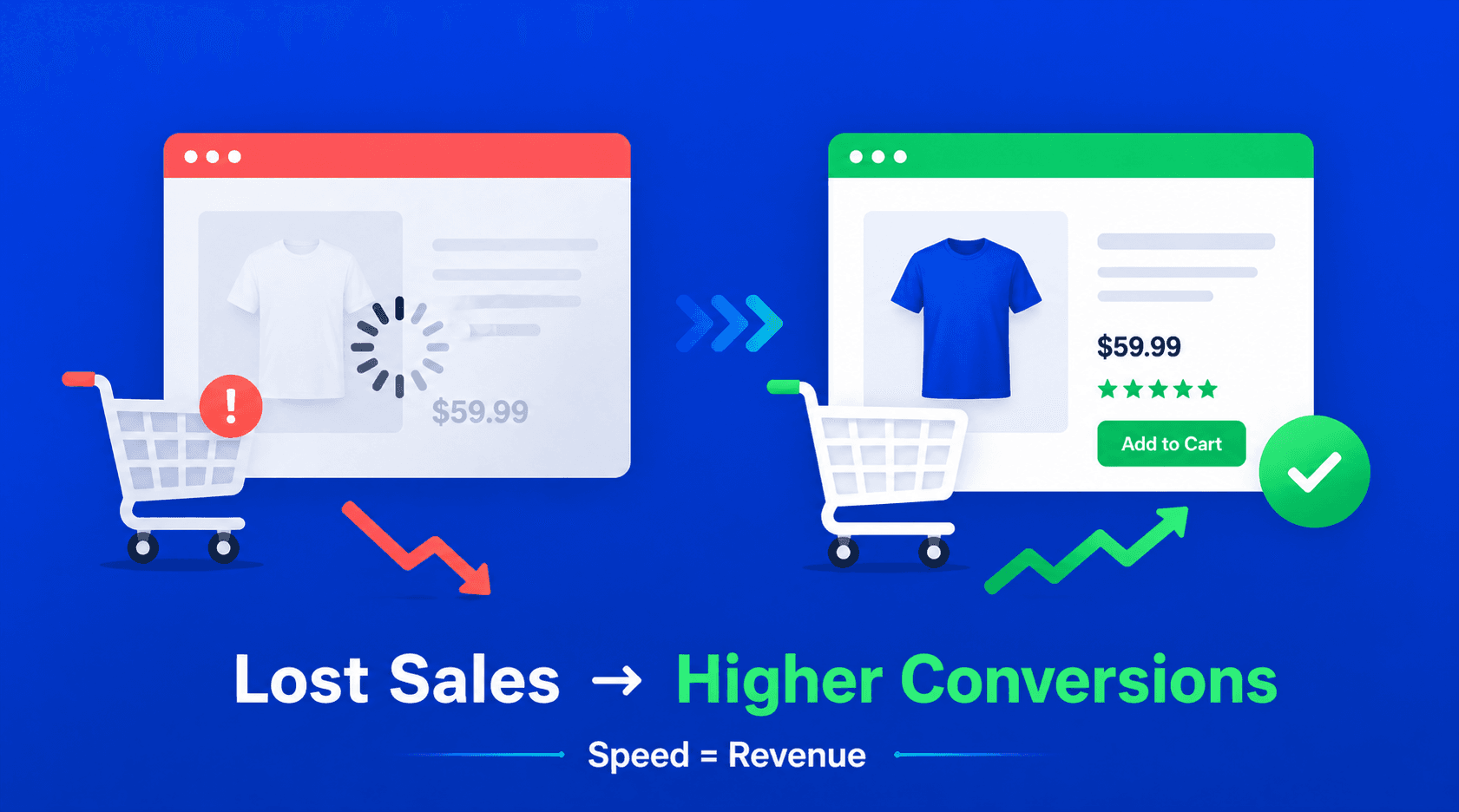
The reality: A slow WooCommerce store is a silent revenue killer.
Why It Matters: Speed, SEO & Conversions Are Directly Linked
Google now prioritizes:
- Core Web Vitals
- Mobile-first performance
- Page experience
Even a 1-second delay can reduce conversions by up to 20%.
Key business impacts:
- Slower sites = lower rankings
- Poor UX = higher bounce rates
- Delayed checkout = abandoned carts
If your store isn’t optimized, your competitors are capturing your customers.
Unlock Lightning-Fast Performance & Outrank Your Competitors
Solution: Modern WooCommerce Optimization Strategy for 2026
The most effective approach combines:
- Performance optimization
- Advanced caching & CDN
- SEO strategy
- Conversion-focused UX
This is not just technical—it’s a growth strategy.
Core WooCommerce Optimization Strategies
1. WooCommerce Speed Optimization Guide (Foundation)
Start with:
- Lightweight themes
- Reduced plugin dependency
- Optimized hosting infrastructure
Goal: Achieve sub-2 second load time
2. Improve WooCommerce Core Web Vitals
Focus on:
- LCP (Load speed) → Optimize images & server response
- CLS (Layout stability) → Avoid shifting elements
- INP (Interaction responsiveness) → Faster checkout actions
Result:
Better rankings + improved user experience
3. Advanced Caching Strategy (Critical)
Implement:
- Page caching (carefully for dynamic pages)
- Object caching (Redis)
- Browser caching
- Edge caching via CDN
Best caching for WooCommerce 2026 ensures:
- Faster product page loads
- Reduced server strain
4. CDN & Global Delivery Optimization
Use CDN to:
- Serve assets closer to users
- Reduce latency worldwide
Outcome:
- Faster global performance
- Improved SEO signals
5. WooCommerce SEO Optimization Tips
To rank #1:
- Optimize product titles & descriptions
- Use structured data (schema markup)
- Improve internal linking
- Ensure fast indexing
A strong WooCommerce SEO optimization strategy improves:
- Organic traffic
- Product visibility
- Click-through rates
6. Reduce WooCommerce Cart Abandonment
Common causes:
- Slow checkout
- Unexpected costs
- Poor mobile experience
Solutions:
- One-page checkout
- Guest checkout option
- Faster payment processing
7. WooCommerce Checkout Optimization
Improve:
- Checkout speed
- UX simplicity
- Payment integrations
Result:
Higher conversion rates
8. WooCommerce Conversion Rate Optimization (CRO)
Focus on:
- Clear CTAs
- Trust signals
- Fast-loading pages
- Mobile optimization
Outcome:
- More sales from same traffic
Comparison: Traditional vs Optimized WooCommerce
| Factor | Standard Store | Optimized Store |
|---|---|---|
| Load Speed | 3–6 sec | <2 sec |
| SEO Ranking | Moderate | High |
| Conversion Rate | Low | High |
| Cart Abandonment | High | Reduced |
| Scalability | Limited | Strong |
Why Choose an Expert Partner
Optimization is not just about tools—it’s about strategy.
Most businesses fail due to:
- Poor caching implementation
- Incorrect SEO setup
- Lack of performance monitoring
- Inefficient checkout flow
An expert partner ensures:
- End-to-end optimization
- Data-driven improvements
- Scalable architecture
Explore our services:
- https://murmusoftwareinfotech.com/retail-ecommerce-pos-inventory-software
- https://murmusoftwareinfotech.com/contact
Final Insight
In 2026, WooCommerce optimization is directly tied to revenue growth.
Businesses that invest in:
- Speed
- SEO
- Conversion optimization
…are the ones dominating Google rankings and market share.
Frequently Asked Questions
What is WooCommerce Optimization Guide 2026: Boost Speed, SEO & Conversions to Rank #1 on Google?
Learn WooCommerce speed, SEO, and conversion optimization techniques to improve Core Web Vitals and rank higher on Google in 2026.