Warehouse & Inventory Management Software in Bhiwandi, Thane & Navi Mumbai: Barcode, Stock & Dispatch
In This Article
- 1. Why Warehouses in Bhiwandi, Thane and Navi Mumbai Need Connected Inventory Systems
- 2. Inventory Management Software vs Warehouse Management System (WMS)
- 3. How Does a Modern Warehouse Management Workflow Work?
- 4. Barcode and QR-Based Warehouse Inventory Management
- 5. Warehouse Software Features by Business Type
- 6. Excel vs Inventory Software vs WMS: Which Is Better?
- 7. Before vs After Warehouse Automation
- 8. How Much Does Warehouse Management Software Cost in India?
- 9. Integrating Warehouse Software With ERP, Billing and Logistics
- 10. How MSI Approaches Custom Warehouse Inventory Software
- 11. Relevant MSI Wholesale & Distribution Software Experience
- 12. Get Your Warehouse Workflow Assessment
- Conclusion: Build Smarter Warehouse Operations Without Unnecessary Software
Are you able to locate, pick and dispatch the correct items from your warehouse without needing to speak to 3 people?
Many warehouse owners, distributors and logistics companies across Bhiwandi, Thane and Navi Mumbai experience inventory issues due to not having visibility of where their stock is in the warehouse.
They do not know exactly where products are stored, so picking teams have to rely on verbal instructions. Quantities to dispatch are constantly being checked and it becomes difficult for managers to know what stock they have available.
Implementing a warehouse management system will mean you can control the receiving, storage, scanning, picking, packing and dispatch of your products in Bhiwandi.
Your system will fit seamlessly around your processes with minimal changes to your existing business applications.
1. Why Warehouses in Bhiwandi, Thane and Navi Mumbai Need Connected Inventory Systems
Bhiwandi is an important warehousing and logistics centre within the Mumbai Metropolitan Region.
Businesses across Bhiwandi, Thane, Taloja, Panvel and Navi Mumbai may handle wholesale distribution, industrial supplies, retail inventory, third-party logistics (3PL) and multi-location stock.
Common operational challenges include:
- Stock discrepancies between records and physical quantities
- Difficulty locating products across racks and storage zones
- Manual inward and outward stock registers
- Incorrect picking or dispatch quantities
- Disconnected dealer orders, billing and warehouse activities
A properly configured warehouse management system can help teams track not only how much stock exists, but where it is and whether it is available for dispatch.
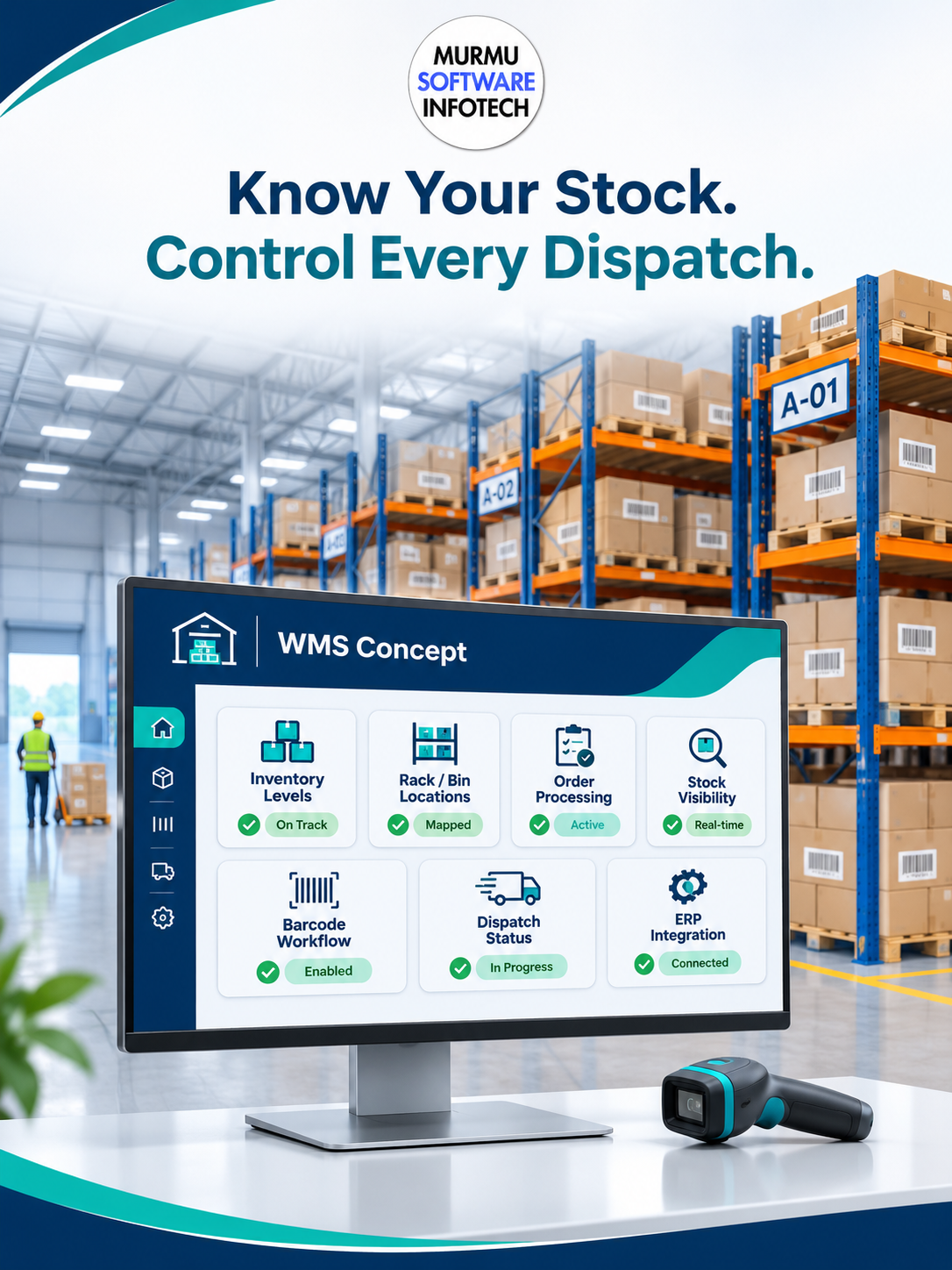
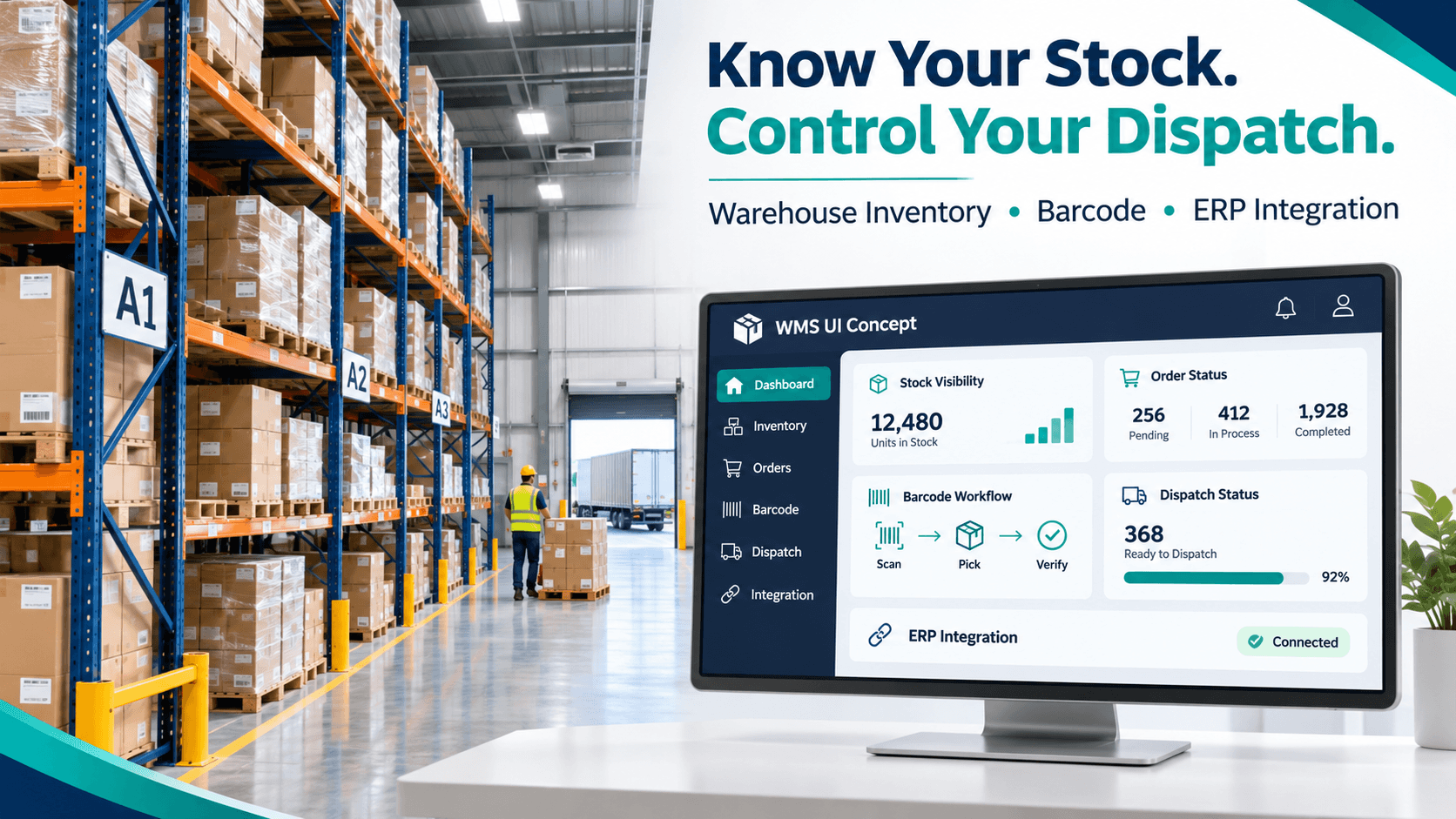
Know Your Stock. Control Every Dispatch.
Streamline warehouse operations with smart inventory management, barcode tracking, accurate stock visibility, efficient order fulfilment, dispatch workflows and ERP integration.
2. Inventory Management Software vs Warehouse Management System (WMS)
The purpose of an inventory management system is:
To manage your stock levels, purchases, sales, transfers and available stock.
The Warehouse Management System (WMS) provides additional functionality around executing your physical warehouse operations such as receiving, putaway, binning, picking, packing and checking dispatched items.
For example an inventory system may show you have 200 units of product on hand.
A location enabled WMS will show you have 120 units in rack A-03, 50 in rack B-07 and 30 on hold, dependent on how your stock rules are set up.
Select a system based on the complexity of your business. Don’t pay for features you don’t need.
3. How Does a Modern Warehouse Management Workflow Work?
A structured warehouse operation can follow:
Goods Receiving → Quality Check → Putaway → Bin Tracking → Picking → Packing → Dispatch
Consider a distributor receiving 500 cartons.
The receiving team records the delivery, verifies quantities and identifies damaged items.
Accepted stock is assigned to warehouse locations. When a wholesale customer orders 100 cartons, the system can generate a picking task.
Warehouse staff confirm the selected products and quantities before packing and dispatch.
This creates a traceable movement history when each physical transaction is recorded correctly.
Transform Your Warehouse Operations With Smarter Inventory And Dispatch Software
4. Barcode and QR-Based Warehouse Inventory Management
Barcode and QR workflows can support product identification and location-level tracking.
A configurable system may include:
- SKU and product barcode identification
- Rack, bin and storage-zone labels
- Mobile or handheld scanner support
- Scan-based goods receipt and stock transfers
- Picking and dispatch verification
- Batch or serial-number tracking where required
Before purchasing devices, verify scanner compatibility, label formats, connectivity and offline requirements.
Important: Barcode scanning improves transaction recording only when labels, stock master data and warehouse procedures are maintained consistently.
5. Warehouse Software Features by Business Type
Different businesses require different inventory workflows.
| Business Type | Recommended Starting Scope |
|---|---|
| Small godown | Digital inward/outward stock records |
| Wholesale distributor | Inventory availability, order fulfilment and dispatch |
| Multi-warehouse business | Location tracking, transfers and consolidated reporting |
| 3PL warehouse provider | Client-wise inventory, receiving, picking and billing rules |
For a small warehouse, digital stock records may be sufficient.
A high-volume distributor may benefit from barcode-enabled picking, dispatch checks and integration with an existing ERP.
Multi-client warehouses should also evaluate access permissions and inventory ownership rules.
6. Excel vs Inventory Software vs WMS: Which Is Better?
| Capability | Excel / Manual | Inventory Software | WMS |
|---|---|---|---|
| Stock quantities | Manual | Centralized | Centralized |
| Goods receiving | Manual entry | Digital entry | Verified receiving |
| Rack/bin locations | Separate records | May be limited | Configurable |
| Barcode scanning | External/manual | Product-dependent | Can be integrated |
| Pick and pack | Paper instructions | Basic | Digital workflows |
| Dispatch validation | Manual checks | Stock updates | Scan-based checks |
| Multiple warehouses | Separate sheets | Supported in suitable products | Location-level control |
| ERP integration | Manual/custom | Often configurable | API-based workflows |
A full ERP replacement is not always necessary.
Businesses with reliable accounting or sales software may benefit from a focused warehouse solution connected through supported APIs.
Ready to evaluate your current warehouse workflow?
Request Warehouse Inventory & Dispatch Assessment
7. Before vs After Warehouse Automation
| Before Implementation | Target Digital Workflow |
|---|---|
| Paper-based stock receipts | Digital receiving confirmation |
| Staff manually search shelves | Recorded rack and bin locations |
| End-of-day stock reconciliation | Transaction-level stock updates |
| Verbal picking instructions | Digital picking lists |
| Manual dispatch checking | Pick, pack and dispatch verification |
| Separate warehouse reports | Consolidated inventory dashboards |
These are potential operational improvements, not guaranteed reductions in inventory discrepancies, labour costs or dispatch errors.
Successful results depend on accurate data, disciplined stock handling, device compatibility and staff adoption.
8. How Much Does Warehouse Management Software Cost in India?
The warehouse management system cost in India depends on facility size, workflow requirements, hardware and integrations.
| Cost Factor | What Affects Pricing |
|---|---|
| Warehouse size | Locations, storage zones, racks and bins |
| Inventory | SKU count, product variants and batches |
| Daily transactions | Goods receipts, picking and dispatch volume |
| Barcode hardware | Scanners, printers and handheld devices |
| Integrations | ERP, billing, ordering and logistics APIs |
| Deployment | Cloud, local hosting and offline requirements |
| Users | Staff, supervisors, managers and client accounts |
| Support | Training, maintenance and AMC |
A basic inventory application and an advanced multi-warehouse WMS should not be priced as identical solutions.
Request an itemized quotation separating software development, hardware, integrations, installation, training and recurring support.
9. Integrating Warehouse Software With ERP, Billing and Logistics
Warehouse Integration
It could be integrated so that customer orders can be linked to stock levels, reservations, shipping confirmation, invoicing, shipment reference etc.
When a wholesale customer makes an order, the system will automatically confirm stock is available and send an approved picking request to the warehouse.
Upon shipping confirmation, the linked application will update the order status.
This will depend on what APIs you have in place, data structure and business rules.
You can find more information about warehousing and business processes in our Custom ERP for Retail, Wholesale & Distribution Businesses article.
10. How MSI Approaches Custom Warehouse Inventory Software
At Murmu Software Infotech (MSI), our recommended approach begins with understanding actual warehouse operations.
Warehouse Assessment → Workflow Mapping → SKU & Location Setup → Software Configuration → Barcode Testing → ERP Integration → Pilot Dispatch → Staff Training
The assessment should establish stock movement rules, inventory locations, user permissions, hardware requirements and integration needs.
The objective is to develop a practical implementation scope before introducing complex warehouse automation.
Explore MSI's Billing, Inventory & Accounting Software Services.
Smart Warehouse & Inventory Solutions Catalog
Explore barcode inventory, stock visibility, dispatch automation, ERP integration and growth.
536 KB
11. Relevant MSI Wholesale & Distribution Software Experience
MSI's B2B Wholesale & Distribution Portal Case Study documents bulk ordering, distributor accounts, pricing tiers, inventory visibility, credit management and supply-chain dashboards.
These capabilities are relevant to warehouse-connected ordering and distribution workflows.
However, this project should not be interpreted as verified deployment of a complete WMS with bin-level scanning, warehouse hardware and physical picking automation.
Explore Our B2B Distribution Platform
Discover The Right Warehouse Management Solution Before You Invest More
12. Get Your Warehouse Workflow Assessment
Before purchasing warehouse software, prepare these details:
- Warehouse locations, dimensions and storage structure
- Total SKUs and average daily orders
- Receiving, picking and dispatch volumes
- Barcode scanners and label printer requirements
- Current ERP, billing or accounting software
- Required logistics integrations and deployment preferences
These details help determine whether your business needs inventory software, a focused WMS or a more comprehensive integrated solution.
Conclusion: Build Smarter Warehouse Operations Without Unnecessary Software
Do you have real-time stock visibility in your warehouse?
Whether you’re running a small godown in Bhiwandi or a distribution warehouse in Thane, or have multiple logistics locations in Navi Mumbai – effective inventory management is key.
Murmu Software Infotech can help you determine what features you require from stock management, barcoding, order management, dispatch and ERP integration.
Ensure you have an appropriate process by choosing the correct modules, checking device compatibility and understanding the full extent of implementation.
Request Warehouse Inventory & Dispatch Assessment
Frequently Asked Questions
What is warehouse management software and who needs it in Bhiwandi?
Warehouse management software (WMS) helps businesses manage goods receiving, stock locations, picking, packing and dispatch. Warehouses in Bhiwandi, Thane and Navi Mumbai can use WMS to coordinate physical inventory movements and digital records. It is especially relevant for distributors, logistics operators, 3PL providers and businesses handling large SKU volumes.
What is the difference between inventory management software and WMS?
Inventory management software primarily tracks stock quantities, purchases, sales and transfers. A Warehouse Management System additionally organizes physical operations such as receiving, putaway, rack and bin locations, picking, packing and dispatch verification. The right choice depends on warehouse size, transaction volume and operational complexity.
How much does warehouse management software cost in India?
Warehouse management software costs depend on warehouse locations, SKU count, daily transactions, users, barcode devices, required workflows and integrations. Basic inventory software generally has a smaller implementation scope than a custom multi-warehouse WMS. Request an itemized quotation covering software, hardware, configuration, training and ongoing maintenance.
Can warehouse management software track stock using barcodes and QR codes?
Yes. A configured WMS can use barcode or QR labels to identify products, cartons, racks and storage bins. Compatible scanners or mobile devices can record stock receipts, transfers, picking and dispatch confirmation. Device compatibility, label formats and operational procedures should be tested before deployment.
Can one WMS manage multiple warehouses and 3PL clients?
Yes. A suitably designed WMS can support multiple warehouses, location-wise inventory, stock transfers and client-specific inventory ownership. For 3PL providers, additional requirements may include separate client access, service billing rules, picking workflows and consolidated reporting.
Can warehouse management software integrate with existing ERP and billing systems?
Yes, when the existing ERP, billing or accounting platform supports suitable APIs or integration methods. Potential integrations include sales orders, stock availability, inventory reservations, invoice references, dispatch status and logistics updates. Technical feasibility depends on available data access and business rules.
How does warehouse picking, packing and dispatch software work?
A WMS can generate picking tasks from approved orders, identify storage locations, guide staff through product selection and validate quantities before packing. Dispatch confirmation can update stock records and connected order systems. The exact workflow depends on configured rules, available hardware and staff procedures.
Is WMS necessary for a small godown or wholesale warehouse?
Not always. A small godown may begin with digital inward and outward stock records, product masters and basic reporting. A fuller WMS becomes more useful when operations require rack-level tracking, frequent picking, multiple users, barcode scanning or detailed dispatch verification.
Can warehouse management software work offline or on a local network?
Offline capabilities depend on the system architecture. Cloud-hosted solutions generally require internet connectivity, while some locally hosted or hybrid configurations may support internal-network operations. Offline transactions, synchronization, conflict handling and recovery procedures should be evaluated before implementation.
How long does custom WMS development take and how can I request an estimate?
Implementation timelines depend on warehouse size, software modules, barcode hardware, ERP integration, data migration, testing and training. For a scope-based estimate, share warehouse locations, SKU count, daily order volume, rack structure, devices and existing software. Murmu Software Infotech can review the requirements and discuss an implementation plan.