Headless CMS & AI-Native CMS Expertise vs Traditional CMS Development
In This Article
- Expertise, AI Readiness, Migration & Cost
- What Is the Difference Between Headless CMS and Traditional CMS?
- Headless CMS vs Traditional CMS: Features Compared
- When Is a Traditional CMS the Better Investment?
- When Does Your Business Need Headless CMS Architecture?
- CMS Developers vs Enterprise Headless CMS Engineering Teams
- Sitecore XP/XM vs XM Cloud vs Sanity CMS: What Changes?
- How Does an AI-Ready Headless CMS Support Business Growth?
- Before and After Headless CMS Migration: Real MSI Experience
- Headless CMS Migration Cost, Security and Accessibility
- How to Choose the Right Headless CMS Development Partner
Expertise, AI Readiness, Migration & Cost
Your enterprise website has hundreds of pages, multiple teams and growing digital requirements. But does every new campaign, content update or integration still depend on developers?
That is often when businesses begin comparing headless CMS vs traditional CMS.
Traditional CMS are suitable for standard websites, whereas Headless CMS provides more flexibility for re-usable content, bespoke front ends, multiple digital outputs and integrations via an API.
Choosing between a Traditional CMS and a Headless CMS depends on how quickly you wish to publish, what your business requirements are, the cost of implementation and digital scalability.
What Is the Difference Between Headless CMS and Traditional CMS?
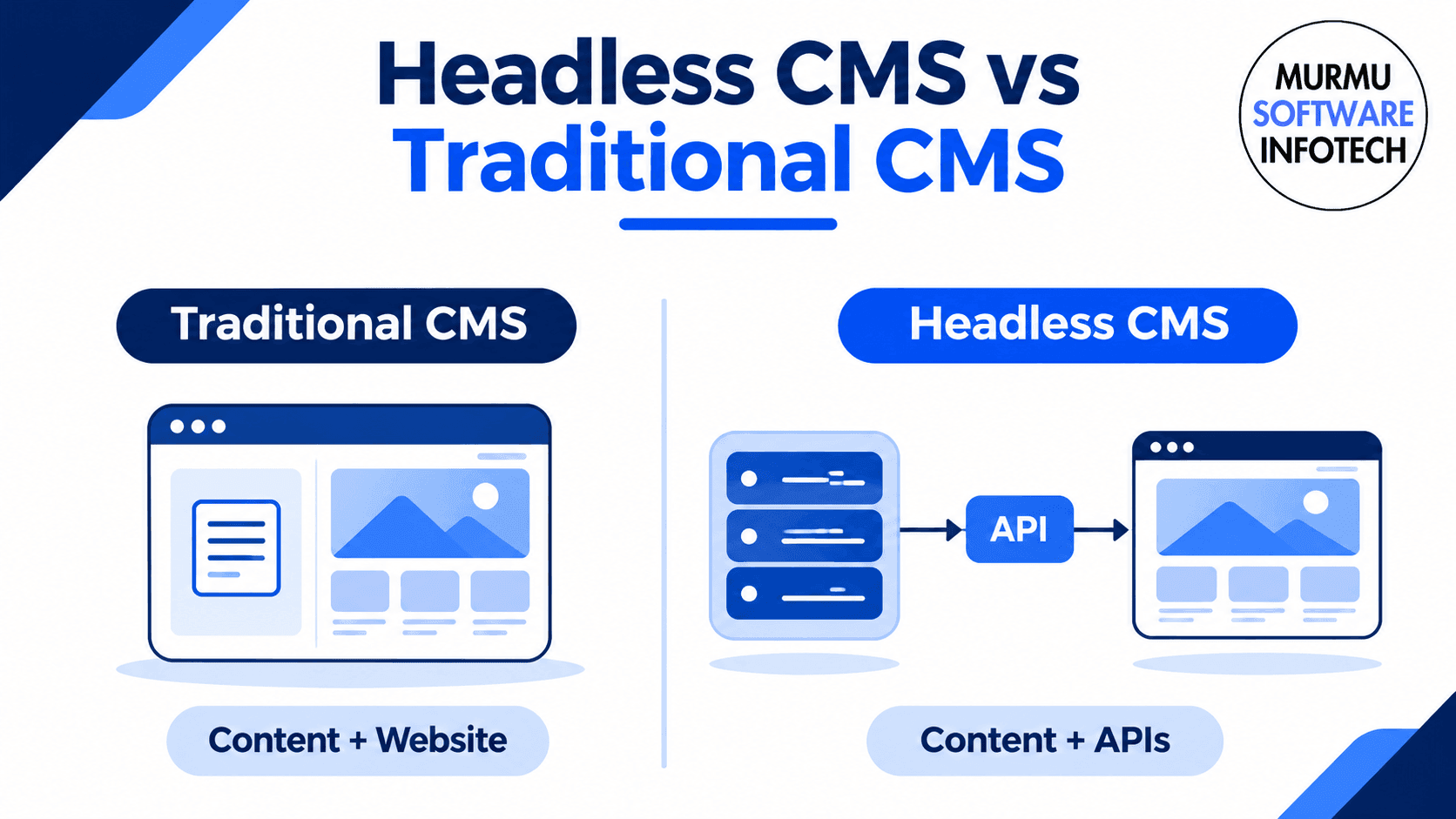
A traditional CMS generally manages content and renders website pages through a connected application. Editors can often use familiar templates, visual tools and built-in publishing features.
A headless CMS Headless systems separate content from display. Content can be stored within structured models and sent to web applications, apps or digital experiences using APIs.
A common use of this in practice is pairing Sanity CMS with Next.js.
A hybrid CMS combines elements of both approaches, allowing organizations to preserve visual editing capabilities while introducing API-driven delivery.
Neither architecture is automatically the best option for every business.
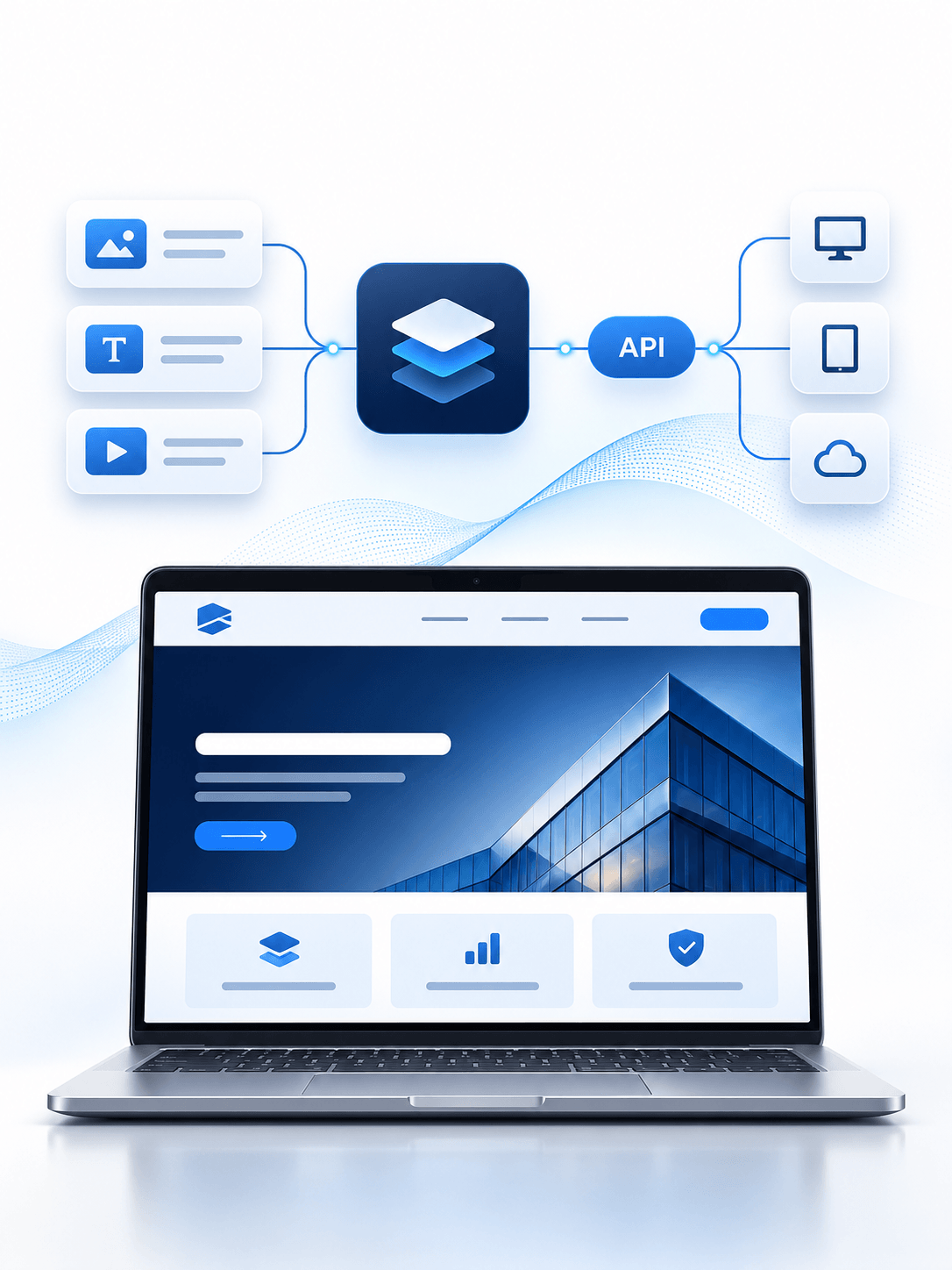
Make Your CMS Growth Ready
Plan your next CMS with proven engineering, structured content, secure integrations, and a roadmap built around business goals.
Headless CMS vs Traditional CMS: Features Compared
| Business requirement | Traditional CMS | Headless CMS approach |
|---|---|---|
| Architecture | Content and presentation are typically connected | Content and frontend are separated |
| Website development | Built-in templates and themes | Custom frontend development |
| Content reuse | Depends on platform capabilities | Structured content designed for multiple channels |
| Integrations | Plugins, modules and APIs | API-first integrations |
| Editorial experience | Often includes integrated visual editing | Requires appropriate Studio, preview and workflow configuration |
| AI readiness | Possible through supported integrations | Structured content and APIs can support AI workflows |
| Cost | Often simpler for basic websites | May require additional frontend and integration investment |
The practical difference is architectural flexibility, not a guarantee of better performance, security or revenue.
Choose the Right CMS Before Your Next Major Investment
Compare platform suitability, engineering effort, integrations and long-term costs before making an enterprise technology decision.
When Is a Traditional CMS the Better Investment?
A traditional CMS can be suitable when your organization needs a company website, blog, standard landing pages and a straightforward editorial workflow.
It may offer simpler deployment, familiar page-editing tools and fewer independently maintained components.
If your existing CMS meets marketing requirements and integrates successfully with essential systems, migration may not provide enough value to justify the investment.
Modernization should solve a real business problem—not follow a technology trend.
When Does Your Business Need Headless CMS Architecture?
Headless architecture deserves consideration when your organization manages several websites, regional content, applications or custom customer experiences.
Typical requirements include:
- Reusing approved content across websites and applications
- Developing custom React or Next.js frontends
- Connecting search, CRM and enterprise systems
- Managing structured content across business units
- Supporting localization and independent frontend deployments
For these requirements, experienced headless CMS engineering becomes more important than basic page-building capability.
Explore MSI Headless CMS Development Services to understand available implementation and modernization options.
CMS Developers vs Enterprise Headless CMS Engineering Teams
Themes, templates, plugins, and configuration of publishing.
In an enterprise context additional complexity may be required such as content modelling, APIs, front-end rendering, access restrictions, localization, testing, migration scripts and automated deployments.
A skilled engineering team will be able to describe how these pieces come together.
At Murmu Software Infotech, our work spans Sitecore enterprise platforms, Sanity CMS, Next.js and integration-led development.
Planning an enterprise CMS migration?
Request an Enterprise CMS Architecture Review before committing to a platform or rebuilding your website.
Sitecore XP/XM vs XM Cloud vs Sanity CMS: What Changes?
Sitecore XP/XM environments can support established enterprise content and digital experience requirements, with capabilities depending on the installed product and version.
Sitecore XM Cloud brings cloud-based, headless content architecture and modern frontend delivery. Current SitecoreAI offerings should be evaluated separately according to actual features and licensing.
Sanity CMS Configurable content, editable using a Studio interface, and APIs enabling their use in modern web applications
Technology choice and business considerations.
The best choice will depend on investments already made, business requirements, editorial requirements, and cost.
Explore MSI Sitecore CMS Development and Sanity CMS Development.
How Does an AI-Ready Headless CMS Support Business Growth?
An AI-ready CMS Provide structured data to enable search engines, applications and intelligent services to make best use of approved content.
Potential features include:
AI enabled content processes, knowledge retrieval, customer support and integration with business applications.
But to deliver a truly intelligent solution, additional configuration, reliable content, access control and testing is required.
A structured publishing solution will support SEO, AEO and GEO strategies, but will not guarantee rankings or citation in intelligent models.
Reduce CMS Migration Risks Before They Affect Your Customers
Review content models, redirects, frontend dependencies and deployment requirements before moving to a new CMS architecture.
Before and After Headless CMS Migration: Real MSI Experience
Murmu Software Infotech migrated its own website from a developer-dependent Next.js and .NET API content administration approach to Sanity CMS with Next.js.
The implementation introduced structured content models, Sanity Studio, GROQ-based content delivery and AI-connected workflows.
This enabled marketing teams to manage routine content with less developer involvement.
Read the MSI Sanity + Next.js Migration Case Study.
MSI also contributed to an enterprise healthcare modernization involving Sitecore XP, XM Cloud, Next.js, JSS and GraphQL, alongside complex healthcare search and digital experience requirements.
Explore the Sitecore XM Cloud Healthcare Case Study.
These projects demonstrate relevant engineering experience without implying that every customer will achieve identical results.
Headless CMS Migration Cost, Security and Accessibility
Costs depend on current platform, content quantity, frontend requirements, integration complexity and deployment complexity.
Content audit, data migrations, URL mapping, SEO, frontend development, CMS licensing, infrastructure and accessibility testing and support.
Security considerations include correct access management, securing APIs and managing dependencies. Accessibility should be tested to meet the agreed standards (WCAG).
Compare total ownership cost not just the cost of setting up the CMS.
How to Choose the Right Headless CMS Development Partner
Before selecting a CMS partner, ask whether the team can demonstrate real migrations, structured content models, custom frontend engineering and enterprise integrations.
Review its approach to editorial previews, SEO redirects, security, accessibility, deployment, documentation and ongoing support.
A suitable partner should explain when to retain, extend or replace your existing system.
Frequently Asked Questions
What is the main difference between headless CMS and traditional CMS?
A traditional CMS generally combines content management with website presentation. A headless CMS manages content separately and delivers it through APIs to websites, mobile applications and other experiences. The best approach depends on publishing requirements, integrations, developer capacity and budget.
Is headless CMS better than traditional CMS for enterprise websites?
Headless CMS can suit enterprises that need reusable content, multiple channels, custom frontend experiences and API integrations. Traditional or hybrid CMS may remain preferable when existing editing workflows and integrated platform features already meet business needs.
How much does headless CMS development cost?
The total cost depends on CMS licensing, content modeling, frontend development, migration scope, integrations, hosting, testing and ongoing support. Headless CMS may cost more than a basic traditional website because it requires a separately developed frontend and additional integration work.
Does a headless CMS automatically improve website SEO?
No. SEO depends on frontend rendering, crawlability, indexing, metadata, structured data, performance, redirects and useful content. A headless CMS can support strong technical SEO when the frontend and content workflows are correctly implemented.
Can Sitecore XP or XM be migrated to Sitecore XM Cloud?
Yes, migration is possible, but it generally requires architecture assessment, component redevelopment, content mapping, integrations, testing and deployment planning. The scope depends on the existing Sitecore version, customizations and business requirements.
Is Sanity CMS suitable for an AI-ready enterprise website?
Sanity provides structured content models, APIs and configurable editorial tools that can support AI-connected applications. AI capabilities, knowledge retrieval and workflow automation must still be designed, integrated, secured and tested.
What are the biggest risks of migrating to headless CMS?
Common risks include missing content, broken redirects, SEO visibility changes, editorial workflow disruption, API dependencies, authentication issues and deployment defects. A migration plan should include inventories, testing, rollback considerations and post-launch monitoring.
Can a headless CMS reuse content across websites and mobile apps?
Yes. Structured content can be delivered through APIs to multiple supported channels. Reuse depends on content modeling, presentation requirements, localization and integration design.
What skills should a headless CMS development company have?
Look for demonstrable experience in content modeling, CMS APIs, frontend frameworks such as Next.js, SEO migration, enterprise integrations, access control, automated deployment, editorial workflows and ongoing support. Ask for project-specific examples.
How do I choose between Sitecore and Sanity CMS?
Evaluate your existing technology, enterprise digital experience needs, content workflows, licensing budget, frontend requirements, integrations and governance. Sitecore and Sanity serve different implementation and commercial needs; a technical architecture review can identify the better fit.