What’s New in Sanity in 2026: Studio v6, AI Workflows, MCP, Functions and More

In This Article
- Sanity has changed significantly in 2026.
- 1. Sanity New: Start Building Before Creating an Account
- 2. Sanity Studio v6: Faster Builds and a Modernized Development Foundation
- 3. Studio v6.10 Brings the App SDK Directly Into Studio Development
- 4. Portable Text Finally Gets Native Table Editing
- 5. Functions Can Now Call Other Functions
- 6. Scheduled Functions Remove the Need for an External Cron Stack
- 7. Visual Editing No Longer Requires React
- 8. Sanity Now Has a Native ChatGPT Integration
- 9. Sanity MCP Has Become a Serious Development and Content Interface
- 10. Sanity Context Gives Application Agents Structured Knowledge
- 11. Content Agent Is Moving Content Work Into Existing Team Workflows
- 12. Agent Actions Add Schema-Aware AI Automation
- 13. Media Library Has Matured Rapidly
- 14. Content Releases Continue Getting More Practical
- 15. Access Control Is Becoming More Dynamic
- 16. The JavaScript Client Has Moved to v8
- 17. Sanity UI v4 Is Becoming the New UI Foundation
- 18. Sanity Is Becoming More Agent-Friendly at the Documentation Level Too
- 19. Migration Is Becoming an Agent-Assisted Workflow
- Final Thoughts
Sanity has changed significantly in 2026.
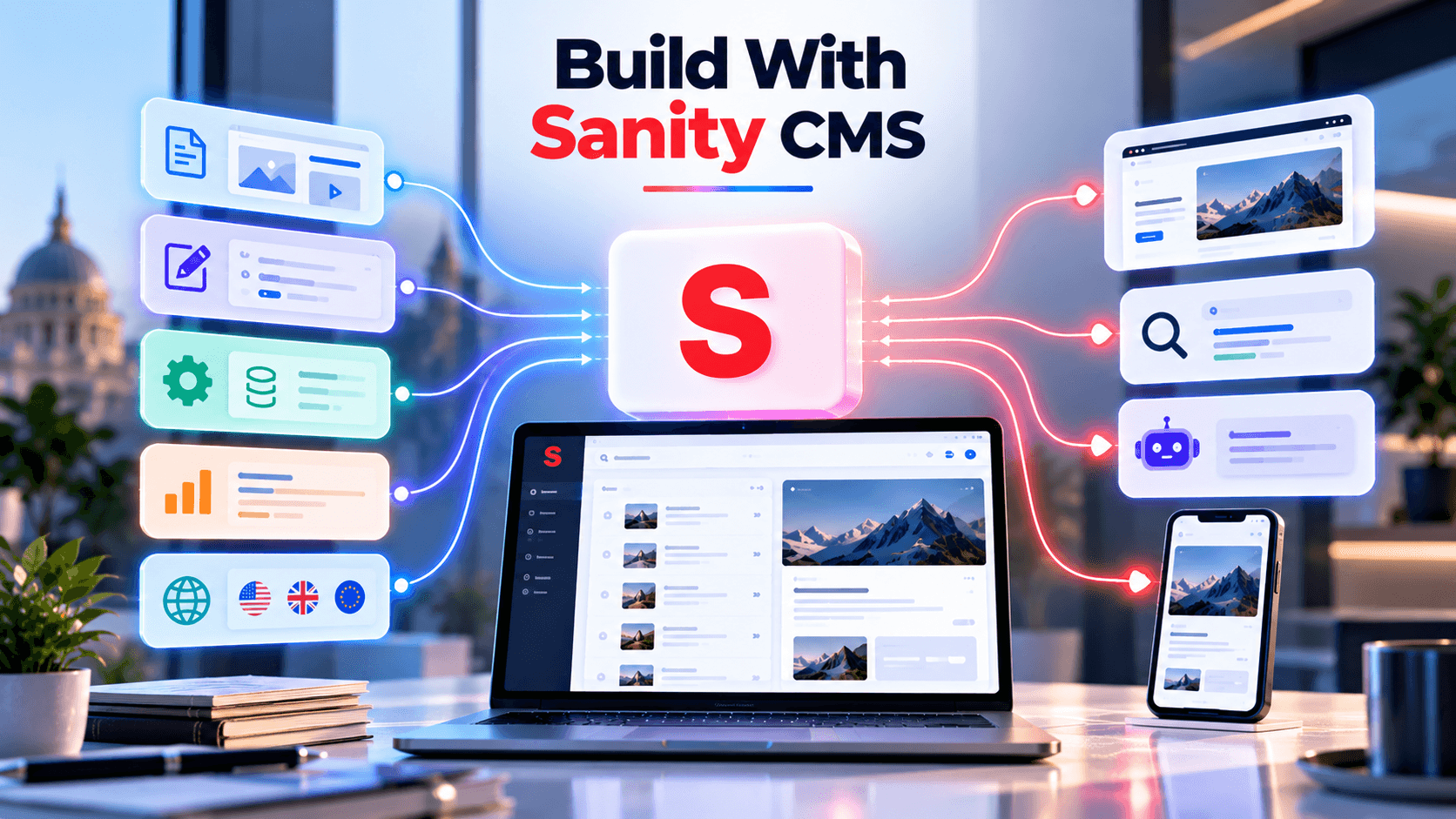
What started as a highly customizable headless CMS is increasingly being positioned as a broader content operations platform where structured content can serve websites, applications, editors, automation workflows, search systems, and AI agents from the same source of truth.
The most recent August 2026 releases make that direction particularly clear. Sanity has introduced native Portable Text tables, Functions that can call other Functions, visual editing without React, account-less project creation, deeper AI-agent tooling, a native ChatGPT integration, improved Media Library workflows, major Studio upgrades, and continued expansion of its MCP ecosystem.
This article looks at what is actually new, what changed technically, and why these updates matter for developers, editors, marketers, and teams building AI-ready content platforms.

Modernize Your Sanity Platform
Unlock smarter content workflows, AI integrations, scalable Functions, and modern Sanity architecture with expert implementation support.
1. Sanity New: Start Building Before Creating an Account
One of the most interesting August additions is Sanity New.
The new "sanity new" workflow allows a project to be created without first creating a permanent Sanity account. Sanity provides temporary credentials that allow humans and AI agents to work with the project for up to 72 hours before the project needs to be claimed.
This sounds like a small onboarding improvement, but it fits a much larger trend in Sanity’s platform.
A developer can increasingly move from an idea to a structured content backend with far fewer manual setup steps. More importantly, an AI coding agent can participate in the process from the beginning.
Instead of the traditional flow of creating an account, creating a project, configuring a dataset, initializing Studio, writing a schema, deploying it, and then connecting an application, the initial setup can increasingly be delegated to an agent-driven workflow.
This makes Sanity more accessible for rapid prototypes, AI-built applications, internal tools, proof-of-concepts, and experiments where developers want to validate an idea before committing to a full project setup.
2. Sanity Studio v6: Faster Builds and a Modernized Development Foundation
Sanity Studio v6 is one of the largest platform-level changes of 2026.
Studio v6 moved its development tooling to Vite 8. According to Sanity’s own testing, builds became between two and nine times faster across tested projects, with a reported median improvement of roughly 4.8×. The upgrade also brings improved tree shaking, smaller bundles, and faster default search.
Sanity also dropped support for Node.js 20 after it reached end of life. Modern Studio development now expects a newer Node environment.
Importantly, Studio v6 did not require developers to completely rewrite their Sanity implementations. Schemas, Studio configuration patterns, and the core Content Lake APIs remain familiar.
The v6 release builds on improvements that arrived in v5, including React Compiler adoption, faster editing, better TypeGen, an incoming-references inspector, smart typography in Portable Text, and general editor improvements.
For teams maintaining large Studios, the value here is practical: shorter build times, a more modern toolchain, improved search, and a cleaner foundation for future Studio development.
Future-Proof Your Sanity Platform With Expert 2026 Guidance
3. Studio v6.10 Brings the App SDK Directly Into Studio Development
The Studio continued evolving after the main v6 release.
In Studio v6.10.0, Sanity added built-in integration with the Sanity App SDK for custom Studio tools.
Developers building custom panes, tools, or input components can now use hooks from "@sanity/sdk-react" while Studio automatically provides the current project, dataset, authentication, and workspace context. Developers no longer need to manually wrap those tools in their own application provider setup.
This is an important architectural improvement for advanced Studio implementations.
Sanity has always been highly customizable, but deeper customization previously meant understanding several layers of internal application context. Bringing App SDK capabilities directly into Studio lowers the amount of infrastructure developers need to write before they can build custom editorial applications.
The same release also added CLI asset uploads and token-expiry support while addressing Presentation, Vision, and document-interface issues.
4. Portable Text Finally Gets Native Table Editing
Tables have historically been one of the most requested additions to Portable Text.
That gap has now been addressed.
Sanity Studio supports built-in table editing inside Portable Text. Editors can work with rows and columns, select rectangular groups of cells, copy and paste content, delete rows or columns, and configure header rows. A newly inserted table starts as a 3×3 grid with a header row.
The important architectural detail is that these cells are not simply HTML table strings.
Each cell can contain real Portable Text, which means its content remains structured, queryable through GROQ, and governed by Sanity schemas.
This allows developers to control what editors can place inside table cells.
A product-comparison table, for example, could allow formatted text and references while preventing unsupported content structures. A pricing table could be modeled differently from a technical specification table.
For teams that previously maintained custom table plugins, Sanity’s new native approach can substantially simplify both schema design and editor maintenance.
5. Functions Can Now Call Other Functions
Another major architectural improvement is Functions Invoke.
Sanity Functions can now invoke other Sanity Functions directly.
That unlocks several patterns that become increasingly important as automation becomes more complex.
A workflow can be composed from smaller functions instead of one large function. One function can fan work out to several functions in parallel. Sensitive credentials can remain isolated inside a downstream function rather than being exposed to the function receiving untrusted input. Heavy workloads can also be separated from fast execution paths.
Sanity described an internal example where 31 separate functions each contained duplicated Slack-notification logic. With Functions Invoke, that shared behavior can be owned by one function and called by the others.
This changes Functions from isolated event handlers into something closer to a composable serverless workflow system.
6. Scheduled Functions Remove the Need for an External Cron Stack
Functions also gained an important capability earlier in 2026: Scheduled Functions.
Previously, recurring content operations often needed an external scheduling layer such as GitHub Actions, AWS EventBridge, or another cron service.
Sanity can now define time-based triggers using cron expressions or natural-language scheduling inside Blueprints. These functions deploy with the rest of the project, and their logs and execution history remain connected to Sanity’s tooling.
This opens the door to workflows such as nightly data synchronization, automatic cache invalidation, recurring editorial reports, periodic content audits, stale-content checks, scheduled enrichment, and synchronization with business systems.
Unlike document-triggered Functions, Scheduled Functions do not require a content mutation to start execution.
Together with Functions Invoke, this makes Sanity Functions much more capable as an automation layer around structured content.
7. Visual Editing No Longer Requires React
Visual Editing has been one of Sanity’s strongest editorial features, but historically its core implementation had a React dependency.
That limitation has been removed.
Sanity introduced "@sanity/visual-editing-standalone", enabling click-to-edit visual editing without requiring React or even a bundler. Sanity specifically highlights static HTML, Astro, 11ty, Nuxt, and other non-React environments as possible targets.
This matters because visual editing should ideally depend on the content architecture rather than the frontend framework.
An editor should be able to view a page, click the element they want to change, and navigate to the corresponding field in Sanity Studio regardless of whether the website uses React, Vue, Astro, static HTML, or another rendering technology.
Sanity’s latest implementation moves much closer to that framework-independent model.
8. Sanity Now Has a Native ChatGPT Integration
One of the most notable AI-related updates is Sanity’s native integration with ChatGPT.
Sanity says its ChatGPT app integration runs on the full Sanity MCP and mirrors capabilities available through its Claude connector.
Inside a connected ChatGPT workflow, users can work with Sanity through natural-language requests, including creating or patching documents, executing GROQ queries, and managing Content Releases.
This represents a significant shift in how a CMS can be operated.
Instead of every CMS task beginning inside the Studio interface, an authorized user can begin with an intent:
“Find blog posts missing metadata.”
“Create a draft from this outline.”
“Show me pages that have not been reviewed this year.”
“Update these approved descriptions.”
The AI layer interprets the request, while Sanity remains the structured system where documents, schemas, references, permissions, and publishing workflows live.
The CMS does not disappear. The interface to the CMS expands.
9. Sanity MCP Has Become a Serious Development and Content Interface
Sanity’s Model Context Protocol implementation has expanded rapidly throughout 2026.
Earlier updates made it possible for agents to create projects, deploy schemas, work with documents, execute GROQ, and eventually deploy Studio itself. By June, Sanity highlighted that an AI tool could create a project, deploy the schema, add content, connect the frontend, and produce a hosted Studio without requiring the developer to manually use the CLI for every step.
The MCP Server has continued receiving frequent releases.
The August 18 v2.30.0 release added asset uploads and improved schema discovery, allowing agents to inspect multiple deployed schema sources and work more accurately when projects contain overlapping workspace configurations.
By August 24, the MCP changelog had already moved to v2.30.1, showing how actively this part of Sanity’s ecosystem is being developed.
The direction is clear: Sanity increasingly treats AI agents as first-class consumers and operators of structured content.
10. Sanity Context Gives Application Agents Structured Knowledge
MCP is primarily about connecting external AI tools to Sanity. Sanity Context addresses another problem: giving AI experiences inside applications access to the correct structured information.
Sanity describes Context as a way to expose structured retrieval and semantic search capabilities to agents. A June example showed a hotel-booking agent that could behave differently depending on whether the person chatting was anonymous or an authenticated customer with an existing booking.
In that architecture, Sanity stores the business content and relevant context, while the agent retrieves what it is allowed to see.
This is a more scalable pattern than embedding enormous amounts of business information directly in a hardcoded system prompt.
Content remains editable inside the CMS, while agents can retrieve the relevant structured information when a user asks a question.
Sanity Context reached Studio v6 compatibility with its v1.0.0 release on August 11, 2026.
11. Content Agent Is Moving Content Work Into Existing Team Workflows
Sanity is also expanding AI-assisted content operations beyond Studio itself.
Content Agent can work directly with structured Content Lake documents to help draft, review, translate, and edit content.
In June 2026, Sanity brought Content Agent to the Slack Marketplace. That means a content team can discuss a translation or content change inside Slack and work with the real Sanity content without constantly switching between the conversation and Studio.
Sanity also exposes Content Agent capabilities through APIs, making similar workflows possible inside other interfaces.
This is an important distinction from generic AI writing tools.
The goal is not simply to generate text and paste it back into the CMS. The AI works against the structured content system itself.
12. Agent Actions Add Schema-Aware AI Automation
Sanity’s broader AI toolkit also includes Agent Actions, currently documented as experimental.
Agent Actions allow developers to execute schema-aware AI instructions programmatically to create or modify documents. Potential use cases include generating drafts, suggesting content, generating images based on document fields, and translating documents either automatically or on demand.
Because Agent Actions can be combined with Functions, Content Releases, CI/CD workflows, migrations, and Content Lake APIs, they offer a foundation for highly customized AI-driven editorial automation.
The experimental status is important: teams should expect the API to evolve and should not treat the current implementation as completely stable.
But it demonstrates where Sanity is headed—AI is becoming part of the content architecture, not simply an optional text-generation plugin.
13. Media Library Has Matured Rapidly
The Media Library has received a large number of improvements throughout 2026.
Recent releases include video versioning, folders, improved search, private video support, subtitles, PDF previews, signed URLs, real-time collaboration improvements, redesigned asset grids, original-video storage, improved metadata, duplicate-upload feedback, and version-aware actions.
Video versioning is particularly useful for marketing and campaign workflows.
Uploading a replacement video can create a new version while older versions remain available, making it possible to revert when required.
By August 19, Media Library had also added version-specific actions, folder-picker search, and copyable asset IDs.
Taken together, these updates indicate that Sanity wants Media Library to function as an organization-wide asset layer rather than merely an image picker attached to individual documents.
14. Content Releases Continue Getting More Practical
Content Releases allow teams to coordinate a set of content changes and publish them together.
Recent Studio releases have improved how releases interact with drafts. Studio can now optionally update existing drafts when a release is published, reducing the risk that editors continue working against outdated draft versions after a launch.
Sanity has also continued fixing scheduling, navigation, task, and release-review behavior throughout the v6 release cycle.
These are not as visually dramatic as AI features, but they matter for enterprise teams coordinating campaigns, product launches, multilingual updates, and large website releases.
Need Help Modernizing Your Sanity Content Platform Today?
15. Access Control Is Becoming More Dynamic
Another important 2026 addition is attribute-based access control through User Attributes.
Instead of creating a separate static role for every possible organizational combination, access rules can use attributes and GROQ-based conditions. Sanity describes examples such as filtering access based on a user’s region or business context. If a required attribute is missing, the access check denies access rather than silently falling back.
Sanity later added a visual builder for defining custom roles in Manage, continuing the effort to make sophisticated permission models easier to operate.
For large organizations, this becomes increasingly important as one Content Lake may serve multiple regions, brands, departments, or product teams.
16. The JavaScript Client Has Moved to v8
Sanity also released "@sanity/client" v8 in August.
Version 8 requires Node.js 22.12 or newer and moves the package to ESM-only distribution. Sanity describes the release as part of a modernization effort intended to reduce dependencies, improve maintenance, and provide better stack traces.
Most teams already running current Node versions should experience a relatively straightforward upgrade.
Teams maintaining older server environments should review this change carefully because Node 20 is no longer supported by the latest client release.
17. Sanity UI v4 Is Becoming the New UI Foundation
Sanity Studio has also moved internally to "@sanity/ui" v4.
Existing custom Studio components that depend on earlier UI versions do not necessarily need to migrate immediately Sanity continues supporting older versions within Studio v6 but developers maintaining heavily customized Studios should start reviewing the migration path.
The independent Sanity UI v4 package also focuses on smaller bundles and more modular imports.
This matters primarily for plugin developers and teams maintaining sophisticated custom editorial interfaces.
18. Sanity Is Becoming More Agent-Friendly at the Documentation Level Too
One of the quieter changes is happening in Sanity’s documentation.
Sanity documentation now exposes Markdown-friendly representations intended for both humans and AI tools. The documentation site also provides shortcuts for opening content in tools such as ChatGPT or Claude and supports MCP installation workflows directly from documentation pages.
The Sanity changelog itself points AI agents to Markdown versions of documentation pages and exposes a complete documentation index through "llms.txt".
This shows that Sanity is thinking about developer documentation as machine-consumable context, not merely web pages designed for humans.
19. Migration Is Becoming an Agent-Assisted Workflow
August also introduced a new migration skill designed for AI-agent workflows.
The goal is not fully automatic migration. Sanity explicitly says teams remain responsible for architectural decisions, execution, and validation.
Instead, the migration skill helps generate deterministic migration scripts and provides source-specific guidance for mapping content from another CMS into Sanity.
This is a sensible approach.
CMS migrations are rarely safe when treated as “copy everything automatically.” Content models, relationships, URLs, metadata, assets, localization, and publishing rules normally need deliberate redesign.
Agent-assisted scaffolding can remove repetitive migration work without pretending those architectural decisions no longer matter.
What These Updates Mean Together
The biggest Sanity update in 2026 is not a single feature.
It is the way the pieces increasingly work together.
Sanity Studio provides the editorial environment. Content Lake stores structured content. Portable Text handles rich structured documents. Media Library manages reusable assets. Content Releases coordinate publishing. Functions automate workflows. Scheduled Functions handle recurring jobs. Visual Editing connects the rendered experience back to the CMS. MCP lets external AI tools interact with Sanity. Context gives application agents access to structured knowledge. Content Agent brings AI into editorial workflows. Agent Actions enable programmable AI operations.
That is why Sanity increasingly describes itself as a Content Operating System rather than only a traditional headless CMS.
The platform is becoming an infrastructure layer where people, applications, APIs, search engines, automation systems, and AI agents can all work with the same structured content.
Should Existing Sanity Projects Upgrade?
For most active Sanity projects, the 2026 releases are worth reviewing.
Teams on older Studio versions should evaluate Studio v6 and confirm that their Node environment and plugins are compatible. Projects using custom Studio components should review Sanity UI v4 considerations. Developers using the JavaScript client should prepare for Node 22.12+ when moving to "@sanity/client" v8.
Content-heavy projects should investigate native Portable Text tables.
Projects with automation should look closely at Scheduled Functions and Functions Invoke.
Non-React projects that previously avoided Sanity Visual Editing now have a much easier path.
And teams experimenting with AI should evaluate MCP, Context, Content Agent, and Agent Actions as separate tools solving different layers of the AI-content problem.
Final Thoughts
Sanity’s 2026 releases show a clear direction.
The company is still investing heavily in the core CMS experience—Studio performance, Portable Text editing, content releases, assets, permissions, search, developer tooling, and reliability.
But at the same time, Sanity is redesigning content infrastructure for a world where AI systems are both consumers and operators of content.
The most important architectural idea is structured content.
When metadata, product information, articles, FAQs, relationships, assets, business facts, and editorial context live in a structured system, the same information can power a website, mobile app, search experience, chatbot, AI assistant, automation workflow, or future interface without creating a separate content pipeline for every channel.
That is what makes the latest Sanity updates more significant than a normal list of CMS feature releases.
Sanity is gradually turning the CMS from a place where humans edit web pages into a programmable content platform where humans, software, and AI agents can work from the same source of truth.
Frequently Asked Questions
What are the biggest Sanity updates in 2026?
The biggest Sanity 2026 updates include Studio v6, AI-agent tooling, MCP integrations, Functions Invoke, Scheduled Functions, native Portable Text tables, framework-independent Visual Editing, Content Agent, Agent Actions, Media Library improvements and enhanced Content Releases.
What is new in Sanity Studio v6?
Sanity Studio v6 introduces a modernized Vite-based toolchain, faster builds, improved tree shaking, smaller bundles and faster search, while continuing to support familiar schemas, configuration and Content Lake APIs.
What is Sanity MCP and why is it important?
Sanity MCP uses the Model Context Protocol to connect AI tools and agents with Sanity projects and structured content. It enables AI systems to work with projects, schemas, documents and GROQ queries as part of content and development workflows.
What are Sanity Functions Invoke and Scheduled Functions?
Functions Invoke allows one Sanity Function to call another, enabling reusable and composable serverless workflows. Scheduled Functions add time-based execution for tasks such as synchronization, reporting, cache invalidation, audits and content enrichment.
Does Sanity Visual Editing still require React?
No. Sanity provides framework-independent Visual Editing through its standalone visual editing package, allowing visual editing capabilities to work with static HTML and frameworks such as Astro, 11ty and Nuxt.
What are Portable Text tables in Sanity?
Portable Text tables provide native table editing capabilities within Sanity, including rows, columns, cell selection, copy and paste, row and column deletion and header rows. Table cells can contain structured Portable Text content.
What is Sanity Content Agent?
Sanity Content Agent is designed to work with structured Sanity content to assist with tasks such as drafting, reviewing, translating and editing documents stored in the Content Lake.
What are Sanity Agent Actions?
Agent Actions are an experimental capability that enables schema-aware AI instructions to create or modify Sanity documents. They can support workflows such as drafting, suggestions, field-based image generation and translation.
What has changed in the Sanity Media Library in 2026?
The Media Library received improvements including video versioning, folders, better search, private video support, subtitles, PDF previews, signed URLs, collaboration capabilities, metadata improvements and additional asset-management functionality.
Should existing Sanity projects upgrade to Studio v6?
Existing projects should evaluate Studio v6 based on their Node.js environment, custom Studio components, plugins and dependencies. Teams should also review compatibility with Sanity UI v4, the latest JavaScript client and any custom integrations before upgrading.