Salesforce SAP Integration Case Study: Real-Time ERP & CRM Data Synchronization
In This Article
- The Challenge: Salesforce and SAP Were Operating in Silos
- The Solution: Custom .NET Integration Middleware
- Customer Master Synchronization
- Product Master Synchronization
- Sales Orders and Invoice Status
- Expense Claim Integration
- Monitoring, Retry and Error Recovery
- Technology Architecture
- Business Impact
- Planning a Salesforce and SAP Integration?
Enterprise teams often rely on Salesforce CRM to manage customer-facing activity while SAP ERP controls products, financial processes, orders, inventory, and operational records.
The challenge begins when those systems operate independently.
Customer information gets re-entered. Product records become inconsistent. Order and invoice updates arrive late. Finance teams manually reconcile transactions. When synchronization fails, administrators may have no simple way to identify which record failed or why.
Murmu Software Infotech implemented a bidirectional Salesforce and SAP integration platform using custom .NET Core middleware to connect CRM and ERP workflows through real-time API and event-driven synchronization.
The solution automated customer, product, sales-order, invoice-status, and expense data exchange while introducing centralized logging, retries, monitoring, and record-level integration visibility.
The Challenge: Salesforce and SAP Were Operating in Silos
The organization depended on both Salesforce CRM and SAP ERP for critical business operations.
However, teams were manually transferring information between the two platforms.
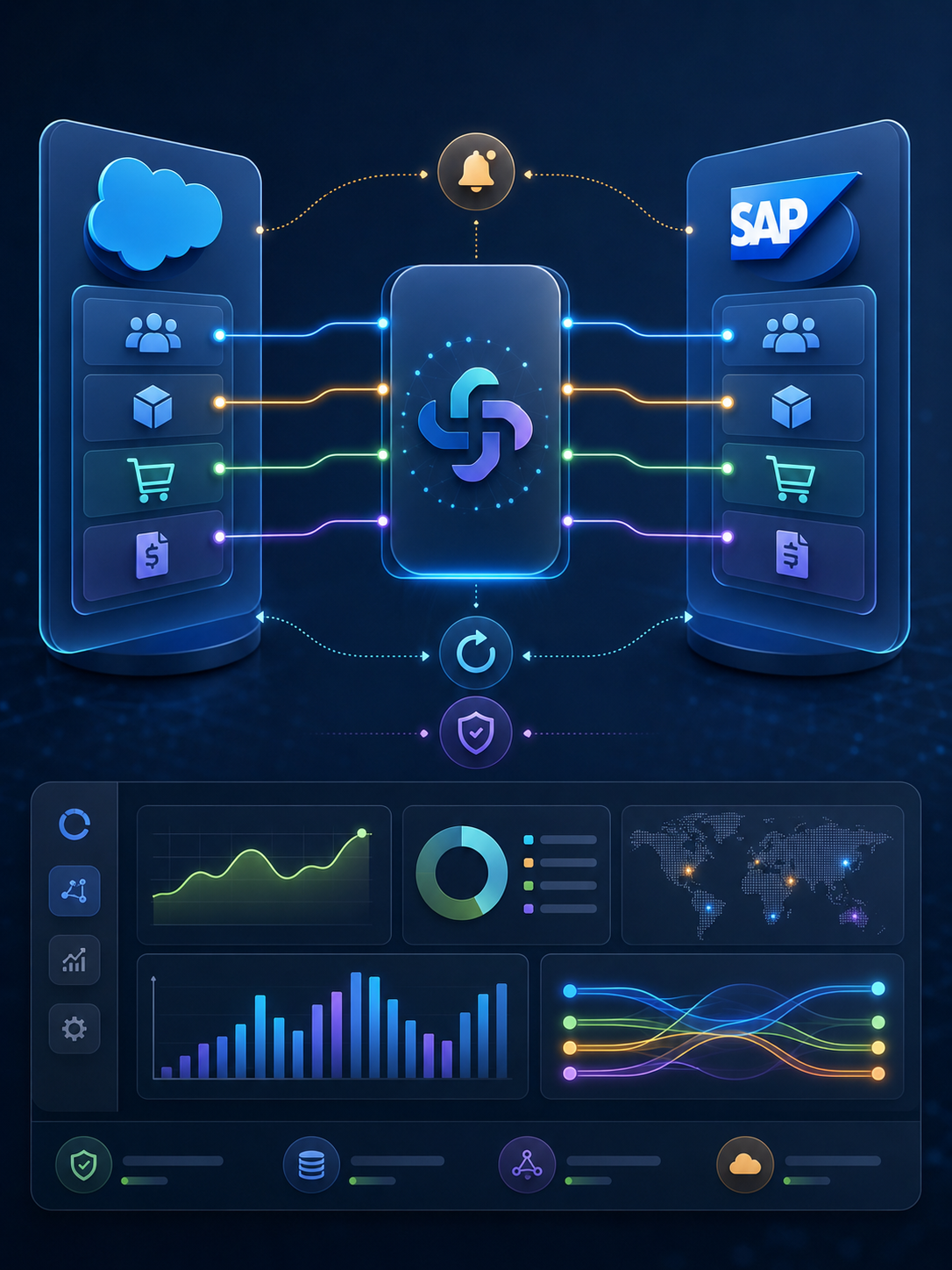
Connect CRM and ERP Smarter
Unify Salesforce and SAP with reliable real-time synchronization, .NET middleware, automated workflows, retry handling, and centralized integration monitoring.
That created several operational problems:
- Duplicate data entry
- Customer and product mismatches
- Delayed order and invoice updates
- Difficult ERP/CRM reconciliation
- Increased dependency on operations teams
- Limited visibility into failed synchronization
- No centralized integration-health monitoring
The challenge was therefore not simply to “connect two APIs.”
The business needed a controlled integration layer capable of understanding which system owned each business object, how records should be mapped, what should happen after an update, and how failures should be recovered without disrupting operations.
Connect Salesforce and SAP with Reliable Real-Time Integration
The Solution: Custom .NET Integration Middleware
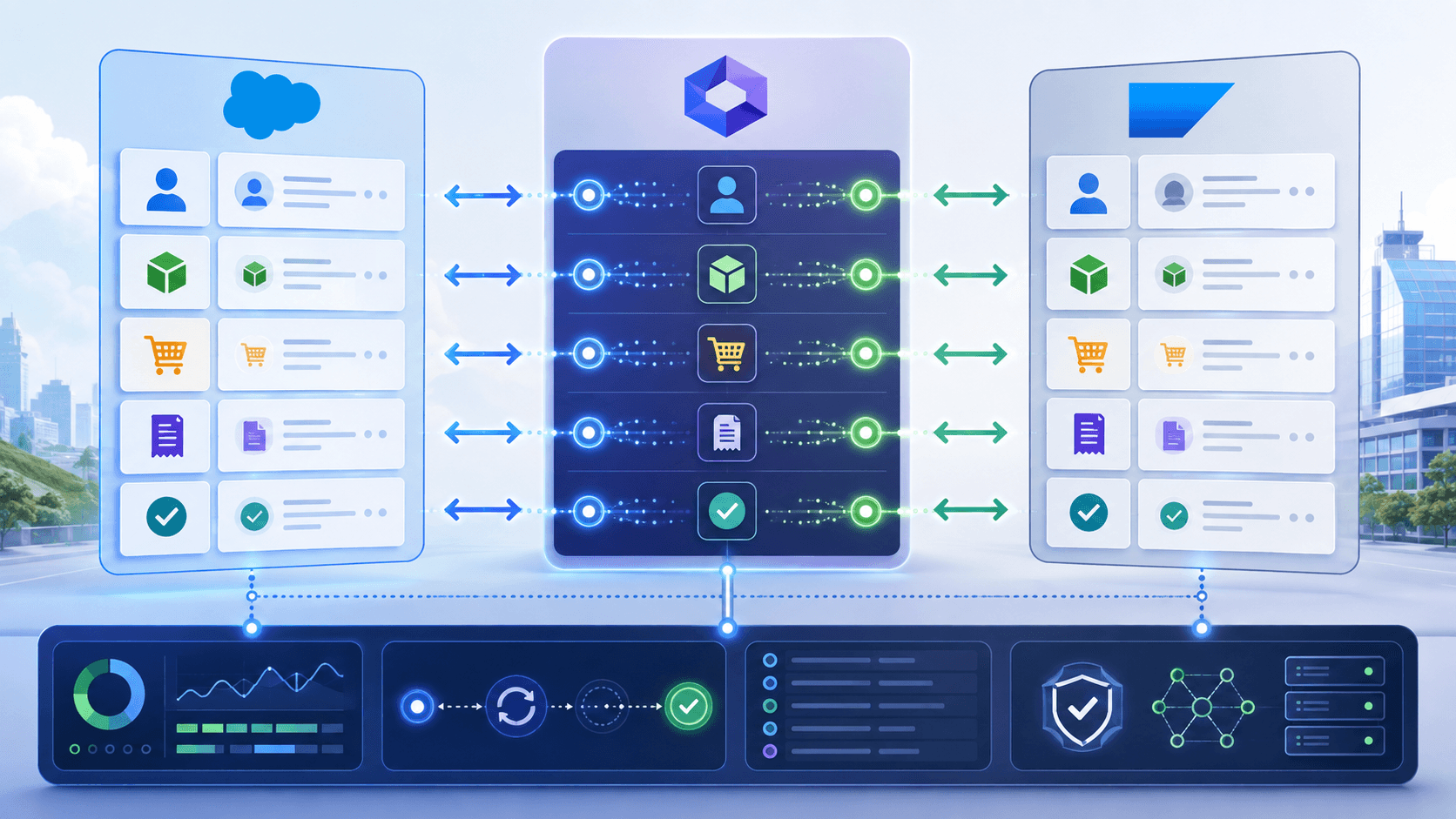
We developed a custom .NET Core middleware platform that sits between Salesforce and SAP.
The middleware receives events or API/webhook requests, validates and transforms payloads, maps fields between CRM and ERP structures, calls the appropriate destination APIs, and returns synchronization status to the originating system.
The architecture supports both:
Salesforce → SAP
and
SAP → Salesforce
data flows.
This middleware-driven approach prevents integration logic from becoming tightly embedded inside either enterprise application and creates a central layer for mapping, retry handling, logging, monitoring, and future integration changes.
Customer Master Synchronization
Customer records required bidirectional coordination.
When an Account or Contact is created or updated in Salesforce, the middleware processes the record and synchronizes relevant information with SAP.
SAP then generates the required Customer Code, which is returned through the integration layer and stored in Salesforce.
The workflow therefore becomes:
Salesforce Customer → Middleware → SAP → Customer Code → Salesforce
This ensures Salesforce users can continue working within the CRM while important SAP identifiers remain available against the corresponding customer record.
Approval handling, customer-code mapping, retry processing, and error logging were included within this workflow.
Product Master Synchronization
Product ownership followed a different pattern.
SAP remained the source of operational product data.
When products are created or updated in SAP, the middleware processes the change, maps the required fields, and synchronizes the product information and codes into Salesforce.
The flow becomes:
SAP Product → Middleware → Salesforce Product → Sync Status → SAP
This allows Salesforce teams to work with current product information without manually recreating SAP product records inside the CRM.
Structured field mapping also helps maintain consistency when Salesforce and SAP use different object or field structures.
Sales Orders and Invoice Status
Sales teams needed the ability to initiate order activity from Salesforce while SAP continued handling downstream ERP processing.
When a sales or demo order is created in Salesforce, the integration layer transforms and sends the order to SAP.
SAP processes the transaction and can return order or invoice information back into Salesforce.
The workflow becomes:
Salesforce Order → Middleware → SAP → Order/Invoice Status → Salesforce
This closes an important information gap between sales and operations.
Instead of repeatedly checking SAP or requesting status updates from another team, Salesforce users can receive relevant downstream information within their CRM workflow.
Expense Claim Integration
The integration also extends beyond CRM sales data into finance-related workflows.
Expense claims created in Salesforce can be synchronized to SAP together with information such as:
- Attachments
- Cost centers
- Approval metadata
- Claim information
This connects employee expense workflows with ERP financial processing while maintaining visibility across both systems.
The approach demonstrates that the middleware is not limited to one object type; it can coordinate multiple cross-system business processes through a common integration architecture.
Monitoring, Retry and Error Recovery
Enterprise integration is only useful if teams can understand what happens when synchronization fails.
We therefore developed a dedicated Integration Monitoring Dashboard.
Administrators can review:
Salesforce → SAP logs
SAP → Salesforce logs
Success and failure status
Retry activity
Record-level synchronization
Daily integration activity
The middleware also includes retry handling, structured logging, error notifications, API/webhook monitoring, and batch fallback processing.
This is especially important because an integration should not silently lose a customer, order, product, or financial transaction when a temporary API or connectivity issue occurs.
The architecture is designed to make failures visible and recoverable.
Automate ERP and CRM Data Sync with Confidence
Technology Architecture
The implementation uses:
CRM: Salesforce
ERP: SAP ERP / SAP Business One
Middleware: .NET Core APIs
Integration: REST APIs and webhooks
Salesforce: Apex REST APIs, triggers, and callouts
Processing: Event-driven integration
Cloud Option: Azure Functions
Self-Hosted Option: Windows or Ubuntu servers
This flexible deployment model allows the integration service to operate through cloud-based serverless infrastructure or within controlled self-hosted environments depending on enterprise requirements.
Business Impact
The Salesforce–SAP integration replaced disconnected manual transfer processes with a centralized synchronization architecture.
The implementation provides:
- Automated customer synchronization
- Consistent SAP customer and product identifiers in Salesforce
- Connected order and invoice-status workflows
- Integrated expense processing
- Reduced dependence on duplicate data entry
- Centralized monitoring and audit visibility
- Retry and error-recovery workflows
- A reusable foundation for future ERP/CRM integrations
Most importantly, the project demonstrates that successful Salesforce–SAP integration is not simply about moving records.
It requires clearly defining system ownership, mapping rules, synchronization direction, acknowledgements, monitoring, and failure recovery for every business process.
Planning a Salesforce and SAP Integration?
Murmu Software Infotech develops Salesforce integrations, SAP integrations, CRM–ERP middleware, .NET integration platforms, API automation, enterprise workflow synchronization, and custom monitoring solutions.
Whether you need to connect customer data, products, orders, invoices, inventory, expenses, or custom enterprise workflows, we can help design an integration architecture around your existing Salesforce and SAP environment.
Talk to our enterprise integration team to create a more connected, observable, and maintainable CRM–ERP ecosystem.
Frequently Asked Questions
What is Salesforce SAP integration?
Salesforce SAP integration connects Salesforce CRM with SAP ERP so customer, product, order, financial and other business information can move between the systems through APIs, middleware and controlled synchronization workflows.
Can Salesforce and SAP synchronize data in real time?
Yes. Salesforce and SAP can exchange data through API, webhook and event-driven integration patterns. In this case study, custom .NET Core middleware processes changes, maps records, calls destination APIs and returns synchronization status.
Why use middleware between Salesforce and SAP?
Middleware centralizes transformation, field mapping, authentication, logging, retries, error handling and monitoring instead of tightly embedding integration logic inside Salesforce or SAP. It also provides a reusable layer for future enterprise workflows.
How are Salesforce customers synchronized with SAP?
Customer records created or updated in Salesforce are processed by the middleware and synchronized to SAP. SAP generates the required customer code, which is then returned and mapped back to the corresponding Salesforce record.
How are SAP products synchronized with Salesforce?
SAP acts as the operational product source in the documented product-master workflow. Product updates are processed through the middleware, mapped to Salesforce product fields and synchronized with corresponding product codes and status information.
Can Salesforce sales orders be sent to SAP?
Yes. Sales and demo orders created in Salesforce can be transformed by middleware and submitted to SAP for ERP processing. SAP-generated order or invoice status can then be synchronized back to Salesforce.
Can Salesforce expense claims integrate with SAP?
Yes. The implementation supports Salesforce expense claims being transferred to SAP together with information such as attachments, cost centers and approval metadata, connecting CRM-based expense workflows with ERP financial processing.
How are Salesforce SAP integration failures handled?
The integration includes structured logging, retry mechanisms, error notifications, API and webhook monitoring, record-level status tracking and batch fallback processing so failed transactions can be identified and recovered.
How can administrators monitor Salesforce SAP synchronization?
A dedicated integration dashboard can show Salesforce-to-SAP and SAP-to-Salesforce logs, daily synchronization activity, success or failure status, retries, record-level history and overall integration health.
Can Murmu Software Infotech build custom Salesforce SAP integrations?
Yes. Murmu Software Infotech develops Salesforce and SAP integrations, .NET middleware, CRM ERP synchronization, REST API automation, monitoring dashboards, error-recovery workflows and custom enterprise integration platforms.