OPD Token Display & Queue Management System in Ranchi: Software, TV & Printer Integration
In This Article
- What Is an OPD Token System in Ranchi?
- Who Needs Hospital Queue Management Software in Ranchi?
- Why Manual OPD Token Management Creates Problems
- How Digital OPD Token Display Software Works
- OPD Token Printer, TV Display and Device Integration
- Key Features of Hospital Queue Display Systems
- Watch an OPD Software and Device Demo
- Manual OPD Queue vs Digital Token Management
- Benefits of Digital OPD Queue Management
- Real Project Evidence: MSI OPD Queue Management System
- OPD Token Software and Hardware Pricing in Ranchi
- Implementation, Training and Support
- Why Choose Murmu Software Infotech?
- Make Every OPD Visit More Organized
Patients shouldn't crowd reception just to ask when their turn will come.
Busy hospitals and clinics in Ranchi often struggle with crowded reception counters, missed token announcements and unclear consultation queues. Patients repeatedly ask staff about doctor availability while receptionists coordinate appointments and walk-ins manually.
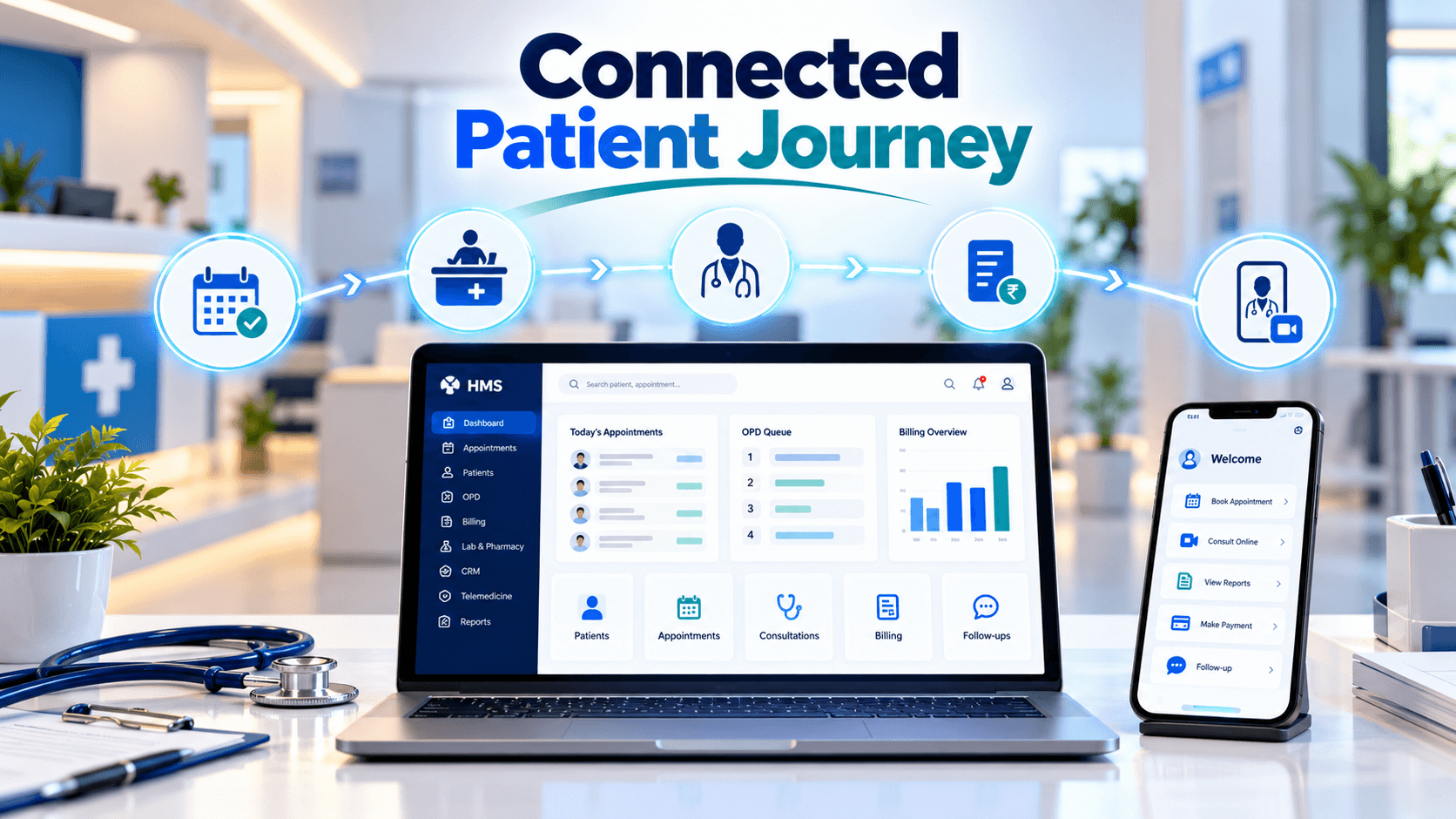
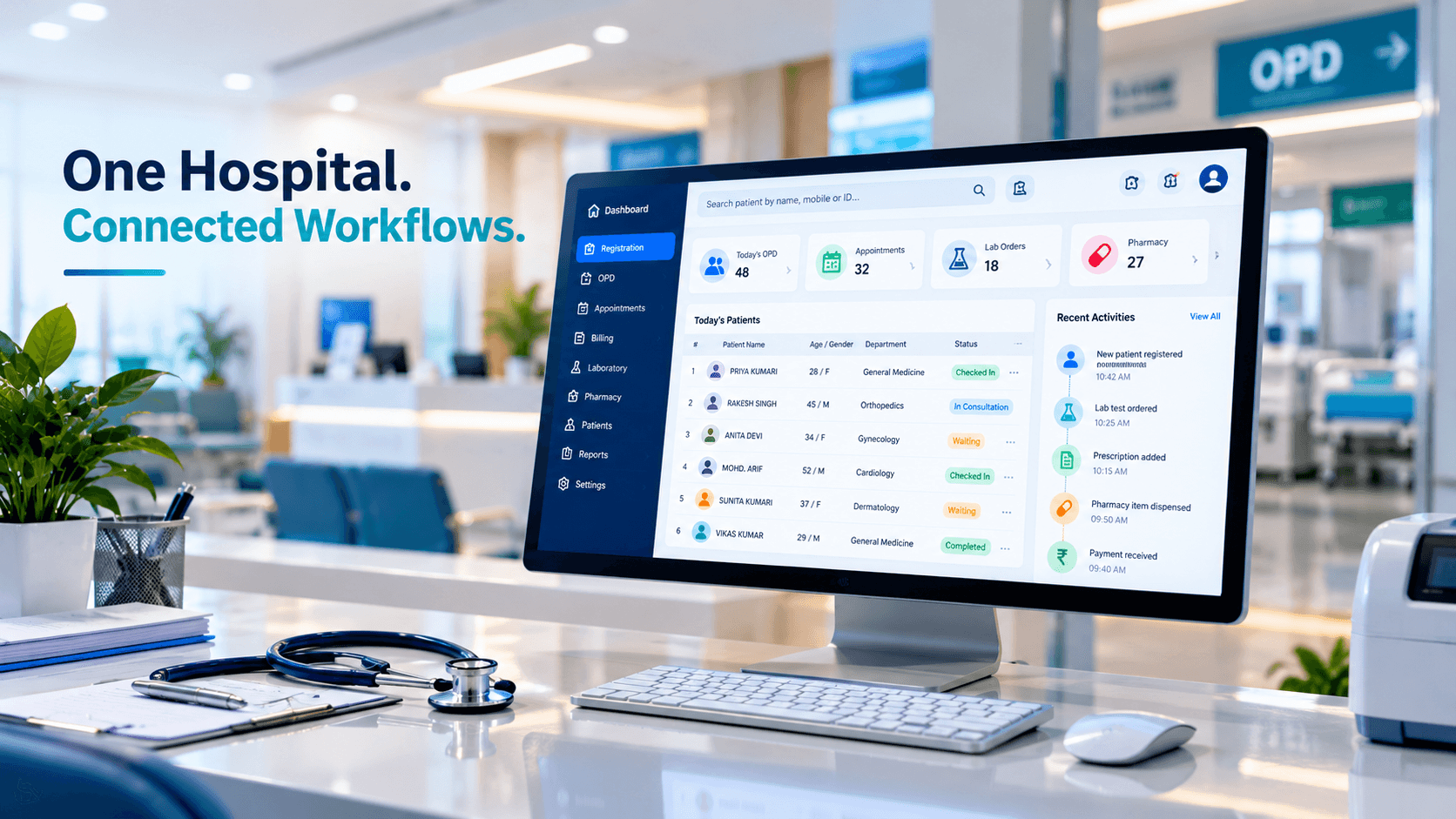
Murmu Software Infotech develops OPD queue management solutions connecting patient registration, digital tokens, doctor-wise queues and waiting-room displays. With compatible TV screens, token printers and optional announcement devices, hospitals can create a clearer, more organized patient-flow experience.
Request OPD Software & Device Demo
WhatsApp Enquiry: Request a WhatsApp Callback
What Is an OPD Token System in Ranchi?
An OPD token and queue management system digitally organizes patients from registration through consultation.
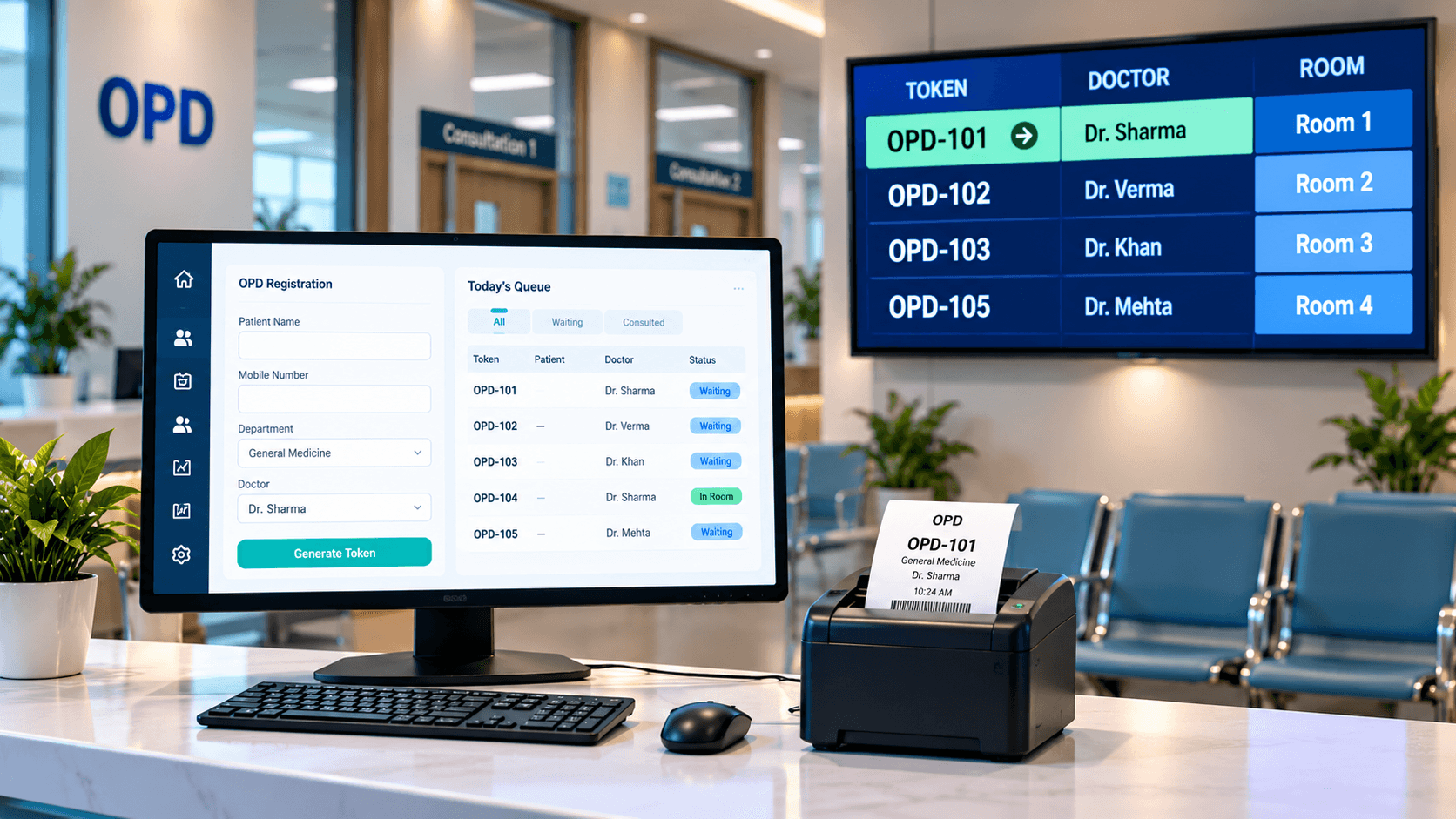
Reception staff register patients and assign tokens to appropriate doctors or departments. Doctors can view their waiting lists and call patients when ready. Connected display screens show queue progress, helping patients understand when to approach the consultation room.
Hospitals can evaluate a software-only setup or a configured solution using compatible displays and printers.
Explore OPD Queue Management Software from Murmu Software Infotech.
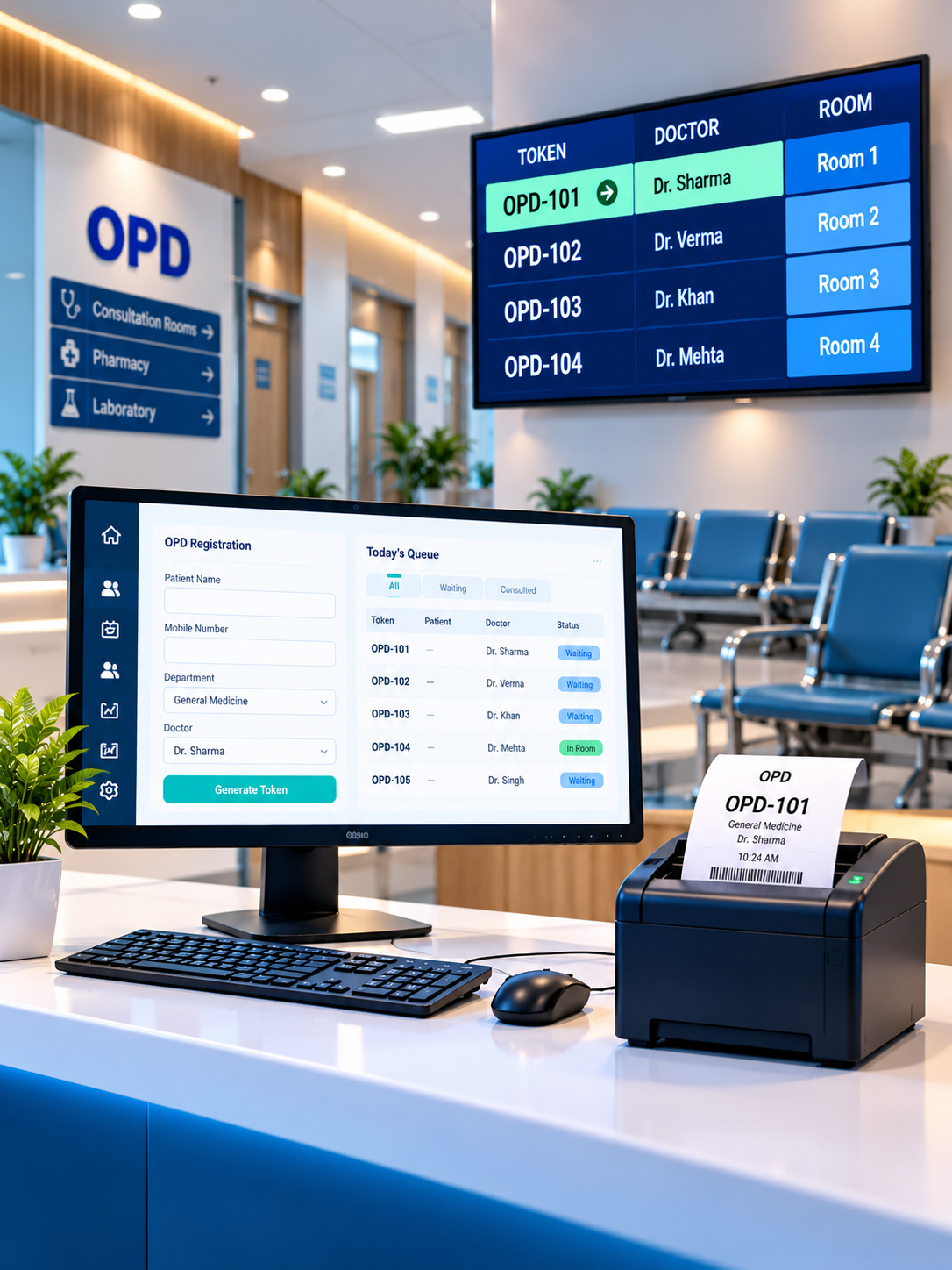
Simplify OPD Queues. Improve Patient Flow.
Connect reception tokens, doctor-wise calling and waiting-room displays in one coordinated workflow, with compatible printer integration for clearer patient communication.
Who Needs Hospital Queue Management Software in Ranchi?
Digital queues are relevant to:
| Healthcare facility | Primary requirement |
|---|---|
| Multi-specialty hospitals | Multiple doctor-wise queues |
| Nursing homes | Organized outpatient registration |
| Specialty clinics | Consultation token calling |
| Diagnostic centres | Department-wise patient movement |
| High-volume OPDs | Waiting-room display coordination |
Hospital administrators, receptionists, doctors and patient-support teams benefit from shared queue visibility.
Why Manual OPD Token Management Creates Problems
Common challenges include:
- Reception crowding: Patients repeatedly ask about their turn.
- Missed calls: Verbal announcements are difficult to hear.
- Unclear availability: Doctor delays are not communicated consistently.
- Manual errors: Paper tokens and registers become difficult to reconcile.
- Limited visibility: Administrators cannot easily monitor queue progress.
Connected software helps coordinate these activities, although clinical priorities and emergency handling still require staff judgment.
Reduce Reception Crowding With Smarter OPD Token Queue Management
How Digital OPD Token Display Software Works
Consider a hospital with three doctors and a shared waiting area.
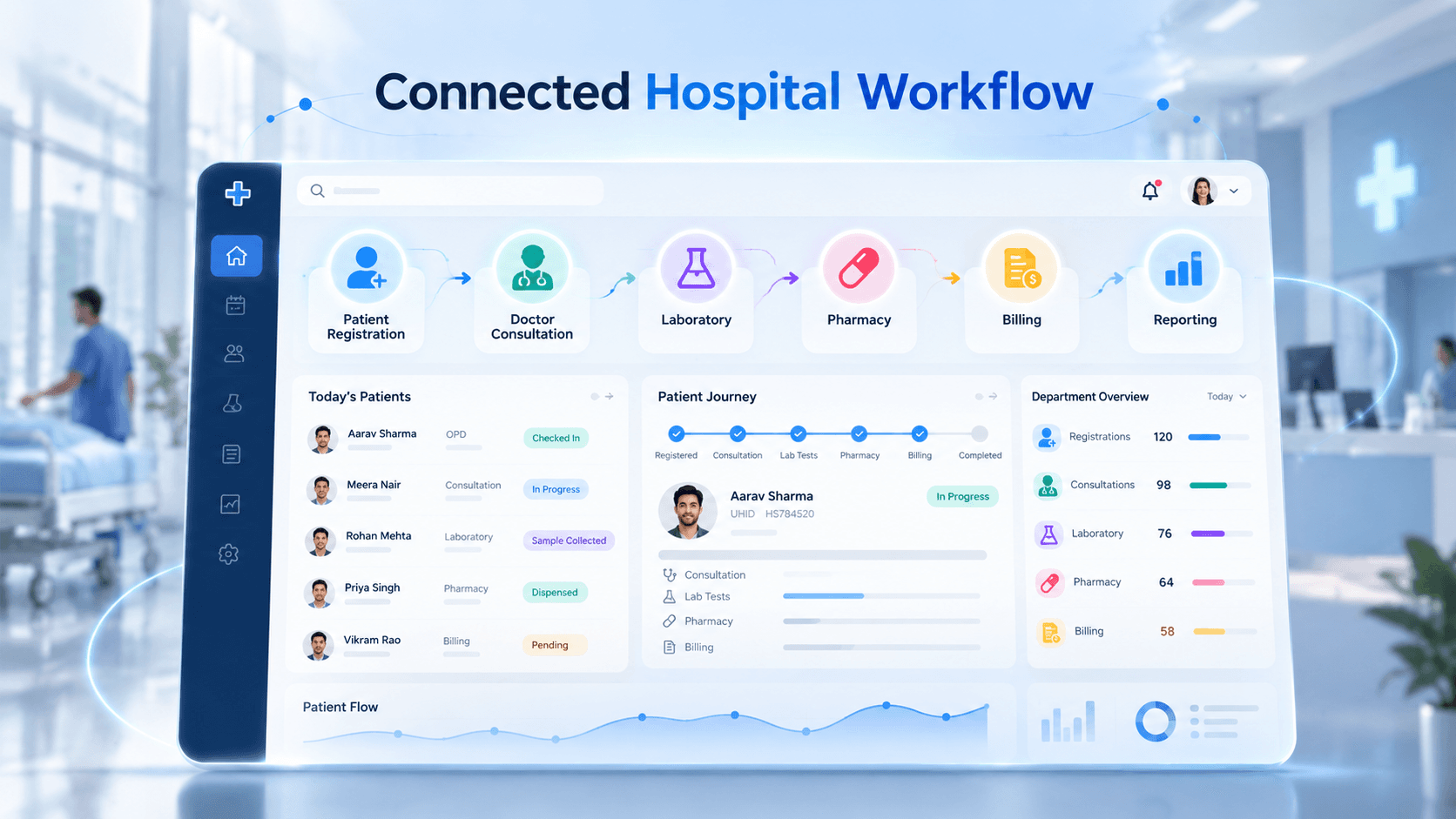
A connected six-step workflow can operate as follows:
- Register patient: Reception selects the patient, department and doctor.
- Generate token: The system assigns a queue number.
- Print token: A compatible printer produces a numbered slip, if configured.
- Display queue: Waiting-room TV screens show active token numbers.
- Call next patient: The doctor advances the queue from a consultation dashboard.
- Update status: Reception and the public display reflect the new queue position.
Registration → Token → Print → TV Display → Doctor Call → Queue Update
Printing and display synchronization must be demonstrated using the selected hardware.
OPD Token Printer, TV Display and Device Integration
A hospital queue setup may include:
| Device | Purpose |
|---|---|
| Reception computer | Patient registration and token generation |
| Compatible thermal printer | Printed patient token slips |
| Smart TV or digital display | Live queue numbers and room information |
| Mini PC or display controller | Runs the display when needed |
| Optional touchscreen kiosk | Self-service token registration |
| Optional speakers | Audible token announcements |
Before purchasing hardware, verify printer drivers, USB/LAN/Bluetooth interfaces, supported paper width, TV browser compatibility, network requirements and power backup.
Display only the minimum necessary patient information, preferably token numbers and consultation rooms rather than identifiable medical details.
Key Features of Hospital Queue Display Systems
Important software capabilities include digital token generation, doctor-wise queues, appointment and walk-in management, live token status, reception dashboards, department routing, queue display screens and reporting.
Optional capabilities may include priority queues, SMS/WhatsApp alerts, missed-token recall, audio announcements and integration with hospital management systems.
Confirm the exact feature scope during the product demonstration.
Watch an OPD Software and Device Demo
Request a 60–120-second demonstration showing registration, token creation, optional receipt printing, doctor calling and waiting-room display updates.
Include approved screenshots of the reception dashboard, token preview, doctor queue, TV display and administration view.
Book OPD Software & Device Demo
Manual OPD Queue vs Digital Token Management
| Before | After, with configured software |
|---|---|
| Handwritten tokens | Digital token records |
| Repeated reception enquiries | Visible queue progress |
| Manual doctor calling | Doctor-controlled queue updates |
| Unclear patient status | Shared reception and doctor views |
| Manual daily summaries | Structured OPD reports |
These are expected workflow benefits, not measured reductions in waiting time.
Benefits of Digital OPD Queue Management
A connected queue system can improve patient communication, reduce repetitive reception enquiries and give staff clearer visibility into outpatient activity.
Administrators can review patient volumes, waiting patterns and doctor-wise queue status.
Actual results depend on patient arrival patterns, consultation duration, staff adoption and network reliability.
Real Project Evidence: MSI OPD Queue Management System
Murmu Software Infotech developed a digital OPD queue management solution covering token generation, doctor-wise and department-wise queues, real-time queue status, patient communication and centralized reception coordination.
The documented system also supports patient movement between consultation, billing, laboratory and pharmacy workflows.
Read the OPD Token & Queue Management Case Study
This case study supports MSI's software-development experience. It does not verify compatibility with every commercial TV, thermal printer, kiosk or audio controller.
Explore Our AI Solutions Catalog
Discover powerful AI solutions to automate operations and accelerate business growth.
337 KB
OPD Token Software and Hardware Pricing in Ranchi
Implementation costs depend on doctor count, departments, registration counters, users, notifications, HMS integrations and hosting.
Hardware costs may include TVs, printers, mini PCs, speakers, mounting, networking and maintenance.
Request a verified software-and-device quotation. Do not assume a bundled hardware package is included without written confirmation.
Implementation, Training and Support
Deployment starts with queue-workflow discovery, doctor and department configuration, hardware compatibility checks and network assessment.
Next come device testing, display setup, reception and doctor training, trial transactions and go-live support.
Confirm backup procedures, printer supplies, maintenance terms and downtime handling before launch.
See Token Printing, Doctor Calling and TV Displays Together
Why Choose Murmu Software Infotech?
Murmu Software Infotech develops hospital management, OPD queue, patient-flow and healthcare integration solutions.
Its documented OPD project provides relevant experience in digital tokens, doctor queues and hospital workflow coordination.
Explore Hospital Software Solutions in Ranchi for broader HMS requirements.
Make Every OPD Visit More Organized
Patients deserve clear queue information. Reception teams need better coordination. Doctors need accurate consultation lists.
Connect digital tokens, doctor calling and waiting-room displays through an OPD solution designed for your hospital.
Request OPD Software & Device Demo
Quick Enquiry: Hospital Name, Ranchi Location, Contact Number, Doctor Count, Daily OPD Volume, TV Displays, Token Printers and Integration Requirements.
Frequently Asked Questions
Which is the best OPD token and queue management system in Ranchi?
The right OPD token system depends on the hospital's daily patient volume, number of doctors, departments, registration counters and display requirements. Murmu Software Infotech develops OPD queue management solutions covering digital tokens, doctor-wise queues, live displays, patient notifications and reception coordination. Printer and TV compatibility should be confirmed through a live demonstration.
Can an OPD token system display patient token numbers on a TV?
Yes. An OPD queue system can display active token numbers, consultation rooms and queue status on a compatible TV or digital display. Murmu Software Infotech's OPD case study documents queue display screens. The exact TV, browser, controller and network configuration must be verified.
Does OPD queue management software support thermal token printers?
A thermal token printer can be integrated when the selected hardware, drivers, connection method and printing software are compatible. Hospitals should request a physical printing demonstration showing token number, department, consultation room and receipt format before purchasing a printer.
How does a digital OPD token system work in hospitals?
Reception staff register a patient, assign a doctor or department and generate a token. The patient enters the corresponding queue, and the waiting-room display shows queue progress. When the doctor calls the next token, the connected queue status can update for reception and patients.
Can one OPD queue system manage multiple doctors and departments?
Yes. Murmu Software Infotech's OPD platform documents doctor-wise and department-wise queues, appointment and walk-in coordination, real-time queue status and reception dashboards. Hospitals should confirm consultation-room mapping, priority rules and operational limits during implementation.
Can patients receive OPD token updates on WhatsApp or SMS?
The MSI OPD platform documents SMS and WhatsApp token notification workflows. Hospitals can evaluate token confirmation, approaching-turn alerts and doctor-delay notifications. Actual message delivery depends on the configured communication provider, approved templates, patient consent and applicable charges.
Does an OPD token display system need internet or a mini PC?
Requirements depend on system architecture and hardware. A suitable Smart TV may run a supported display application or browser, while other screens may need a mini PC or dedicated controller. Cloud-hosted systems generally require connectivity. Local-network and offline operation must be tested separately.
Can OPD queue software integrate with an existing hospital management system?
Yes. OPD queue software can be integrated with supported hospital management workflows such as registration, appointments, billing, laboratory and pharmacy through APIs or custom connectors. Integration feasibility depends on the existing HMS, data access, security requirements and implementation scope.
How much does an OPD token and queue management system cost in Ranchi?
The MSI OPD software landing page advertises focused software implementations starting at approximately ₹70,000. This is not a verified bundled hardware price. Total cost depends on doctors, counters, departments, TV displays, printers, controllers, notifications, HMS integrations, deployment and maintenance. Request a current itemized quotation.
Where can I book an OPD token printer and TV display demo in Ranchi?
Visit https://murmusoftwareinfotech.com/schedule-appointment to request an OPD software and device consultation. Share your hospital type, doctor count, daily patient volume, existing TV models, printer requirements and HMS details. Request a demonstration using tested hardware wherever available.