Sitecore Search API Authentication: A Practical Guide for Developers
In This Article
- First, check whether you have a Sitecore Search subdomain
- API key vs. access token
- How the authentication process works
- 1. Get an API key
- 2. Generate an access token when necessary
- 3. Send the credential with every request
- API keys: the server-side option
- Developer Resources → API Access
- Never expose an API key in browser code
- Understanding API key scopes
- What about the Ingestion API?
- Access tokens for browser applications
- Access tokens don't last forever
- Access tokens keep the same scopes
- Choosing the right approach
- A practical security checklist
- The bottom line
Working with Sitecore Search APIs means dealing with authentication and authorization sooner or later. While the terminology can sound complicated, the basic idea is simple: Sitecore needs to know who is making an API request and whether that request is allowed.
Sitecore Search provides two main ways to authenticate API requests: API keys and access tokens.
Which one you should use depends largely on where your application runs and how securely it can store credentials.
There is also an important exception: if your Sitecore Search setup has a subdomain, you may not need to use either method directly.

Secure and Scale Your Sitecore
Strengthen Sitecore Search integrations with secure authentication, modern architecture, API integrations, performance optimization, and expert engineering support for enterprise platforms.
First, check whether you have a Sitecore Search subdomain
Before setting up API authentication, check your Sitecore Search configuration.
If you have a subdomain, Sitecore says you do not need additional authentication or authorization. Instead, you can make API calls using the subdomain host URL available in Developer Resources in Sitecore Search.
In this situation, the subdomain host itself provides the required authentication and authorization.
If you don't have a subdomain, you'll need to authenticate and authorize your API requests using an API key or an access token.
API key vs. access token
Sitecore Search supports two authentication approaches:
- API key — best suited for secure server-to-server communication.
- Access token — recommended for browser-based applications, including Sitecore Search SDK implementations and custom JavaScript frontends.
Both approaches start with an API key created and provided through Developer Resources → API Access.
The important distinction is where the credential is being used.
An API key can be safely used by a backend service that you control. But putting that same key directly into browser-side JavaScript is risky because visitors can inspect network requests and potentially retrieve the key.
For browser applications, an access token is the safer option.
Get Expert Help Securing Your Sitecore Search API Integration
How the authentication process works
The overall process can be thought of as three steps.
1. Get an API key
First, you need an API key with the appropriate permissions, or scopes, for the APIs you plan to use.
You generally only need to obtain the API key once.
2. Generate an access token when necessary
If you're building a browser-based application, you can use the API key from your server to obtain an access token and refresh token.
The access token is then used by the application when making API requests.
When the access token expires, the refresh token can be used to obtain a new one.
3. Send the credential with every request
Whichever authentication method you're using, the API key or access token needs to be included in the request headers when you call the applicable Sitecore Search APIs.
This is an important detail that can easily be missed: authentication isn't something you perform once and then forget about. The appropriate credential needs to accompany each API request.
API keys: the server-side option
A Sitecore Search API key is a unique 52-character secret generated by Sitecore Search.
API keys do not expire.
You don't create the key yourself. Instead, you can view the API key through:
Developer Resources → API Access
API keys are particularly useful for backend services and server-to-server integrations because the secret can remain on infrastructure that isn't exposed to website visitors.
Never expose an API key in browser code
This is one of the most important security rules to remember.
If your application runs in a browser, don't put your Sitecore Search API key directly into JavaScript.
Anything sent to a user's browser can potentially be inspected. A visitor could open the browser's developer tools, look at network requests, and retrieve credentials included in those requests.
For browser-based applications, use an access-token approach instead.
Understanding API key scopes
An API key isn't automatically allowed to access every Sitecore Search API.
It has one or more scopes, which determine what it can access.
The main scopes are:
| Scope | Access |
|---|---|
| discover | Search and Recommendation API |
| event | Events API |
| ingestion | Ingestion API |
The credential's scope needs to match the API you're calling.
For example, if your API key only has the discover scope and you use it to call the Events API, the request will fail with an HTTP 4XX response.
This is worth checking whenever an authenticated request is still being rejected. Authentication and authorization aren't exactly the same thing: you may have a valid key but not have permission to access the API you're requesting.
What about the Ingestion API?
There's one particularly important exception.
The Ingestion API only accepts an API key.
It does not accept an access token.
So if your application uses the Ingestion API, you'll need to use an appropriately scoped API key for those requests.
Access tokens for browser applications
Access tokens are temporary credentials designed for situations where exposing a permanent API key isn't safe.
The usual flow looks like this:
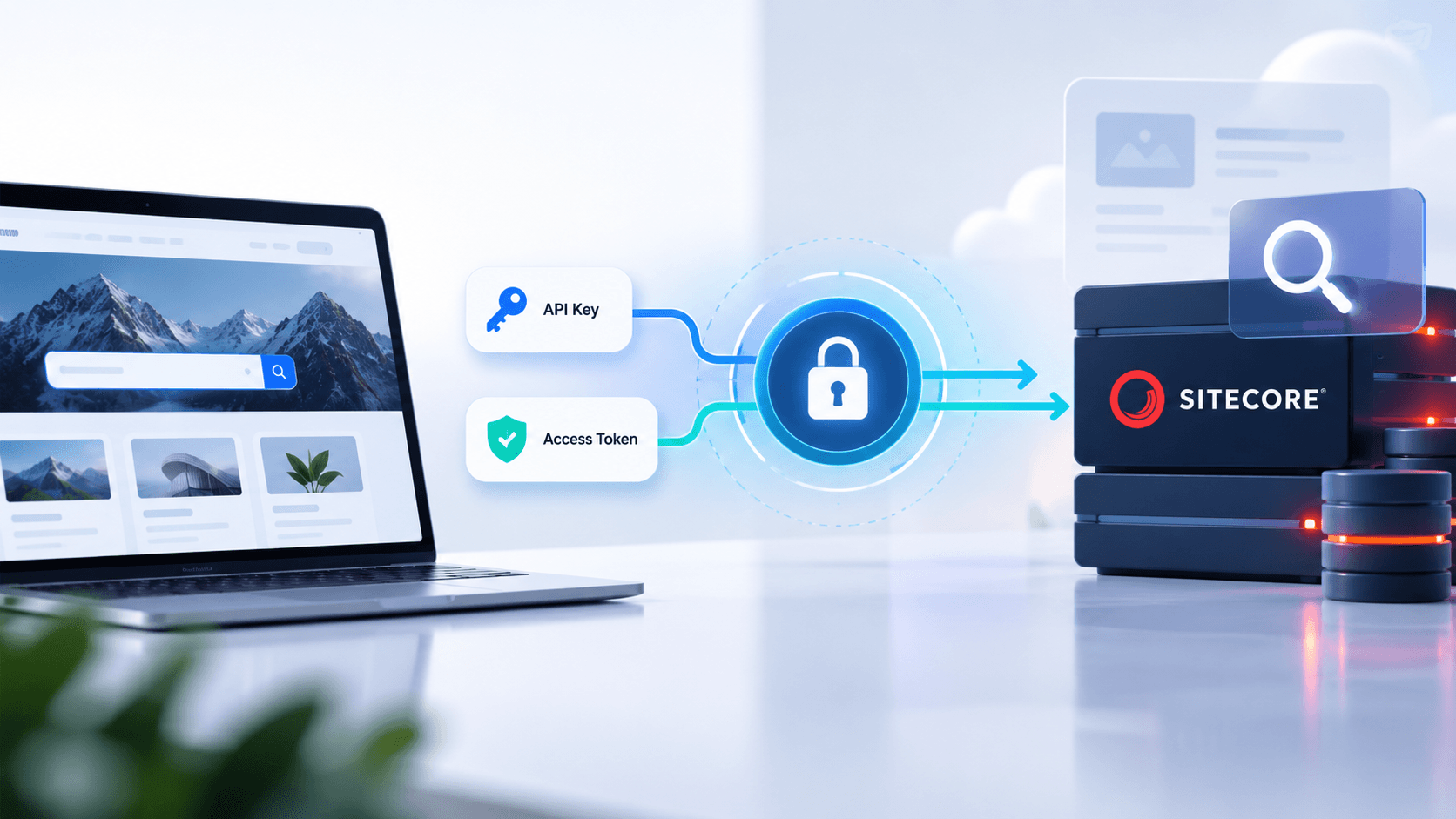
API key → authentication request from your server → access token + refresh token → API requests
Your server uses the API key to communicate with the Sitecore Search authentication endpoint. Sitecore then provides an access token and a refresh token.
The browser application can use the access token without having the permanent API key exposed in its client-side code.
Access tokens don't last forever
Unlike API keys, access tokens and refresh tokens have limited lifetimes.
By default:
- Access token: 1 day
- Refresh token: 1 week
These lifetimes can be configured to be shorter, but not longer than the applicable defaults.
Once the access token expires, the refresh token can be used to obtain another access token.
When the refresh token itself expires, the application needs to use the API key again to obtain a new access and refresh token pair.
This makes token management an important part of any production implementation.
Access tokens keep the same scopes
There's another detail developers should keep in mind: access tokens inherit the scopes of the API key used to generate them.
For example, suppose your API key has only the:
discover
scope.
An access token generated from that key can be used for the Search and Recommendation API, but it won't give you permission to call the Events API.
Generating an access token doesn't magically increase the permissions of the original API key.
Need Help With Sitecore Search API Authentication or Integration?
Choosing the right approach
In most cases, the decision is fairly straightforward.
Use an API key when:
- Your application communicates with Sitecore Search from a secure backend.
- You're building server-to-server integrations.
- You're working with the Ingestion API.
- The credential can remain securely stored on your server.
Use an access token when:
- Your application runs in a browser.
- You're using the Sitecore Search SDK.
- You're building a custom JavaScript frontend.
- You need to avoid exposing a permanent API key to users.
A practical security checklist
Before putting your integration into production, check the following:
- [Control] Confirm whether your Sitecore Search environment has a subdomain.
- [Control] If there is no subdomain, obtain the required API key.
- [Control] Check that the API key has the correct scopes.
- [Control] Keep API keys on the server and out of client-side code.
- [Control] Use access tokens for browser-based applications.
- [Control] Implement refresh-token handling for expired access tokens.
- [Control] Remember that the Ingestion API requires an API key.
- [Control] Make sure every API request includes the appropriate authorization credentials.
- [Control] Test your authentication flow before deploying to production.
The bottom line
Sitecore Search authentication becomes much easier to understand once you separate the two concepts.
API keys are long-lived credentials that are best kept on secure servers. Access tokens are temporary credentials that are better suited to browser-based applications.
Your API key also determines what your application is allowed to access through its assigned scopes. An access token simply inherits those permissions.
And before doing anything else, check whether your environment has a Sitecore Search subdomain. If it does, Sitecore's documentation states that the subdomain host URL is sufficient for authentication and authorization.
For environments without a subdomain, getting the authentication setup right is essential not just for making API calls work, but also for keeping your Sitecore Search integration secure.
Frequently Asked Questions
What is Sitecore Search API authentication?
Sitecore Search API authentication verifies the identity of an application making an API request and determines whether that application has permission to access the requested API.
What authentication methods does Sitecore Search support?
Sitecore Search supports API keys and access tokens for API authentication. The appropriate method depends on the application architecture and where the credential is used.
What is a Sitecore Search API key?
A Sitecore Search API key is a long-lived secret credential used to authenticate API requests. It is particularly suitable for secure server-side applications and server-to-server integrations.
Should a Sitecore Search API key be exposed in JavaScript?
No. A permanent Sitecore Search API key should not be placed in browser-side JavaScript because users can inspect browser requests and potentially obtain the credential. Browser applications should use an appropriate access-token flow.
What is a Sitecore Search access token?
A Sitecore Search access token is a temporary credential that can be used by applications to authenticate API requests without exposing the permanent API key to the browser.
What is the difference between a Sitecore Search API key and an access token?
An API key is a long-lived credential intended to remain securely stored, typically on a server. An access token is temporary and is better suited to browser-based applications where exposing a permanent API key would create a security risk.
What are Sitecore Search API scopes?
API scopes define which Sitecore Search APIs a credential is authorized to access. Common scopes include discover for Search and Recommendation APIs, event for the Events API, and ingestion for the Ingestion API.
Does the Sitecore Search Ingestion API support access tokens?
No. The Sitecore Search Ingestion API requires an appropriately scoped API key and does not accept an access token.
How long do Sitecore Search access tokens last?
Sitecore Search access tokens have a limited lifetime. The default access-token lifetime is one day, while the refresh-token lifetime is one week. These lifetimes can be configured shorter but not longer than the applicable defaults.
Do Sitecore Search access tokens have the same permissions as the API key?
Yes. An access token inherits the scopes of the API key used to generate it. Creating an access token does not provide permissions beyond those assigned to the original API key.