Sitecore Headless Implementation: Building a Real-World Project with JSS and Next.js
In This Article
- Why Hands-On Implementation Matters
- Project Overview
- Setting Up the Project
- 1. Sitecore
- 2. Frontend Application
- Understanding the Setup Flow
- Frontend Setup with Next.js
- Building Reusable Components
- Building the Header Component
- Building the Footer Component with GraphQL
- Creating Website Pages
- Building the Home Page
- About and Services Pages
- Team and FAQ Pages
- Building the Contact Page with Booking Form
- Integrating GraphQL
- Understanding the Full Rendering Flow
- Dynamic Rendering in Sitecore Headless
- Final Working Website
- Why This Architecture Scales
- Key Takeaways
- 1. Sitecore Manages Content
- 2. Frontend Handles Experience
- 3. APIs Connect Everything
- 4. Components Drive Scalability
- 5. Headless Enables Enterprise Flexibility
- Final Thoughts
In Part 1, we explored the architecture and concepts behind Sitecore Headless CMS. We discussed:
- Decoupled architecture
- Sitecore JSS
- XM Cloud
- Content modeling
- Rendering flow
- Enterprise architecture principles
Now it’s time to move from theory to implementation.
In this blog, we’ll build a real-world Sitecore Headless project using:
- Sitecore JSS
- Next.js
- GraphQL
- Dynamic rendering
- Reusable components
Our goal is to understand how all the architectural concepts work together in an actual implementation.
Why Hands-On Implementation Matters
Understanding architecture is important.
But implementation is where developers truly understand:
- Rendering flow
- API communication
- Component architecture
- Dynamic content management
- Enterprise scalability
A real implementation reveals:
- How Sitecore and frontend communicate
- How content becomes UI
- How reusable systems are designed
This is where theory becomes practical engineering.
Build Scalable Sitecore Experiences Faster
See how JSS, Next.js, GraphQL, and reusable components transform Sitecore content into flexible, scalable enterprise digital experiences.
Project Overview
We’ll build a complete headless website containing:
- Home page
- About page
- Services page
- Team page
- FAQ page
- Contact page with booking form
The architecture will include:
- Dynamic rendering
- GraphQL integration
- Reusable components
- Sitecore-managed content
- Scalable frontend structure
Setting Up the Project
The first step is creating the Sitecore JSS application.
In a headless setup, there are always two major systems:
1. Sitecore
Responsible for:
- Content management
- Layout data
- APIs
- Rendering configuration
2. Frontend Application
Built using:
- React
- Next.js
Responsible for:
- UI rendering
- User interaction
- Dynamic page generation
The frontend acts as the rendering host.
Understanding the Setup Flow
Modernize Your Enterprise Digital Experience Architecture
The implementation process usually follows this flow:
Create JSS App → Connect Sitecore → Configure Frontend
At this stage, we configure:
- API keys
- Sitecore hostnames
- Environment variables
- GraphQL endpoints
One of the most common beginner mistakes is treating setup as “installation only.”
But in reality:
- We are integrating distributed systems
- Communication and configuration are everything
Frontend Setup with Next.js
The frontend application is typically built using Next.js because it supports:
- Server-side rendering
- Static generation
- Excellent performance
- Enterprise scalability
The Next.js application:
- Fetches Sitecore layout data
- Dynamically renders components
- Handles routing
- Supports reusable architecture
This is where modern frontend development meets enterprise CMS capabilities.
Building Reusable Components
One of the biggest advantages of headless architecture is component-driven development.
Instead of building static pages:
- We build reusable UI components
- Sitecore dynamically assembles pages
This improves:
- Scalability
- Maintainability
- Development speed
Building the Header Component
The Header component typically includes:
- Logo
- Navigation menu
- Links
- Branding
The important part is:
The content does not live inside the frontend code.
Instead:
- Sitecore manages navigation data
- The frontend dynamically renders it
This allows content editors to update menus without frontend deployments.
That is a major enterprise advantage.
Building the Footer Component with GraphQL
For the Footer component, we use GraphQL integration.
The frontend requests:
- Footer links
- Social media links
- Contact information
Using GraphQL provides several advantages:
- Fetch only required data
- Reduce payload size
- Improve frontend performance
This creates a cleaner and more efficient architecture.
Creating Website Pages
Now we move into page development.
We create:
- Home page
- About page
- Services page
- Team page
- FAQ page
- Contact page
The key architectural principle here is:
Pages are composed using reusable components.
This is fundamentally different from traditional CMS page construction.
Building the Home Page
The Home page usually contains:
- Hero banner
- Featured services
- CTA sections
- Testimonials
All content is managed through Sitecore.
This means marketing teams can:
- Update content independently
- Launch campaigns faster
- Avoid frontend deployments
This separation between content and presentation dramatically improves agility.
About and Services Pages
The About and Services pages demonstrate layout reuse.
Instead of duplicating frontend code:
- Existing components are reused
- Different content is supplied dynamically
This creates:
- Cleaner architecture
- Faster development
- Easier maintenance
Reusable architecture is one of the core strengths of headless systems.
Team and FAQ Pages
The Team page demonstrates dynamic data rendering.
Employee information:
- Images
- Names
- Roles
- Bios
Are all managed inside Sitecore.
The FAQ page often includes:
- Accordion components
- Expand/collapse behavior
- Dynamic content sections
These examples demonstrate how Sitecore controls content while React controls presentation.
Building the Contact Page with Booking Form
The Contact page introduces frontend interaction and business workflows.
The page may include:
- Contact form
- Appointment booking
- Validation logic
- API integrations
This demonstrates an important reality:
Headless architecture is not only for static content.
It supports:
- Interactive applications
- Enterprise workflows
- Dynamic user experiences
Integrating GraphQL
GraphQL plays a major role in modern Sitecore implementations.
Instead of receiving large API responses:
- The frontend requests only the required fields
Benefits include:
- Better performance
- Cleaner frontend code
- More efficient data handling
GraphQL also improves developer productivity because queries are more flexible and maintainable.
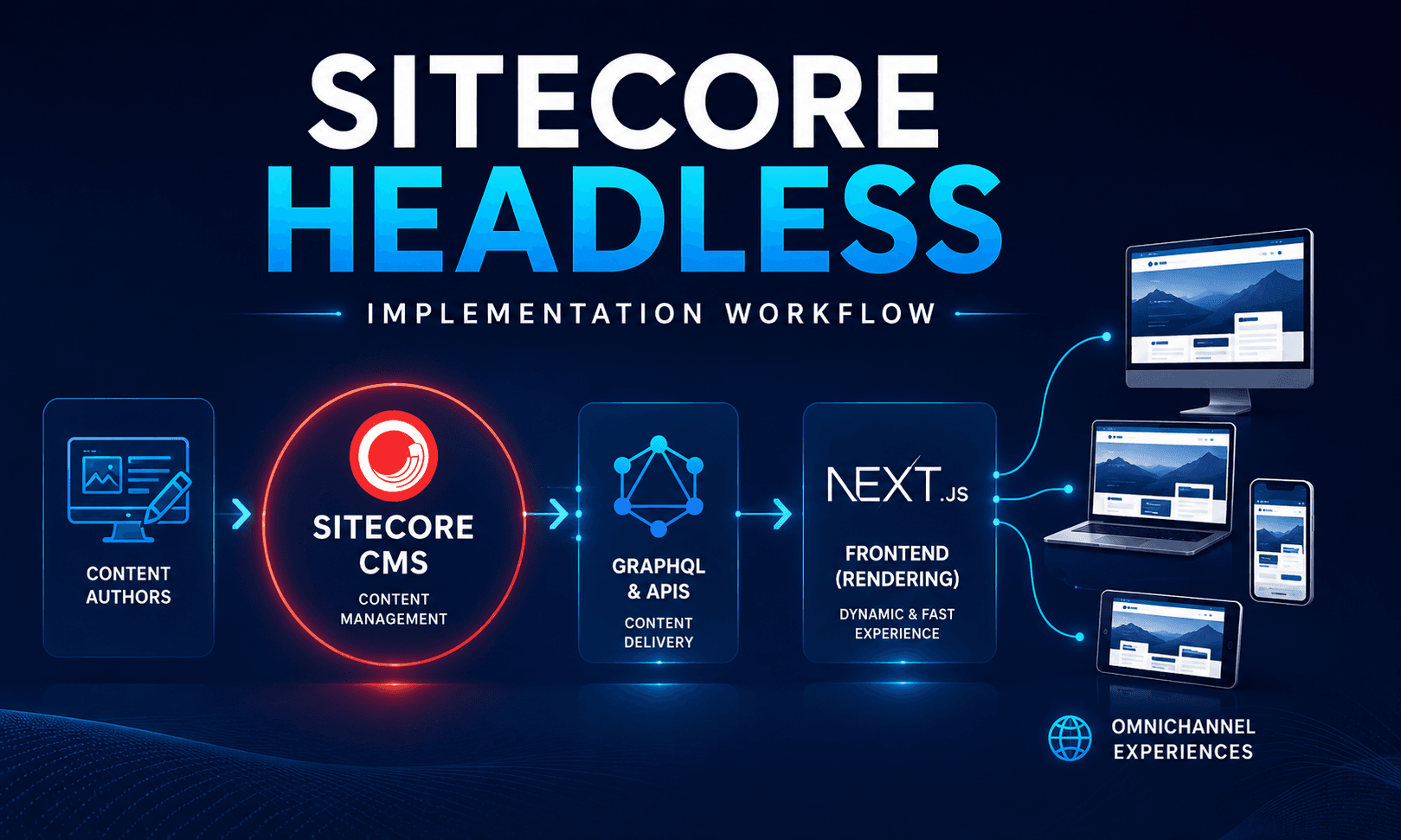
Understanding the Full Rendering Flow
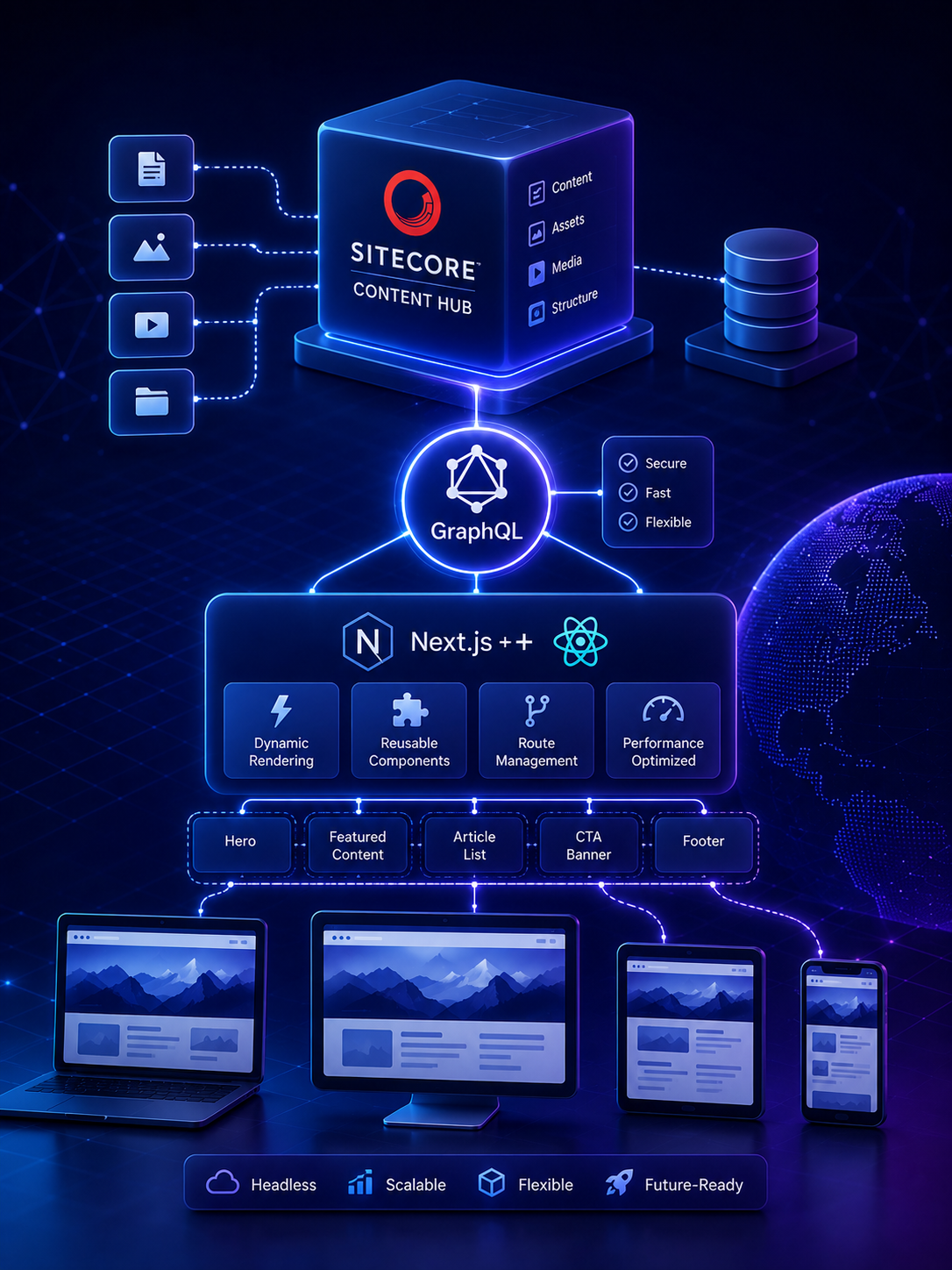
The complete rendering flow looks like this:
Sitecore → GraphQL/API → Next.js → Browser
Here’s what happens:
- Sitecore stores content and layout data
- APIs expose structured data
- Next.js processes the response
- React dynamically renders components
- The browser displays the final experience
This is the heart of modern headless architecture.
Dynamic Rendering in Sitecore Headless
One of the most powerful features is dynamic rendering.
The frontend does not hardcode page structure.
Instead:
- Sitecore sends layout definitions
- React maps components dynamically
- Pages are assembled at runtime
This creates:
- Flexible page composition
- Faster content updates
- Better editor control
Content authors can rearrange layouts without developers rebuilding pages.
Final Working Website
At the end of implementation, we now have:
- A fully working website
- Dynamic rendering
- API-driven content
- Reusable architecture
- Responsive frontend
The result is:
- Faster development
- Better scalability
- Easier maintenance
- Improved content operations
This is why enterprises increasingly adopt headless architecture.
Why This Architecture Scales
The solution scales effectively because:
- Components are reusable
- Frontend and backend are decoupled
- Teams work independently
- APIs support omnichannel delivery
This architecture supports:
- Websites
- Mobile applications
- Kiosks
- Smart devices
- Future digital channels
That flexibility is one of the biggest strategic advantages of headless CMS platforms.
Key Takeaways
This implementation demonstrates several important concepts:
1. Sitecore Manages Content
Sitecore acts as a centralized content platform.
2. Frontend Handles Experience
Next.js and React control rendering and interaction.
3. APIs Connect Everything
GraphQL and Layout Services enable dynamic integration.
4. Components Drive Scalability
Reusable architecture improves maintainability and speed.
5. Headless Enables Enterprise Flexibility
Teams can move faster while maintaining scalability.
Final Thoughts
Building a Sitecore Headless application is more than connecting APIs and rendering React components.
It’s about designing:
- Scalable architecture
- Reusable systems
- Flexible content platforms
- Enterprise-ready digital experiences
Once you understand the complete implementation flow, you begin to think beyond pages and templates.
You begin to think in:
- Components
- APIs
- Content structures
- Experience platforms
And that mindset is what defines modern enterprise development.
Frequently Asked Questions
What is Sitecore Headless Implementation: Building a Real-World Project with JSS and Next.js?
Learn how to build a real-world Sitecore Headless implementation using Sitecore JSS, Next.js, GraphQL, dynamic rendering, reusable components, and enterprise frontend architecture.