OPD Token System for Small vs Multi-Speciality Hospitals: Software, Displays, Printers & Setup Cost
In This Article
- 1. Which OPD Token System Does Your Hospital Need?
- 2. How Does a Digital OPD Token System Work?
- 3. Small Clinic vs Multi-Speciality Hospital: OPD System Comparison
- 4. Hospital Token Display Software, TV Screens and Printers
- 5. Basic vs Advanced OPD Queue Management Software
- 6. OPD Token System Setup Cost in India
- 7. Before vs After Digital OPD Queue Management
- 8. Can OPD Software Integrate With Your Existing HMS?
- 9. How MSI Configures an OPD Queue Management System
- 10. Watch MSI's OPD Token System Demo
- 11. How to Request Your Hospital's OPD Estimate
- Conclusion: Choose the Right OPD Setup Before Investing
A 2-doctor clinic and a 20-doctor hospital shouldn't buy the same OPD queue system.
When patients repeatedly ask about their turn, doctors depend on verbal calling, and reception teams struggle with manual registers, outpatient management becomes unnecessarily complicated.
An OPD token system for hospitals can organize patient registration, doctor-wise queues, token displays and consultation calling.
However, the right software and hardware depend on your facility's size, patient volume and existing infrastructure.
For hospitals and clinics in Ranchi, Patna, Jamshedpur, Bhubaneswar, Kolkata and across India, understanding these requirements before purchasing can help avoid unnecessary equipment and implementation expenses.
1. Which OPD Token System Does Your Hospital Need?
The best OPD token system is one that matches your actual patient flow—not simply your doctor count.
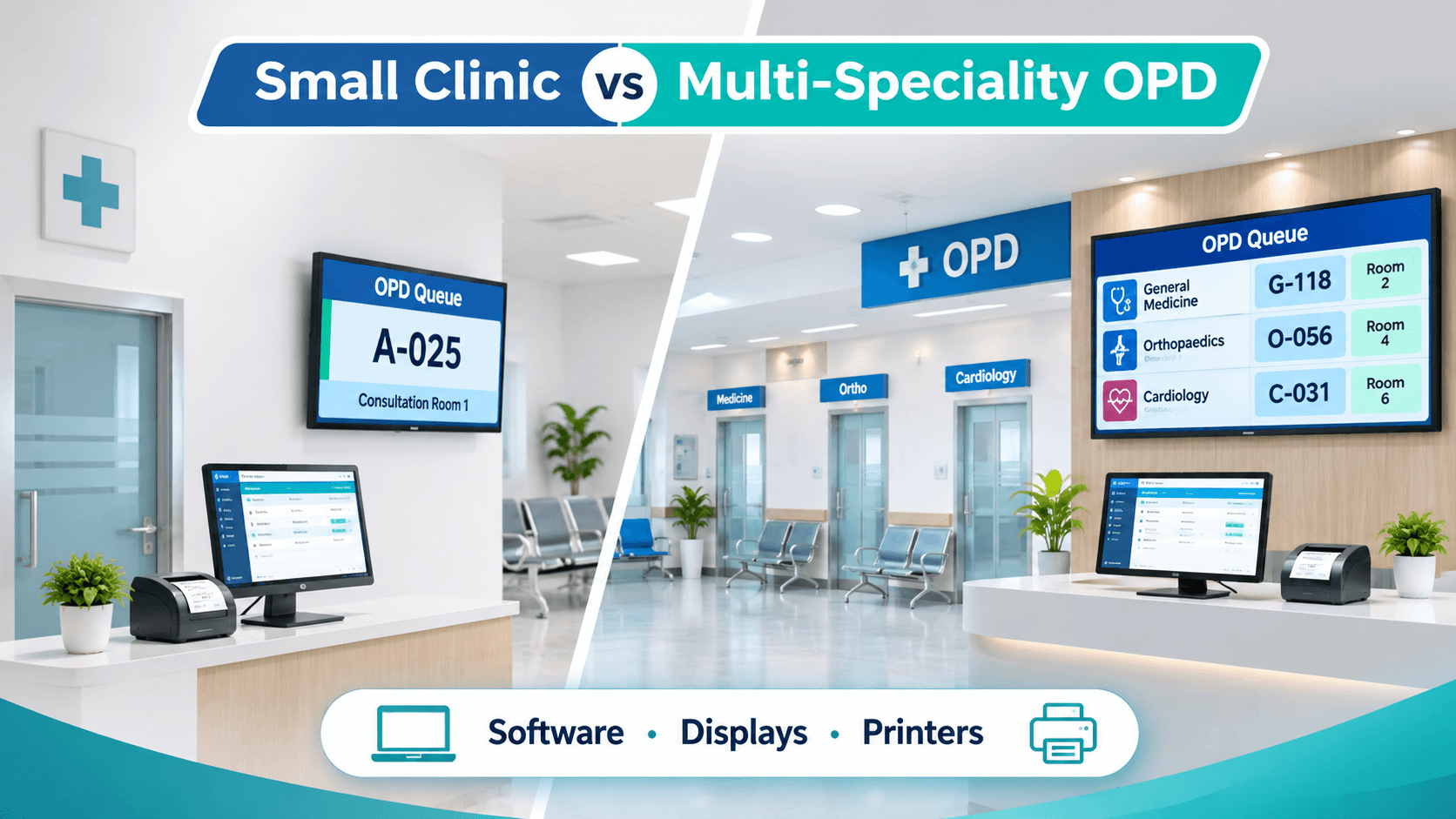
A small clinic with one or two doctors may need digital token generation, a receptionist dashboard and one waiting-room display.
A growing nursing home may require multiple doctor queues, appointment management and consultation-room information.
A multi-speciality hospital with 10–20 doctors may need department-wise queues, several registration counters, multiple screens, priority handling and HMS integration.
Before purchasing, assess daily OPD visits, peak-hour traffic, consultation rooms and the number of simultaneous queues.
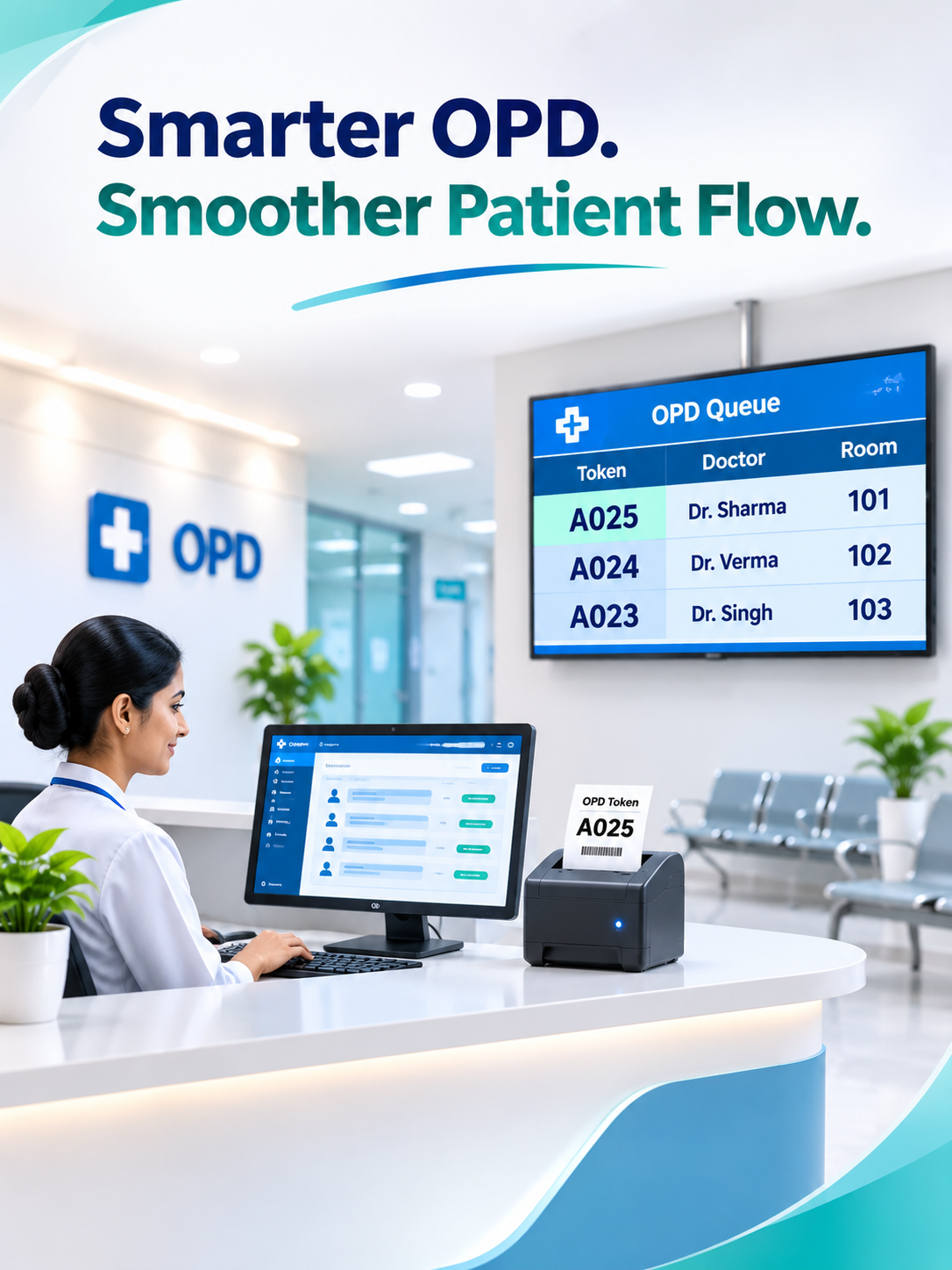
Smarter OPD. Smoother Patient Flow.
Simplify patient registration, doctor-wise queues, live token displays and consultation workflows with OPD software tailored to your hospital's unique requirements.
2. How Does a Digital OPD Token System Work?
A digital OPD queue management system connects reception, doctors and waiting areas through a shared workflow.
Patient Registration → Digital Token Generation → Optional Token Printing → Live TV Display → Doctor Calling → Queue Status Update
For example, a patient registers for an orthopaedic consultation and receives token OR-025.
The waiting-room screen shows the current token and consultation room. When the doctor calls OR-025, the display and receptionist's dashboard update according to the configured workflow.
Appointments and walk-ins can be managed together using hospital-approved queue rules.
This creates a more structured patient journey without requiring staff to manually coordinate every token.
3. Small Clinic vs Multi-Speciality Hospital: OPD System Comparison
Different healthcare facilities need different configurations.
| Component | Small Clinic | Multi-Speciality Hospital |
|---|---|---|
| Registration | Usually one counter | Multiple counters |
| Doctors | One or a few | Multiple doctors and departments |
| Digital tokens | Simple doctor-wise calling | Doctor-, room- or department-wise queues |
| TV displays | One may suffice | Multiple displays may be required |
| Token printers | Optional | One or more compatible printers |
| Patient priority | Basic configured rules | More complex rules and exceptions |
| HMS integration | Optional | Often valuable |
| Reports | Daily token summaries | Doctor and department reports |
These are typical configurations, not fixed requirements. Final device quantities and software compatibility require assessment.
Planning a new OPD setup?
Get My OPD System & Hardware Estimate
4. Hospital Token Display Software, TV Screens and Printers
An OPD token system does not always require expensive dedicated hardware.
TV displays: Compatible Smart TVs or monitors can show token numbers, consultation rooms and queue status through a supported browser or display application.
Thermal token printers: Optional printers issue physical slips. Driver support, paper width and USB, LAN or Bluetooth connectivity should be tested before purchase.
Controller devices: Some displays require a mini PC or dedicated controller.
Network infrastructure: Reliable LAN, Wi-Fi and power arrangements support synchronized updates. Offline behavior depends on the deployment architecture.
Optional kiosks: Self-registration kiosks or audio announcements may be considered for larger outpatient facilities.
Hospitals should also verify display readability, regional-language needs and patient privacy.
Upgrade Your Hospital OPD With Smarter Patient Queue Management
5. Basic vs Advanced OPD Queue Management Software
A basic setup typically manages token generation, doctor calling, live queue status and daily summaries.
Advanced configurations may include multiple departments, missed-token recall, authorized priority adjustments, staff permissions, appointment coordination and operational analytics.
For example, an orthopaedic department may need separate consultation, dressing and diagnostic queues. A small general clinic may not need these workflows.
Emergency prioritization should follow clinical policies and authorized staff decisions.
Choose required capabilities first and optional modules second.
6. OPD Token System Setup Cost in India
The OPD token system cost in India varies according to software scope, hardware requirements and installation complexity.
| Cost Component | What Determines the Estimate |
|---|---|
| Software | Features, licensing and customization |
| Doctors and departments | Queue configuration and user access |
| Registration workstations | Number of counters and existing computers |
| TV displays and controllers | Screen quantity and compatibility |
| Thermal printers | Models, connectivity and quantities |
| Network and installation | Cabling, configuration and testing |
| HMS integration | APIs, data mapping and workflow complexity |
| Hosting and messaging | Server plans, SMS or WhatsApp usage |
| Training and AMC | Training scope, support and maintenance |
MSI has previously referenced approximately ₹70,000 as an indicative software-focused starting scope. This is not a current guaranteed quotation or a complete hardware-inclusive hospital package.
For a detailed purchasing breakdown, explore our OPD Queue System Cost, Devices and Setup Guide.
Request separate one-time and recurring costs before approving procurement.
7. Before vs After Digital OPD Queue Management
| Before Implementation | Target After Implementation |
|---|---|
| Handwritten tokens | Digital token records |
| Repeated queue enquiries | Visible queue status |
| Verbal patient calling | Doctor-controlled calling |
| Unclear consultation rooms | Token and room display |
| Separate queue registers | Shared reception and doctor views |
| Manual OPD summaries | Structured operational reports |
These are potential improvements, not guaranteed reductions in consultation time or patient waiting time.
8. Can OPD Software Integrate With Your Existing HMS?
Yes, integration may be possible when the existing Hospital Management System provides suitable APIs, data access and permissions.
Potential connections include patient registration, appointments, consultation status, billing, laboratory workflows and pharmacy services.
A successful integration should minimize duplicate patient records while maintaining appropriate access controls.
Explore MSI's Hospital Management System Case Study to understand wider hospital workflow requirements.
9. How MSI Configures an OPD Queue Management System
At Murmu Software Infotech (MSI), implementation planning begins with the hospital's operational requirements.
Our recommended process follows:
Hospital Assessment → Queue Configuration → Hardware Compatibility Testing → Pilot OPD → Staff Training → Wider Rollout
The assessment covers doctors, departments, counters, displays, printers, network connectivity and HMS requirements.
A pilot helps validate token generation, consultation calling, device behavior and exception handling before wider deployment.
Our OPD Token & Queue Management Case Study describes digital tokens, doctor-wise queues and connected patient workflows.
Smart OPD Queue Management Solutions
Explore digital token systems, doctor-wise queues, hardware setup and hospital automation.
484 KB
10. Watch MSI's OPD Token System Demo
Before investing, request a demonstration showing actual receptionist, doctor and waiting-room workflows.
The demonstration should cover patient registration, token generation, doctor calling, TV updates and administrative queue monitoring.
If printing or HMS connectivity is required, request a compatibility demonstration using the intended configuration.
Watch the OPD Token System Demo
Get Expert Guidance for Your Hospital's OPD System Setup
11. How to Request Your Hospital's OPD Estimate
A useful estimate starts with accurate requirements.
Share your hospital name and city, doctor count, OPD departments, registration counters, daily patient volume, existing screens and printers, current HMS and integration needs.
MSI can use this information to assess the proposed software scope, hardware compatibility and implementation requirements.
Conclusion: Choose the Right OPD Setup Before Investing
Planning an OPD token system? Don't buy unnecessary hardware.
Small clinics and multi-speciality hospitals have different requirements for doctor queues, token printers, waiting-room displays and HMS integrations.
Murmu Software Infotech helps healthcare facilities assess these requirements and plan suitable digital OPD workflows.
Whether you operate a clinic in Ranchi, a nursing home in Patna or a growing multi-speciality hospital in Kolkata, start with your actual patient journey.
Choose the right software. Verify your hardware. Understand the complete implementation estimate.
Get My OPD System & Hardware Estimate
Frequently Asked Questions
What is an OPD token system for hospitals?
An OPD token system is software that organizes outpatient registration, token generation, doctor-wise queues and consultation calling. Depending on its configuration, it can also support live TV displays, thermal token printing, appointments, walk-ins and integration with hospital management software.
What is the difference between a small clinic and multi-speciality hospital OPD token system?
A small clinic may need one registration counter, simple doctor-wise calling and a single display. A multi-speciality hospital may require multiple counters, department-wise queues, consultation-room displays, priority rules, reporting and HMS integration. The right configuration depends on patient volume and workflow complexity.
How much does an OPD token system cost in India?
The total price depends on software features, doctors, departments, registration counters, displays, thermal printers, installation, hosting, integrations and maintenance. MSI has advertised focused OPD software implementations starting from approximately ₹70,000. This is an indicative software-focused price, not a complete hardware-inclusive quotation. Request an itemized current estimate.
Is a thermal token printer compulsory for OPD queue management?
No. A thermal printer is optional when patients can receive or view their token information digitally. Hospitals that require physical token slips should select compatible printers and verify paper size, drivers, connectivity and printing behavior before procurement.
Can existing Smart TVs be used for hospital OPD token displays?
Existing Smart TVs or monitors may be suitable for OPD token displays if the software, browser or controller device, screen resolution and network connectivity are compatible. Hospitals should test their specific devices before purchasing additional screens.
Does OPD token management software work without internet?
Internet requirements depend on the deployment architecture. Cloud-hosted systems generally need internet connectivity, while some locally hosted systems may support internal-network operation. Offline token generation, synchronization and recovery must be verified during technical assessment.
Can one OPD token system manage multiple doctors and departments?
Yes. A configurable OPD queue management system can organize patients by doctor, department or consultation room. It may support multiple registration counters, appointments, walk-ins, missed tokens, authorized priority adjustments and centralized operational reporting.
Can OPD queue software integrate with existing HMS and hospital billing?
Yes, when the existing Hospital Management System supports suitable APIs, secure data access or compatible integration methods. Potential connections include patient registration, appointments, consultation status, billing, laboratory and pharmacy workflows. Feasibility depends on the hospital's software environment.
How long does OPD token software installation take?
Implementation time depends on doctors, departments, hardware readiness, software customization, network infrastructure, HMS integration and staff training. A small configuration may require less work than a multi-department rollout. MSI recommends assessment, configuration, device testing, pilot operation and training before wider deployment.
How can a hospital request an OPD software and hardware estimate?
Share your hospital name, city, number of doctors, OPD departments, registration counters, daily patient volume, existing screens or printers, current HMS and integration requirements. Murmu Software Infotech can review these details and prepare a scope-based software and hardware estimate.