New: Introducing Glossary-Driven translations in brand kits enables custom translation in SitecoreAI
In This Article
Delivering consistent, on-brand experiences across languages is one of the hardest parts of global content operations. Even with strong guidelines, translations can drift—product names get localized unintentionally, slogans lose their punch, and key terminology varies from page to page.
That’s exactly the problem the new Glossary and Localization section in Sitecore AI Brand Kits is designed to solve.
Why Translation Consistency Matters
When you scale across regions, translation isn’t just about language—it’s about maintaining intent, voice, and identity. A small inconsistency in how a product name or tagline is translated can dilute your brand and confuse your audience.
Brand Kits in Sitecore AI already help guide tone and messaging. Now, with the addition of a dedicated glossary, you get precise control over how specific terms are handled during translation.
What’s New: Glossary and Localization
Brand Kits now include a Glossary and Localization section that lets you define how individual terms, phrases, and brand names should be translated—or not translated at all.
This gives you a centralized way to enforce language rules across all AI-powered translations.
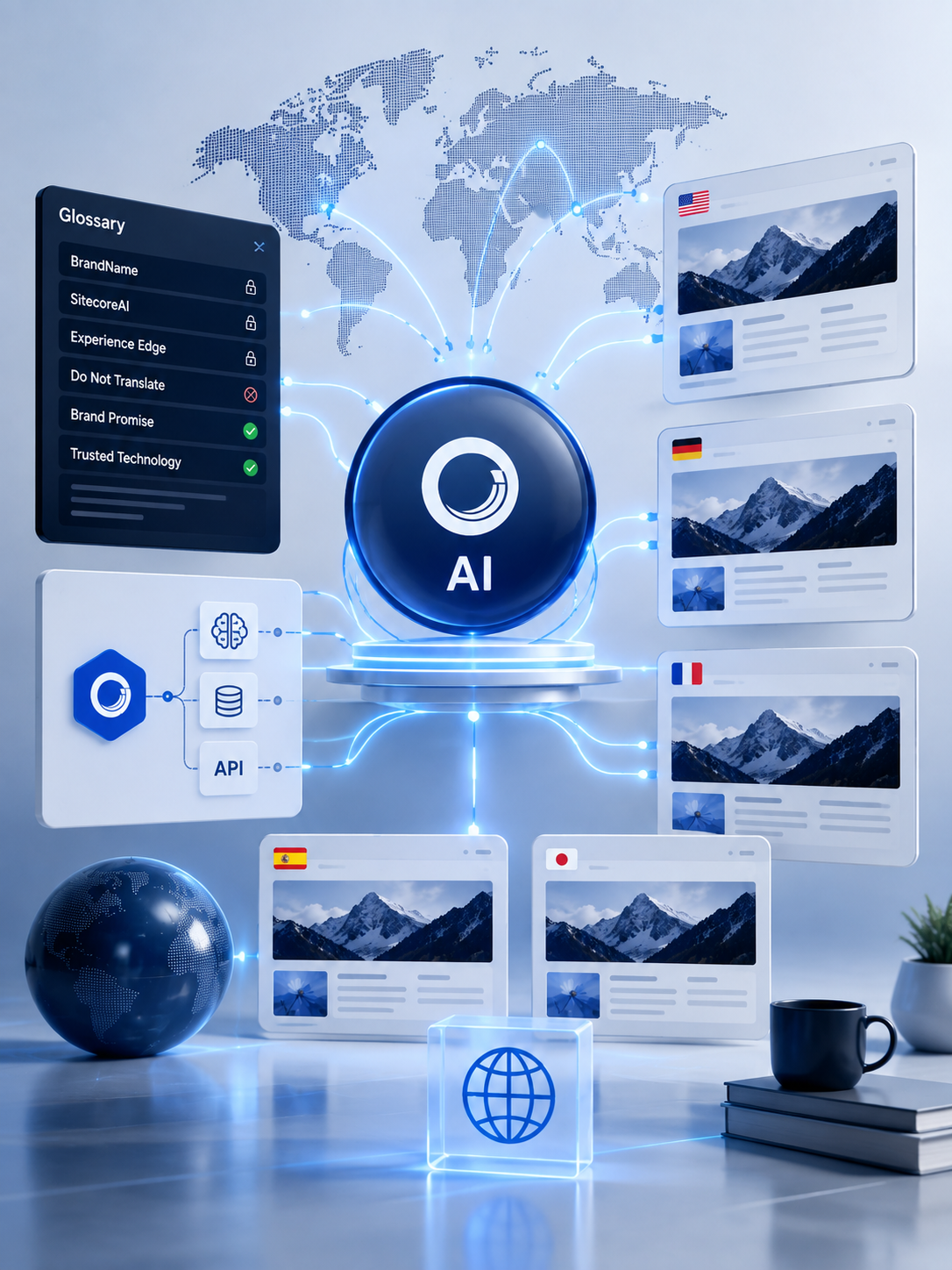
Control Every Translation With SitecoreAI
Keep brand terminology consistent across every language with glossary-driven AI translation, automated localization rules, and scalable SitecoreAI content workflows.
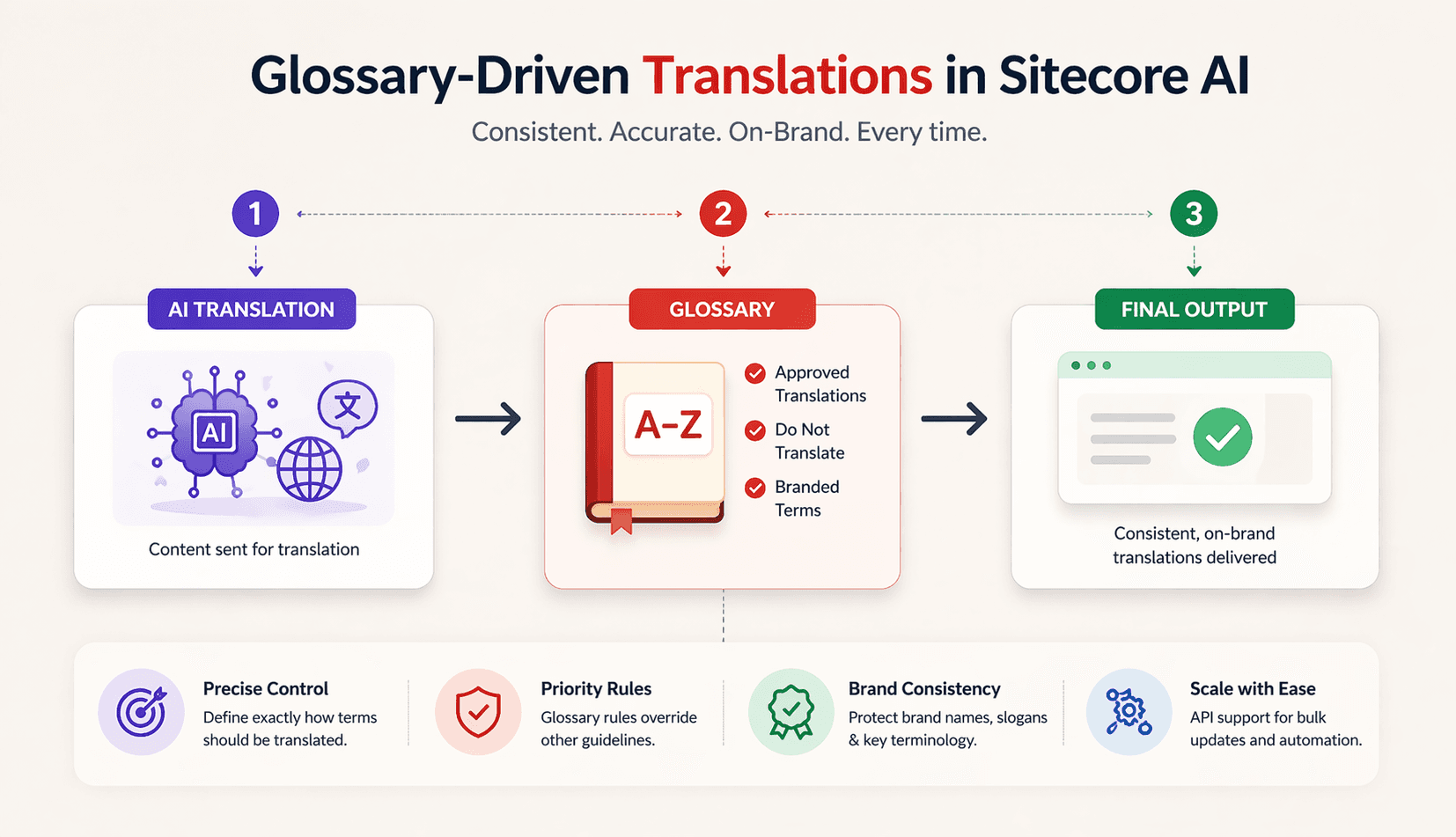
With the glossary, you can:
- Define approved translations
Ensure important terms are always translated the same way, no matter where they appear. - Prevent translation of key names
Keep brand names, product names, and campaign titles exactly as intended. - Preserve branded language
Maintain slogans, taglines, and signature phrases across all locales. - Apply rules automatically
Glossary terms are enforced during site and page translation whenever a brand kit is assigned.
How It Works
Reduce Translation Errors & Speed Up Global Content Delivery
The glossary acts as a priority layer in the translation process.
When Sitecore AI translates content:
- It checks whether a term exists in the glossary.
- If it does, the glossary rule is applied.
- Other guidance—like Do’s and Don’ts—is skipped for that term.
Why this matters
This priority system ensures:
- Consistency across all translated content
- Predictability in how terms are handled
- Reduced manual review and corrections
Glossary vs. Do’s and Don’ts
Brand Kits already allow you to define Do’s and Don’ts to guide AI behavior. However, these are general rules, while the glossary is term-specific and authoritative.
Important: Once a term is added to the glossary, it overrides any Do’s and Don’ts previously defined for that term.
Example
- A Do: “Translate product names into local language”
- A glossary rule: “ProductX → Do not translate”
Result:
“ProductX” will remain unchanged in all translations because the glossary takes precedence.
Built for Scale: API Support
Managing glossary terms manually works for small teams—but at scale, automation is key.
The Brand Management API now supports creating and updating glossary entries through the Create a brand kit subsection endpoint. This enables:
- Bulk uploads of terminology
- Integration with localization workflows
- Automated updates across multiple brand kits
Where This Makes an Impact
The glossary feature is especially valuable for:
- Landing pages with campaign-specific messaging
- Global websites with high translation volume
- Marketing campaigns where tone and phrasing are critical
- Product content requiring strict naming consistency
The Bottom Line
With glossary-driven translations, Sitecore AI moves beyond general guidance and into precise linguistic control.
You get:
- Stronger brand consistency
- Fewer translation errors
- Faster localization workflows
And most importantly, you ensure that every translated page still sounds like your brand—no matter the language.
Source: Sitecore AI
Thank You!
Frequently Asked Questions
What is glossary-driven translation in SitecoreAI?
Glossary-driven translation in SitecoreAI lets organizations define approved translations or protected terms in a Brand Kit so specific words, phrases, product names, and brand language are handled consistently across localized content.
What is the Glossary and Localization section in SitecoreAI Brand Kits?
The Glossary and Localization section is a Brand Kit feature that lets teams define how specific terms should be translated or preserved across languages. It helps maintain terminology consistency, brand accuracy, and localization control.
How does SitecoreAI glossary translation work?
During site or page translation, SitecoreAI checks the Glossary and Localization terms first. If a matching glossary term exists, its defined translation or preservation rule is applied before other terminology guidance.
Can SitecoreAI prevent brand names from being translated?
Yes. SitecoreAI glossary terms can be configured with a Do Not Translate rule so brand names, product names, campaign names, slogans, or other protected terminology remain unchanged across supported languages.
Can I define approved translations for specific terms in SitecoreAI?
Yes. A glossary term can include approved translations for target languages, allowing organizations to standardize important terminology instead of relying only on general AI translation.
Do glossary terms take priority over SitecoreAI translation rules?
Yes. Sitecore documentation states that glossary terms take priority during translation. When a relevant glossary term exists, the Do's and Don'ts terminology guidance is ignored for that term.
Does a SitecoreAI Brand Kit need to be assigned to a site for glossary translation to work?
Yes. A Brand Kit must be assigned to the site for its Glossary and Localization terms to be automatically applied during site and page translation.
What types of content can SitecoreAI translate with AI?
SitecoreAI supports AI-powered translation of site and page content into supported languages, including multilingual page and content-item localization. The platform can also translate an entire site through its localization workflow.
How does SitecoreAI glossary translation improve multilingual brand consistency?
It gives content teams explicit control over critical terminology by defining approved translations and protected terms. This reduces inconsistent terminology and helps preserve brand identity across localized pages and campaigns.
Can SitecoreAI glossary terms be managed through an API?
Yes. The Brand Management API supports adding and editing glossary terms in Brand Kits, enabling bulk or automated localization updates for organizations with programmatic content workflows.