Embed Content Hub Asset Pickers Anywhere with the New Embedding SDK
In This Article
Switching between systems to find and attach assets is a common friction point in modern content workflows. Whether you're building a custom app, a commerce experience, or an internal tool, accessing digital assets often means leaving your workflow behind.
The new Content Hub Embedding SDK changes that.
It allows developers to embed a Content Hub asset picker directly into external applications, so users can browse and select assets without ever leaving the interface they’re working in.
What is the Content Hub Embedding SDK?
The Embedding SDK is a developer-friendly toolkit that lets you integrate Content Hub functionality—specifically asset selection—into your own applications.
Instead of redirecting users to Content Hub, you can now bring Content Hub into your app.
👉 Learn more in the official documentation:
https://doc.sitecore.com/ch/en/developers/cloud-dev/embedding-sdk.html
Why This Matters
In many organizations, digital assets live in Content Hub, while content creation, commerce, or campaign tools live elsewhere. This separation often leads to:
- Interrupted workflows
- Repetitive navigation
- Slower content production
With the Embedding SDK, you eliminate these gaps by enabling in-context asset access.
Key Benefits
Boost Productivity, Consistency & Speed Across Your Content Operations
1. Stay in Your Workflow
Users no longer need to switch tabs or log into another system to find assets.
- Browse Content Hub assets directly inside your app
- Select and attach assets instantly
- Reduce context switching
2. Faster Content Creation
By embedding the asset picker, teams can move quicker:
- Marketers can grab images during campaign setup
- Editors can attach media while creating content
- Developers can streamline custom workflows
Everything happens in one place.
3. Consistent Asset Usage
Because users are pulling assets directly from Content Hub:
- They always access the latest approved versions
- Brand consistency is maintained
- Duplicate uploads are reduced
4. Flexible Integration for Developers
The SDK is designed to be easy to integrate into a variety of environments:
- Custom web applications
- Internal tools and dashboards
- Third-party platforms
It gives developers the flexibility to embed onlywhat’s needed , without recreating asset management features from scratch.
How It Works
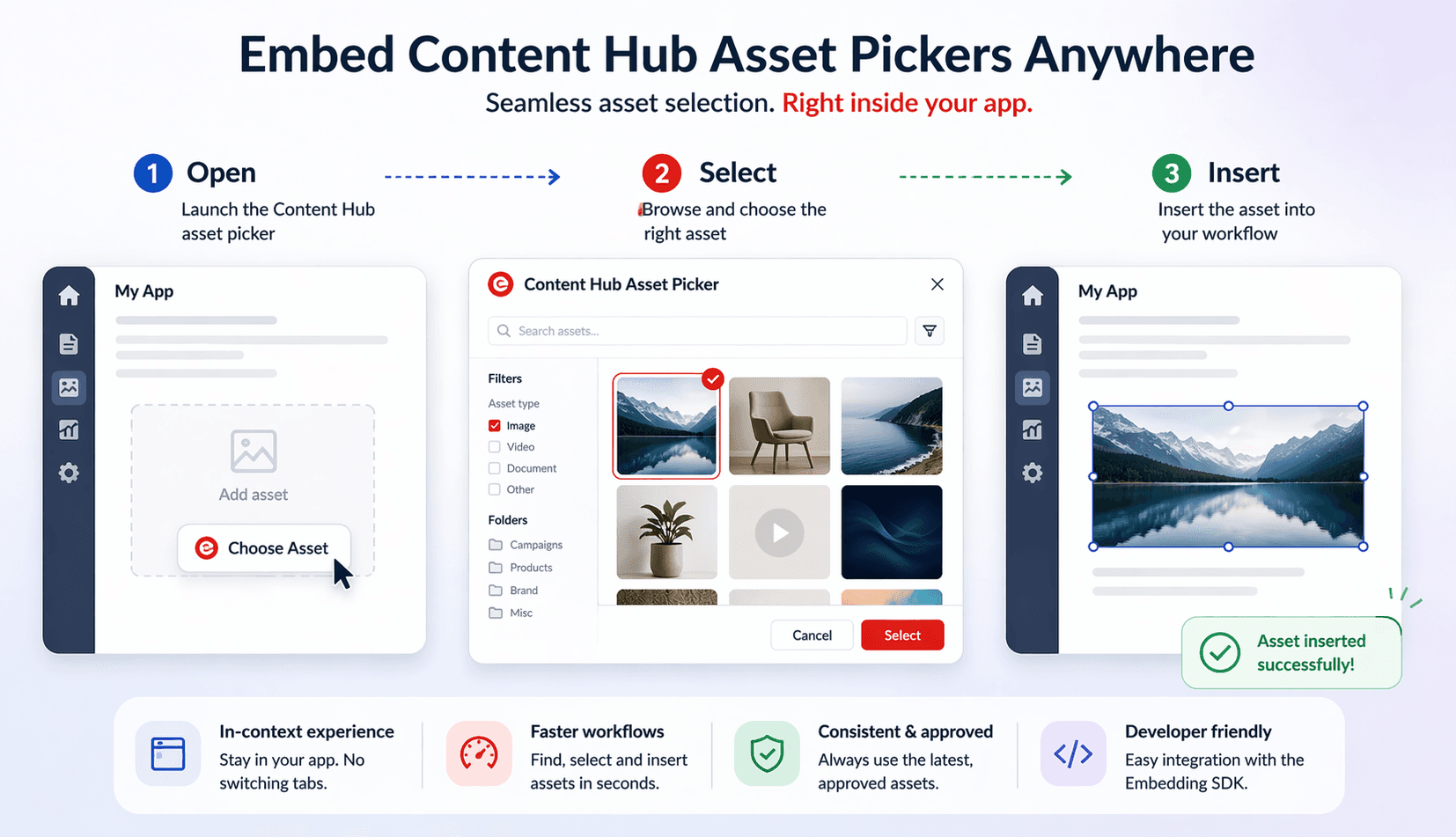
Once integrated, the embedded asset picker allows users to:
- Open the Content Hub interface within your app
- Search or browse available assets
- Select the desired asset
- Insert it directly into their workflow
All of this happens without leaving the host application.
Real-World Use Cases
The Embedding SDK unlocks powerful scenarios such as:
- CMS integrations – Add assets to pages without navigating away
- E-commerce platforms – Attach product images directly from Content Hub
- Marketing tools – Select campaign visuals in real time
- Custom apps – Build tailored experiences with built-in asset access
A Step Toward Seamless Content Operations
The Content Hub Embedding SDK is part of a broader shift toward connected,composable digital experiences .
Instead of forcing users to adapt to multiple tools, it brings the tools into the user’s flow.
The Bottom Line
With the Embedding SDK, you can:
- Embed Content Hub asset selection anywhere
- Eliminate workflow interruptions
- Accelerate content creation
- Maintain control and consistency
It’s a simple idea with a big impact: put assets where your users already work.
Happy Conding !
Frequently Asked Questions
What is Embed Content Hub Asset Pickers Anywhere with the New Embedding SDK ?
Learn how the Sitecore Content Hub Embedding SDK lets you embed asset pickers in any app. Improve workflows, speed up content creation, and ensure brand consistency.