Simplifying the process of blending Next.js and Contentful for an effortless Headless CMS integration into your website.
In This Article
What is Contentful CMS?
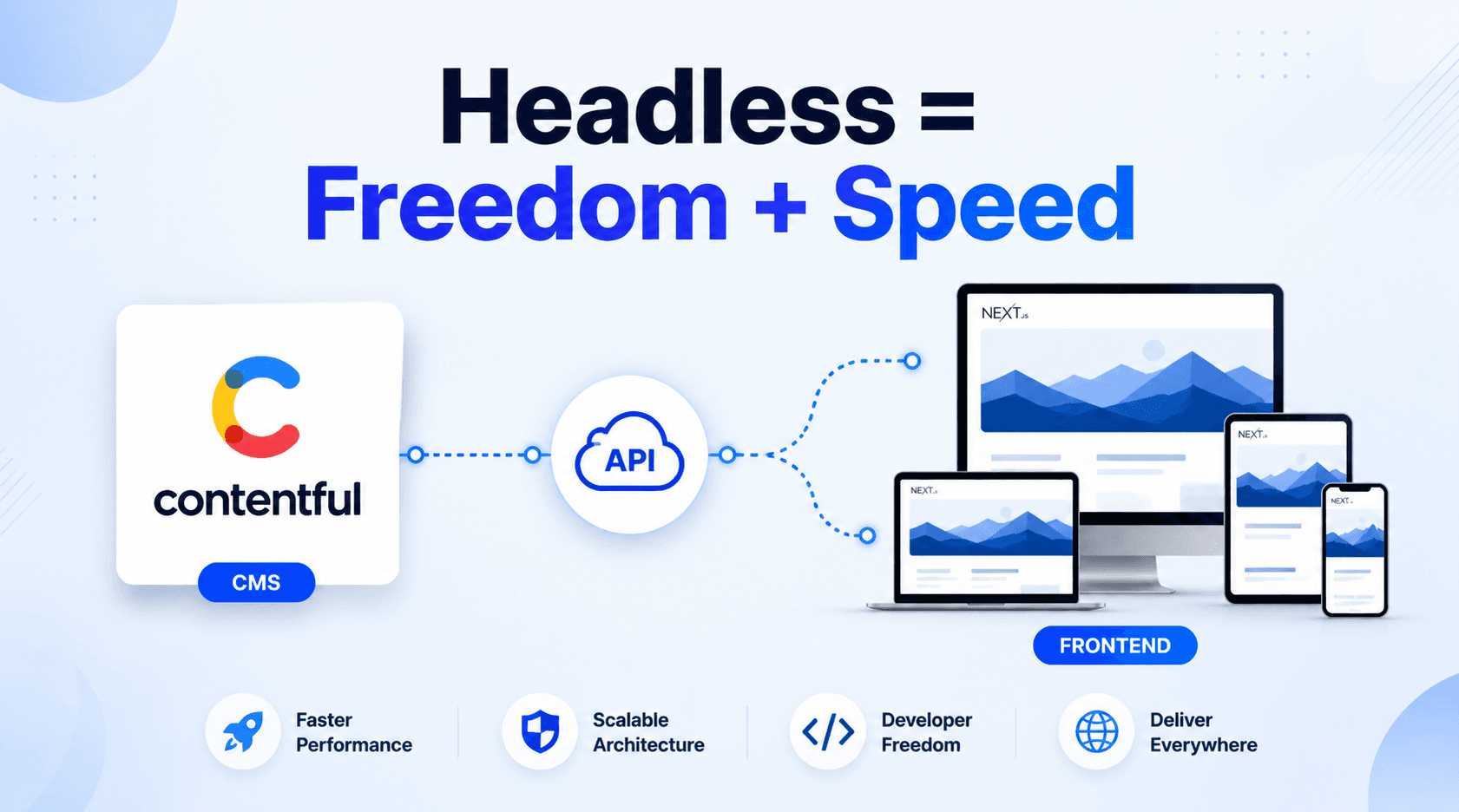
Contentful is a headless CMS that separates content creation from presentation. It offers structured content management through APIs, allowing developers to easily integrate and distribute content across various digital platforms.
How do you use Contentful?
Simplify Content Management. Accelerate Your Website Performance.
To use Contentful:
- Account Setup: Sign up on the Contentful website https://www.contentful.com/ to create an account.
- Space Creation: After signing up, navigate to Spaces > Add space. Create a space by providing a name, selecting the environment (e.g., Production or Staging), and clicking Create.
- Content Addition: Access the Content section in the top menu. Create content models to structure your content and add entries.
- Content Delivery: Utilize Contentful APIs or SDKs like the JavaScript SDK to fetch and display your content in your application or website.
Building an app with Contentful and Next.js
Creating the Next.js project
As a first step, you’ll need to create a new Next.js project and install the necessary dependencies. To do this, use the following commands:
To establish your content model, start by arranging your Contentful space and shaping a model for your blog posts. Simply sign up on the Contentful website, then go to Spaces > Add space in the side menu, and press the Create a space button.
Next, click on Content model in the top menu and click the Design your content model button:
To create your first content, click the Create a content type button.:
Following that, provide a name for your content model (let’s go with “Post” for this demonstration), hit the Create button, and proceed to include the desired fields in your content model, such as “title,” “body,” and “author.”
With this model in place, you’re ready to generate entries and fill your space with content.
After organizing your Contentful space and adding content, you can fetch and showcase that content in your Next.js app using the Contentful.
To do this:
1.In your Next.js project, make a file named contentfulConfig.js
2.Put the following code in that file:
To showcase a list of your blog posts on your app’s homepage, include the following code in the index.js file located in your pages directory.
The createClient() function requires the space ID and your access token from the Contentful dashboard.
To copy the space ID, click on the copy icon:
Now Start Your Server npm run dev
Frequently Asked Questions
What is Simplifying the process of blending Next.js and Contentful for an effortless Headless CMS integration into your website.?
Discover how seamlessly Next.js works with Contentful CMS for building fast, scalable websites. This guide simplifies the integration process, enabling developers to deliver structured content using APIs. Learn how to separate content from design and optimize your workflow for modern web development with this powerful