Fixing the Sitecore Login Fail After Installing Sitecore 10.4.1 on a Developer Workstation
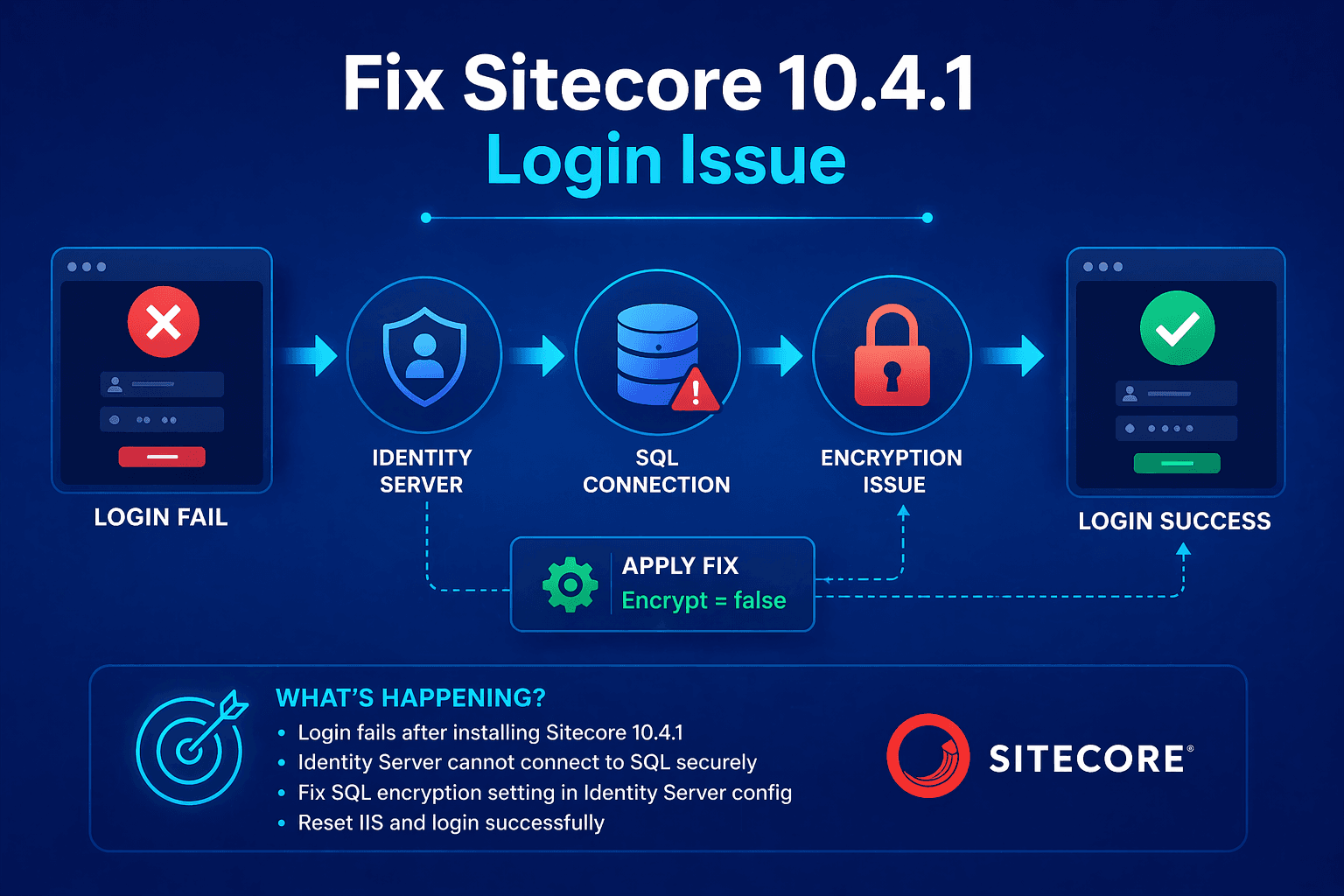
We were in the middle of a few upgrades to Sitecore 10.4 when Sitecore 10.4.1 was released on June 25th 2025. I used the Sitecore Install Assistant to install Sitecore 10.4.1 rev. 012149 (Setup XM1 Developer Workstation rev. 1.6.1-r7).

Fix Sitecore 10.4.1 Login Issues
Resolve silent Sitecore 10.4.1 login failures with practical Identity Server, SQL encryption, connection-string, and IIS configuration guidance for developers.
Both the installs completed successfully. I was also able to load the instances.
When I tried to login to the admin, I was seeing an error.
Ensure Your Sitecore Environment Is Stable, Secure & Production-Ready
The worst part is there are no logs generated in the Identity server and there are no error log entries in the Sitecore logs either.
If we disable the Sitecore Identity Server, it works fine but doing this causes other issues and it does not match up with the upstream environments.
My smart friend Kamruz then discovered the following in the developer documentation:
2.8. Encrypted communication with SQL Server
New versions related applications might require encrypted communication with SQL Server, for example Sitecore Identity Server module version 8.0 and later, and Sitecore Publishing Service version 8.0 and later. This change is due to the adoption of a newer version of Microsoft.Data.SqlClient that enforces increased security, as described in Microsoft’s Breaking changes in EF Core 7.0 article.
To configure encrypted communication with SQL Server:
1. Configure an encryption certificate on SQL Server. A valid encryption certificate must be installed and configured on SQL Server to support encrypted communication. For more information refer to Microsoft’s Configure SQL Server Database Engine for encrypting connections article.
2. Ensure the certificate is trusted on the server hosting the Sitecore application.
3. (Optional) Enforce the Sitecore application to use an encrypted connection to SQL Server.
Update the connection string of the Sitecore databases to add the following parameters:
Encrypt=true;TrustServerCertificate=false;
For example:

<ConnectionString>

Data Source=.;Initial Catalog=Sitecore.Core;User ID=coreuser;Password=Test12345;Encrypt=true;TrustServerCertificate=false;

</ConnectionString>
This configuration ensures encrypted communication with SQL Server while enforcing strict certificate validation.
You have to update the \inetpub\wwwroot\sitecorejssapp10.4.1identityserver.dev.local\Config\production\Sitecore.IdentityServer.Host.xml and add the Encrypt=false; on your local to work. You could also setup the encryption on your local and set it to true as well.
Once this is done, reset IIS and try again. Welcome to Sitecore 10.4.1!
Happy Coding!
If a login or installation problem remains unresolved, explore our Sitecore support services to discuss your environment, troubleshooting needs and maintenance scope.
Frequently Asked Questions
Why does Sitecore 10.4.1 login fail after installation?
A common cause of Sitecore 10.4.1 login failure on a developer workstation is SQL Server encrypted-connection behavior affecting the Sitecore Identity Server. The issue can occur even when the Sitecore installation and instances appear to work correctly.
How do I fix the Sitecore 10.4.1 login failure on a developer workstation?
Check the Sitecore Identity Server SQL connection configuration first. For local development, the Identity Server configuration may need Encrypt=false, or you can configure SQL Server encryption properly with a trusted certificate and use encrypted connections.
What causes the Sitecore Identity Server login error in Sitecore 10.4.1?
The login problem can occur because newer Microsoft.Data.SqlClient behavior requires encrypted SQL Server communication. If the local SQL Server does not have an appropriate trusted certificate or the connection settings do not match, Identity Server authentication can fail.
Why does Sitecore work when Identity Server is disabled?
Disabling Sitecore Identity Server can bypass the authentication component causing the failure, allowing the Sitecore instance to load. However, this is not a suitable long-term solution because Identity Server is part of the expected Sitecore authentication architecture.
How do I configure Encrypt=false for Sitecore Identity Server?
For a local developer environment, update the Sitecore Identity Server production configuration file and add the appropriate Encrypt=false setting to its SQL connection configuration. After changing the configuration, reset IIS and test the Sitecore login again.
How do I configure encrypted SQL Server connections for Sitecore?
Install and configure a valid SQL Server encryption certificate, ensure the certificate is trusted by the Sitecore application server, and configure the Sitecore connection strings with Encrypt=true and TrustServerCertificate=false when strict certificate validation is required.
Why are there no Sitecore Identity Server logs when login fails?
A login failure caused by SQL connection or encryption negotiation can occur before useful application-level authentication logging is produced. Checking SQL connectivity, Microsoft.Data.SqlClient behavior, Identity Server configuration, certificates, and connection strings can help identify the underlying problem.
Does Sitecore 10.4.1 require encrypted SQL Server communication?
Sitecore 10.4.1 components using newer Microsoft.Data.SqlClient behavior can require encrypted SQL Server communication. The exact configuration depends on the Sitecore component, SQL Server configuration, certificate availability, and whether the environment is local development or production.
Should I use Encrypt=false in production Sitecore environments?
Encrypt=false should not be treated as the preferred production security configuration. Production environments should normally use properly configured SQL Server encryption with a trusted certificate and strict certificate validation, according to the organization's security requirements.
What should I do after changing the Sitecore 10.4.1 Identity Server configuration?
After updating the configuration, reset IIS or recycle the relevant application pools, verify SQL connectivity, open the Sitecore login page, and test authentication again. If the issue persists, review SQL Server, Identity Server, Sitecore, certificate, and connection-string configuration.