Complete step-by-step guide to set up a Sitecore JSS app using Next.js
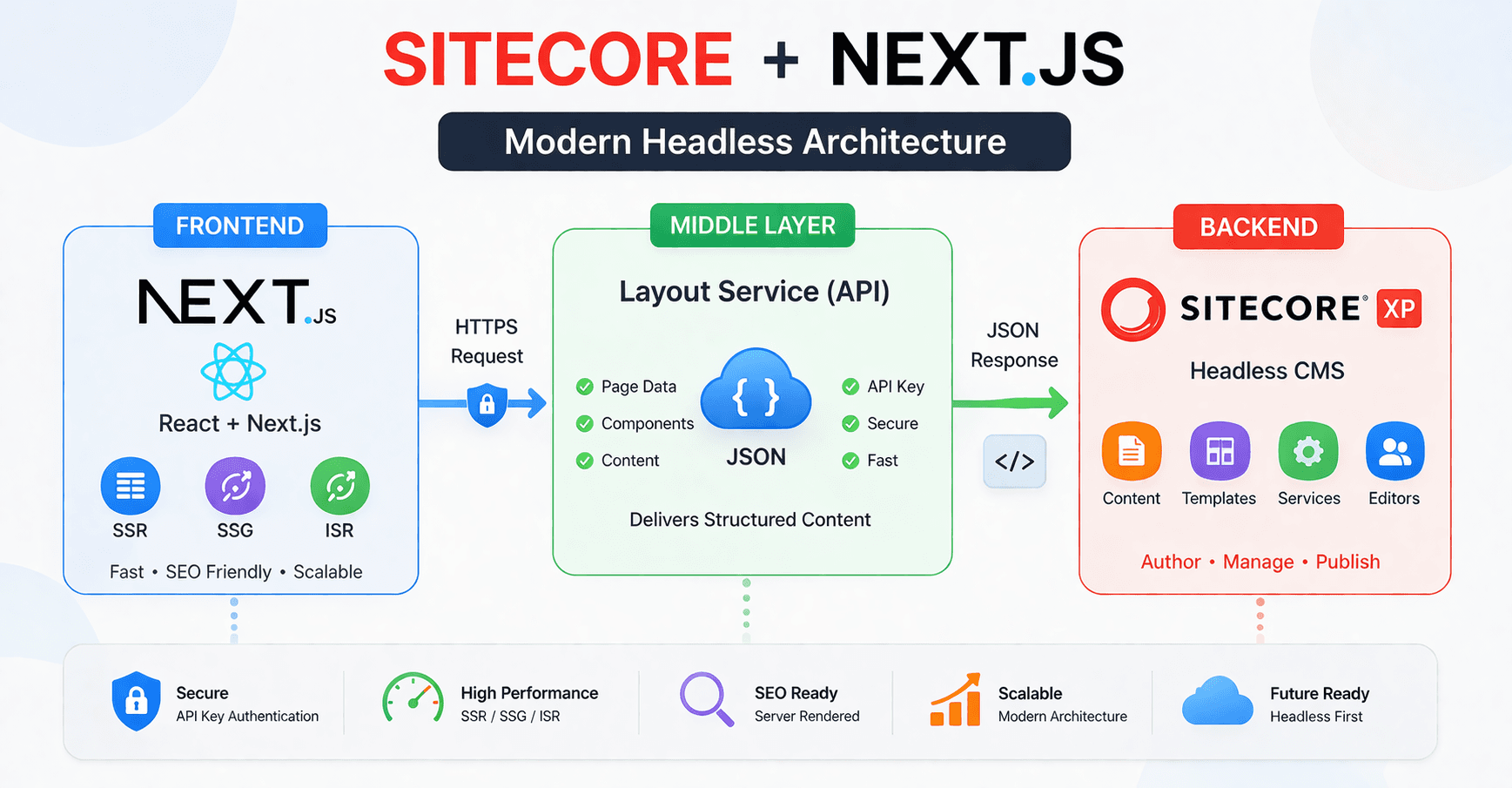
Here’s a complete step-by-step guide to set up a Sitecore JSS app using Next.js (instead of React SPA) with Sitecore XP.
This is the modern, recommended approach (SSR + better SEO + faster apps).
1. Prerequisites
Make sure you already have:
- Node.js (v18+ recommended)
- npm
- Sitecore XP installed locally
- Sitecore Headless Services installed on XP
- Sitecore JSS CLI
Install CLI if not already:
npm install -g @sitecore-jss/sitecore-jss-cli
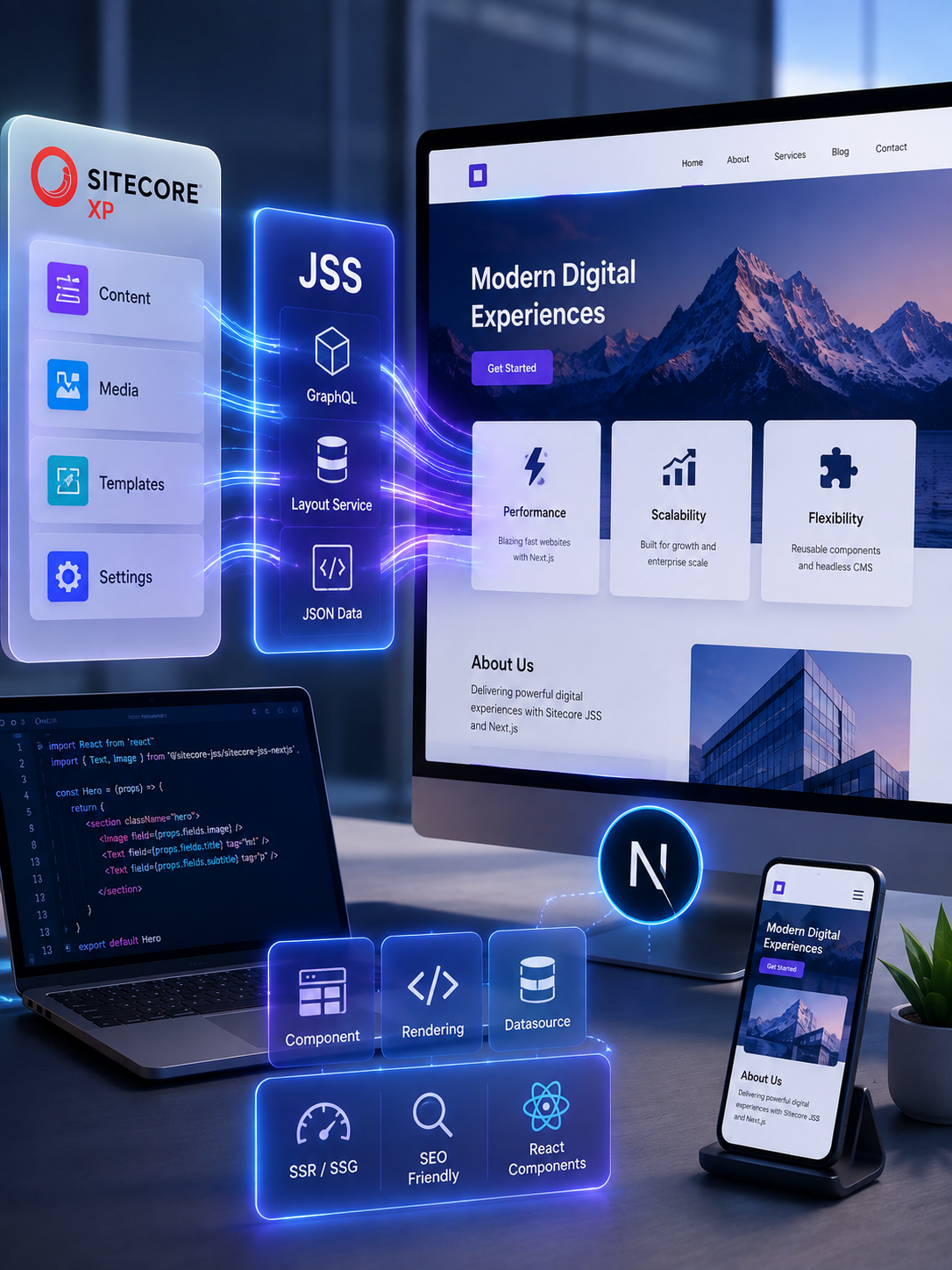
Build Modern Sitecore Experiences
Launch scalable Sitecore websites with Next.js, reusable JSS components, headless architecture, and high-performance rendering built for enterprise growth.
2. Create a Next.js JSS App
Run:
jss create my-nextjs-app nextjs
or
npx create-sitecore-jss nextjs my-jss-app
This uses Next.js instead of plain React.
Go to project folder
cd my-nextjs-app
3. Configure Connection to Sitecore XP
Build Scalable, Future-Ready Digital Experiences with Sitecore JSS
Step 1: Create API Key in Sitecore
- Open Sitecore:
- https://your-sitecore.local/sitecore
- Go to:
- /sitecore/system/Settings/Services/API Keys
- Create new API Key:
- Set Site = your site
- Allowed Controllers = *
Step 2: Configure Environment
Edit:
.env
Update values:
SITECORE_API_KEY=your-api-key
SITECORE_API_HOST=https://your-sitecore.local
Step 3: Configure scjssconfig.json
{
"sitecore": {
"instancePath": "C:\\inetpub\\wwwroot\\your-sitecore",
"layoutServiceHost": "https://your-sitecore.local",
"apiKey": "your-api-key"
}
}
4. Deploy JSS App to Sitecore
Run:
jss deploy app -c -d
This will:
- Create templates
- Create renderings
- Push content
5. Run Next.js App
Connected Mode (recommended during dev)
jss start:connected
App runs at:
http://localhost:3000
Now your Next.js app is pulling data from Sitecore XP.
6. Verify Integration
- Open browser → http://localhost:3000
- Open Sitecore Experience Editor
- Edit page → changes reflect in Next.js app
7. Create a Component
jss scaffold component Banner
Deploy again:
jss deploy app
8. Understand Next.js Rendering Modes
With Next.js in Sitecore:
SSR (Server-Side Rendering)
- Default in JSS Next.js
- Pages rendered on server
- Better SEO
SSG (Static Site Generation)
- Pre-render pages at build time
ISR (Incremental Static Regeneration)
- Rebuild pages dynamically
9. Project Structure
/src
/components
/pages
/lib
/styles
/scjssconfig.json
.env
Key files:
- pages/[[...path]].tsx → Catch-all route
- lib/layout-service → Fetch Sitecore data
10. Enable Experience Editor Support
Make sure:
- Your Next.js app is running
- Proxy is enabled (already configured in JSS template)
If issues:
jss start
11. Build for Production
npm run build
npm run start
Common Issues
❌ Layout data not loading
- Check API key
- Verify Sitecore URL
Experience Editor not working
- Ensure:
- App running
- Correct proxy config
CORS errors
- Configure CORS in Sitecore
Architecture (Next.js + Sitecore XP)
- Frontend: Next.js
- Backend: Sitecore XP
- Data: Layout Service (JSON)
- Rendering: SSR / Hybrid
- Hosting: IIS (Sitecore) + Node server (Next.js)
Thank You!
Frequently Asked Questions
What is Sitecore JSS with Next.js?
Sitecore JSS with Next.js is a headless development approach where Next.js provides the frontend application and Sitecore provides content management, layout data, and content services through Sitecore Headless Services.
How do I create a Sitecore JSS Next.js application?
A JSS Next.js application can be scaffolded using the Sitecore JSS initializer with the Next.js template. After initialization, configure the application for your Sitecore environment, connect the required services, and run it in disconnected or connected mode.
How do I connect a Next.js JSS app to Sitecore XP?
Connect the JSS application to Sitecore by configuring the Sitecore endpoint, API key and required JSS settings, then run the application in connected mode so it can retrieve layout and content data from Sitecore.
What is Sitecore Layout Service in Next.js?
Sitecore Layout Service provides structured layout and content data that a JSS Next.js application can consume to determine which components and content should be rendered for a page.
How do I create an API key for Sitecore JSS?
Create an API key in the appropriate Sitecore API Keys location, configure its permissions according to your application's requirements, and provide the key through the JSS application's secure configuration rather than exposing it in client-side code.
What is Sitecore JSS connected mode?
Connected mode allows a JSS application to communicate with a running Sitecore instance and retrieve real Sitecore content and layout data during development.
How does Next.js work with Sitecore Experience Editor?
A Next.js JSS application can integrate with Sitecore editors through the JSS editing infrastructure. The application and Sitecore editor endpoints must be configured correctly, including the required editing secret and related settings.
What rendering methods can be used with Sitecore JSS and Next.js?
Sitecore JSS applications can use Next.js rendering capabilities such as server-side rendering and static generation, depending on the JSS and Next.js versions and the application's architecture and content requirements.
How do I deploy a Sitecore JSS Next.js application?
A JSS application can be deployed to Sitecore using the appropriate JSS deployment commands for its code-first artifacts and content. The Next.js frontend is then built and deployed using a supported Next.js hosting architecture.
Why is my Sitecore JSS Next.js application not loading layout data?
Common causes include an incorrect Sitecore endpoint, invalid API key, incorrect JSS configuration, unavailable Layout Service, connectivity problems, or environment and CORS configuration issues. Check the application configuration and Sitecore services first.